


AI Voice Platform
Voice AI Agents
AI voice agents that handle phone calls naturally with full property context. Sales mode converts inquiries into bookings. Support mode answers guest questions instantly. Every property detail, every amenity, every policy, your AI agent knows it all and answers guests in natural conversation, around the clock.
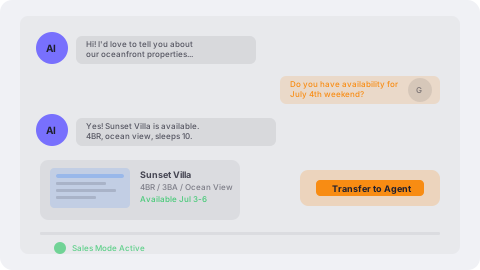
Sales Mode: Convert Inquiries Into Bookings
Voice AI answers inquiry calls and describes your properties using rich, detailed descriptions that capture what makes each property special. It handles availability questions, qualifies leads based on their needs, and warm-transfers callers to human agents the moment they're ready to book. Every call is answered, even at 2 AM during peak season.
- Answers inquiry calls with rich property descriptions and details
- Handles availability questions and qualifies prospective guests
- Warm-transfers to human agents when the caller is ready to book
- Never miss an inquiry; captures every lead around the clock
Support Mode: Instant Answers for Every Guest
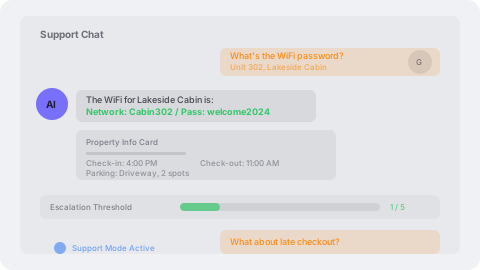
Guests call with questions about check-in times, parking, WiFi passwords, amenity details, and property policies. Voice AI handles these common questions instantly with accurate, property-specific answers, freeing your staff to focus on complex issues and high-value interactions. When the AI reaches its escalation threshold, it transfers with full conversation context.
- Answers check-in times, property info, and amenity details instantly
- Handles parking, WiFi, and policy questions with property-specific context
- Escalates complex issues to human staff with full conversation context
- Reduces call volume for your team while improving guest satisfaction
Knowledge Base & Training
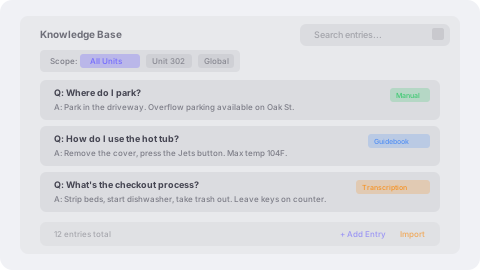
Build a Q&A knowledge base that your AI agent searches during every conversation. Add entries manually, auto-extract from call transcriptions, or import directly from your unit guidebooks. Knowledge entries can be company-wide or scoped to a specific AI agent. Unit-specific entries give the AI property-level answers, so when a guest asks about a specific unit's parking situation, the AI pulls the right answer.
- Q&A knowledge base searchable during live calls
- Three sources: manual entries, transcription extraction, and guidebook import
- Company-wide or agent-specific knowledge scoping
- Unit-level knowledge entries for property-specific answers
Tool Calling & Live Data Access
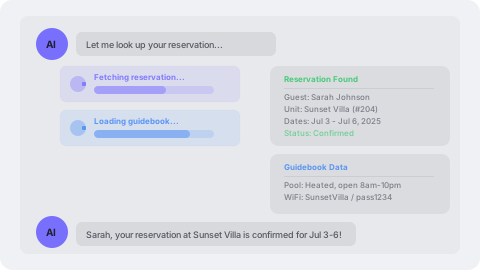
Voice AI does more than recite scripts. It calls tools to look up live data during conversations. When a guest asks about their reservation, the AI fetches it in real time. When they ask about a unit's amenities, it pulls the guidebook. Six built-in tools give the AI access to unit details, reservation records, guidebook content, contact information, interaction history, and the knowledge base, all invoked automatically based on conversation context.
- Live reservation lookup by contact or confirmation code
- Unit details and guidebook content retrieval during calls
- Contact information and interaction history access
- Knowledge base search scoped by unit for precise answers
Warm Escalation to Human Agents
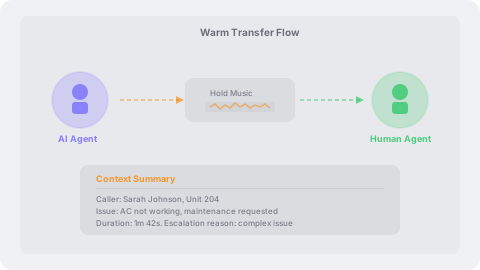
When a caller needs human assistance, the AI warm-transfers seamlessly. The caller stays on the line, hearing hold music, while the AI's SIP leg disconnects and the call re-queues to your human agents. The escalation includes a context summary so your agent knows exactly what was discussed. The AI can also create notes on the contact record before escalating, documenting issues like 'Caller reported broken AC in unit 204.'
- Seamless warm transfer where the caller stays on the line the entire time
- Context summary passed to the human agent receiving the call
- Pre-escalation note creation on the contact record
- Configurable escalation threshold based on failed tool calls
PMS Context on Every Call
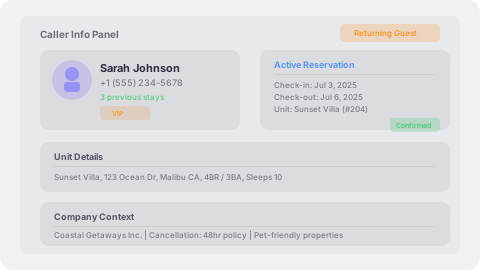
The moment a call connects, the AI loads full context from your PMS, including the caller's name, their active reservation, the unit they're staying in, and your company details. In sales mode, this means the AI knows if the caller is a returning guest. In support mode, it means instant answers about their specific stay without asking for a confirmation code.
- Caller identification with name and phone number lookup
- Active reservation details including dates, status, and unit
- Unit information with address and property details
- Returning guest recognition for personalized conversation
Queue Integration & Unified Routing
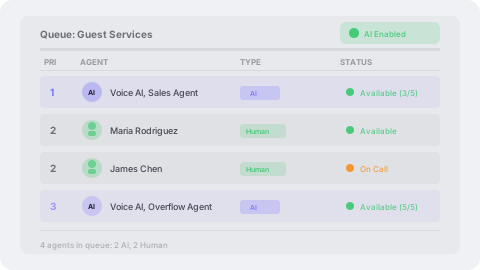
AI agents join your call queues alongside human agents with configurable priority. Set an AI agent at priority 1 to answer first, or at priority 3 as overflow behind your human team. The routing engine merges AI and human candidates into a single priority-sorted list, so your call flow works exactly how you design it. Toggle AI participation on or off per queue whenever you need to.
- AI agents assigned to queues with configurable priority levels
- Unified routing merges AI and human agents into one priority list
- Per-queue AI toggle to enable or disable AI participation
- AI handles overflow during peak seasons so no call goes unanswered
Capacity Management
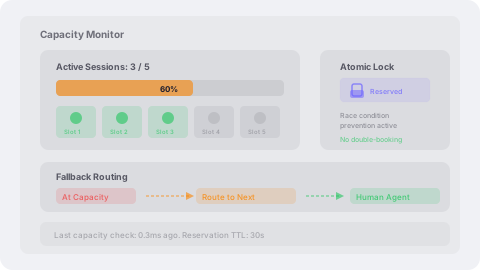
Each AI agent has a configurable concurrent call limit (default is five simultaneous calls). The routing engine checks available capacity before assigning a call, using atomic database reservations that prevent race conditions even under heavy load. When an AI agent reaches capacity, the router moves to the next candidate in the priority list, whether that's another AI agent or a human.
- Configurable max concurrent calls per AI agent
- Atomic capacity reservation prevents double-booking under load
- Automatic fallback to next agent when capacity is full
- Real-time capacity tracking across all active AI sessions
Session Tracking & Transcripts
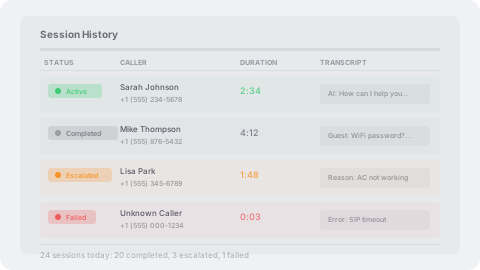
Every AI call session is tracked from start to finish. Status progresses through active, completed, escalated, or failed, with timestamps, duration, and full conversation transcripts stored for review. Escalated sessions record the reason and the human agent who took over. Failed sessions capture the error context. Three layers of session cleanup ensure no orphaned sessions consume capacity.
- Full conversation transcripts stored per session
- Session status tracking: active, completed, escalated, failed
- Escalation reason and receiving agent recorded
- Three-layer cleanup: callback, status check, and stale session sweep
AI Agent Configuration
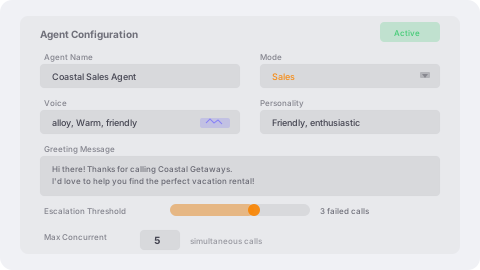
Configure each AI agent with a name, mode (sales or support), voice selection, personality tone, custom greeting, system prompt, escalation threshold, and concurrent call limit. Create multiple agents with different configurations, such as a friendly sales agent for inquiry lines and a professional support agent for guest services. Activate and deactivate agents independently.
- Sales and support mode with distinct conversation behaviors
- Voice selection and personality tone configuration
- Custom greeting message and system prompt per agent
- Configurable escalation threshold and concurrent call limits
Contact AI Routing Preferences
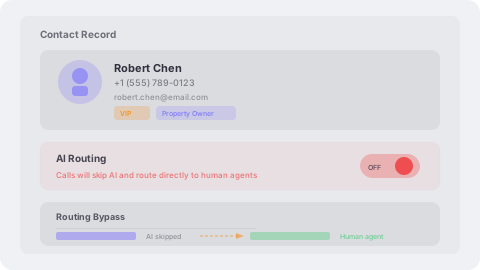
Some callers should always reach a human — property owners, VIP guests, or anyone who requests it. Mark any contact to bypass AI routing entirely, and the system will connect them directly to a live agent regardless of queue configuration. Your team controls who gets AI and who gets a person.
- Per-contact preference to bypass AI and reach a human directly
- VIP and property owner exemptions from AI handling
- Routing engine respects preferences automatically on every call
- Full visibility into who is opted out and why
SIP Failure Recovery
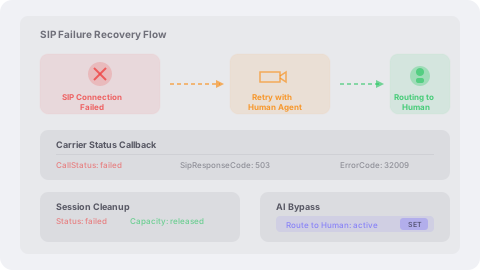
If the AI's SIP connection fails due to a network issue, service outage, or configuration error, the system detects the failure through upstream carrier status callbacks and automatically retries by routing the call to a human agent. Built-in safeguards prevent repeated retry loops. The failed session is cleaned up and capacity is freed immediately. The caller experiences a brief hold before connecting to a live agent.
- Automatic SIP failure detection via upstream carrier callbacks
- Seamless retry routing to human agents on failure
- Immediate capacity release on connection failure
- Caller stays on the line through the entire recovery process
Usage Metering & Analytics
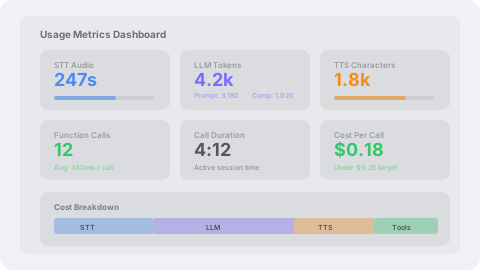
Every AI session records granular usage metrics for billing and optimization. Speech-to-text audio seconds, LLM prompt and completion tokens, text-to-speech characters, function call counts, and total call duration are all tracked per session. These metrics feed into your billing dashboard and help you understand AI cost per call, per agent, and per queue.
- Speech-to-text audio seconds tracked per session
- LLM token usage: prompt, completion, and total counts
- Text-to-speech character metering for voice synthesis
- Function call count and duration for tool usage analysis
How It Works
From Ring to Resolution
Voice AI joins calls as a real participant, not a robotic menu. Natural conversation powered by voice activity detection and property-aware intelligence.
Guest Calls
A guest or prospect dials your number, day or night, peak season or off-season.
AI Answers in <1s
Voice AI picks up instantly with sub-second response time powered by voice activity detection.
Natural Conversation
The AI converses naturally with full property context, including amenities, availability, policies, and more.
Warm Transfer
When the caller is ready to book or needs human assistance, AI warm-transfers to your team.
<1s
Response Time
24/7
Availability
100%
Calls Answered
Ready to Get Started?
See how SendSquared can transform your hospitality operations.
Schedule a Demo