


Direct Mail
Postcard Marketing
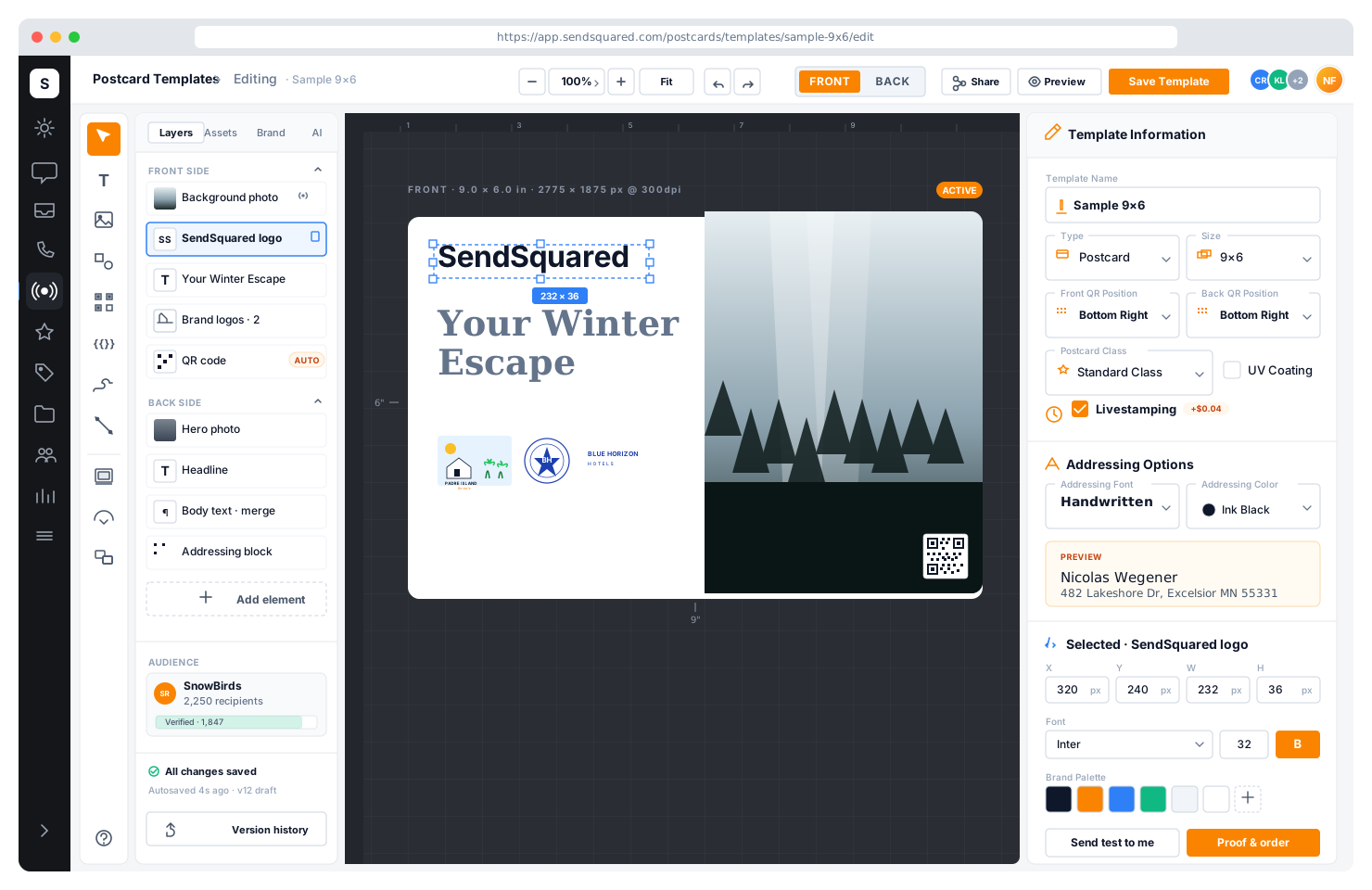
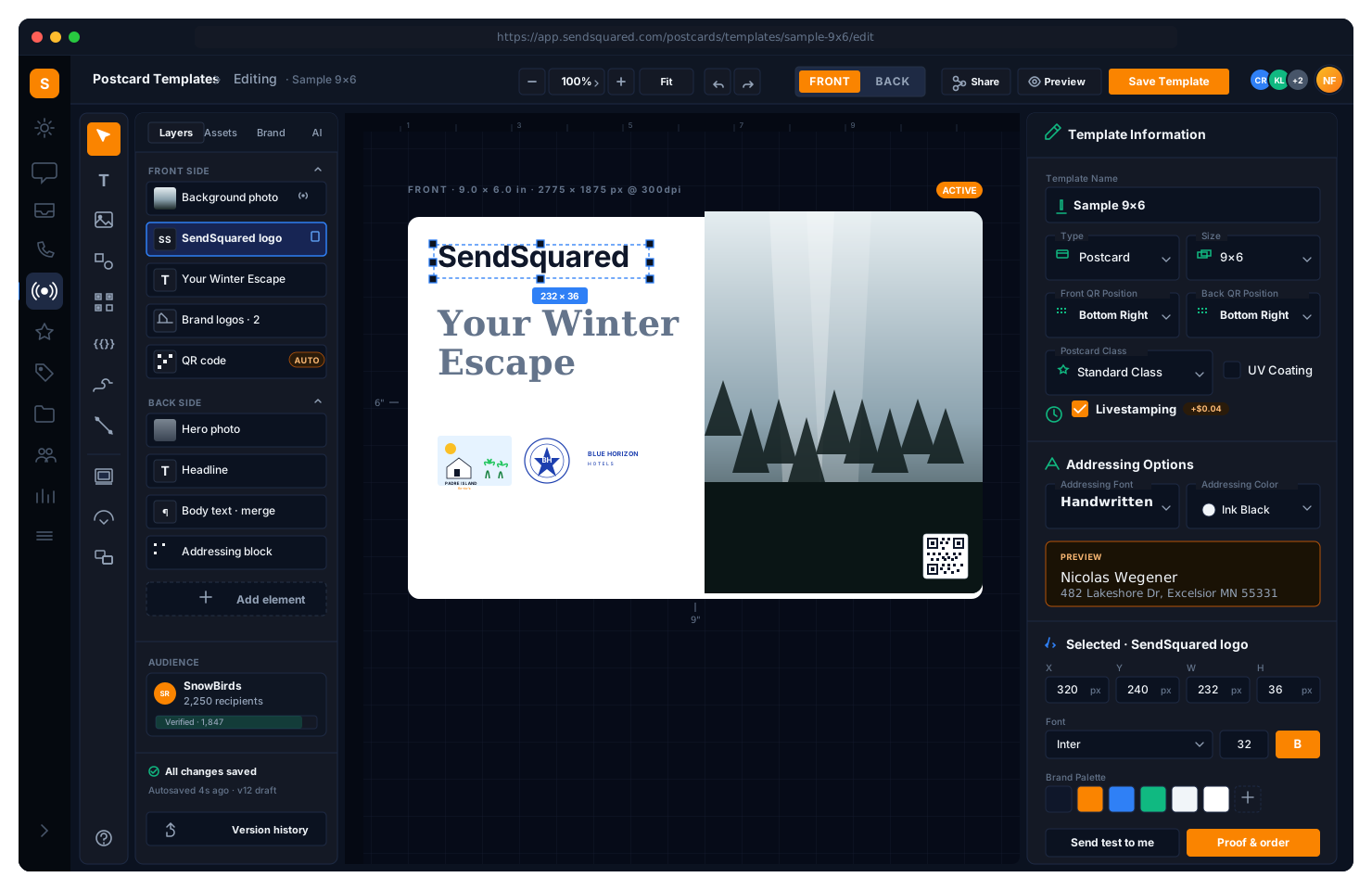
Send physical postcards and letters to guests and property owners directly from your CRM. Five template sizes, handwriting-style addressing, QR code placement, UV coating, livestamping, and full lifecycle tracking from print to delivery. Campaign integration means your direct mail works alongside email, SMS, and automation workflows.
Template Types & Sizes
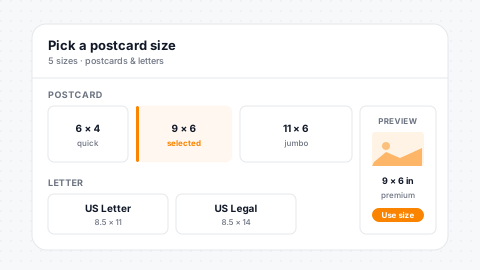
Two template types cover every direct mail use case. Postcards for quick-hit marketing like property showcases, seasonal promotions, and thank-you notes. Letters for longer-form communication like owner pacing reports, VIP invitations, and detailed offers. Five sizes available: 6x4, 9x6, and 11x6 inch postcards, plus US letter and US legal for letter templates.
Postcards
Quick-hit marketing: property showcases, seasonal offers, thank-yous.
Letters
Owner pacing reports, VIP invitations, and detailed communications.
Five Sizes
6x4, 9x6, and 11x6 postcards plus US letter and US legal.
System Templates
Company-wide design standards lock across the portfolio.
Handwriting-Style Addressing
Make your mail stand out in the mailbox. Seven handwriting-style fonts give your postcards a personal, hand-addressed feel that drives higher open rates than standard print addressing. Choose from Bradley Hand, Blackjack, Cathies Hand, Crappy Dan, Dakota, Jenna Sue, and Reenie Beanie, each in black, green, or blue ink. The personal touch that gets your mail opened.
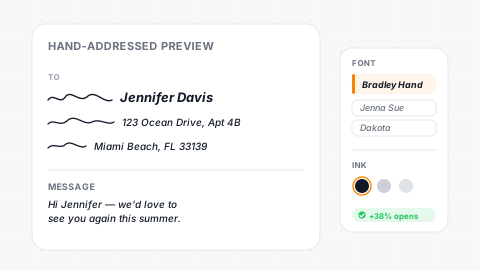
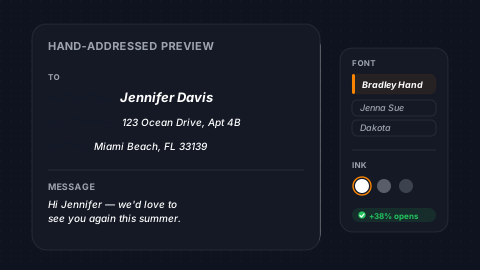
Seven Fonts
Handwriting-style fonts give authentic hand-addressed appearance.
Three Ink Colors
Black, green, or blue ink per template for brand match.
Higher Open Rates
Handwritten feel drives significantly higher open rates.
Per-Template
Font selection happens per template for brand-appropriate feel.
QR Code Placement
Add QR codes to the front and back of your postcards with precise positioning control. Place codes in any corner (top left, top right, bottom left, or bottom right) on either side. Link to your booking page, digital guidebook, survey, or any URL. QR codes bridge physical mail to your digital experience; a postcard showcasing a property links directly to the booking page.
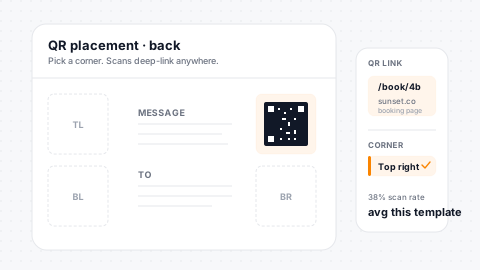
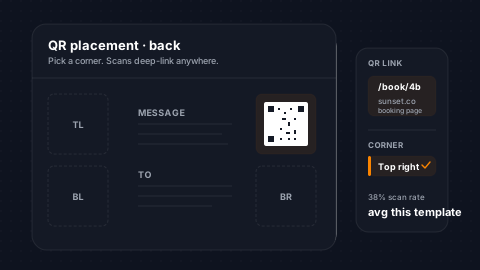
Front & Back
QR codes on either side of the postcard at your preference.
Four Corners
Position the code top-left, top-right, bottom-left, bottom-right.
Any URL
Link to booking pages, guidebooks, surveys, or any destination.
Visual Preview
Thumbnail overlay shows QR placement before you commit to print.
UV Coating & Livestamping
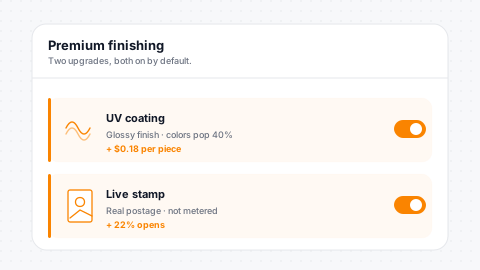
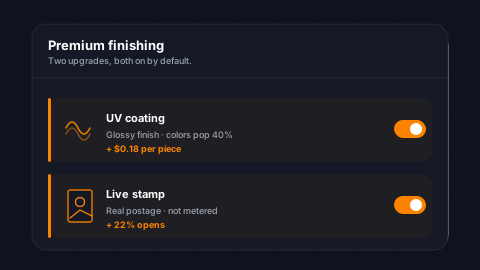
Premium finishing options that make your mail look professional. UV coating adds a glossy protective layer that makes colors pop and protects the print from handling damage. Livestamping adds real postage stamps instead of metered mail, increasing the personal feel and improving deliverability. Both options are configured per template and apply to every piece in the campaign.
UV Coating
Glossy protective layer makes colors pop and survives handling.
Livestamping
Real postage stamps replace metered mail for a personal touch.
Per-Template
Configured per template for consistent campaign finishing.
Premium Feel
Premium options raise open rates and perceived value.
Return Address & Sender Configuration
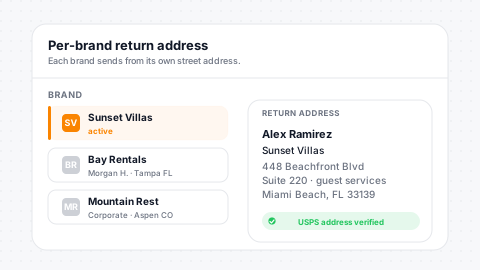
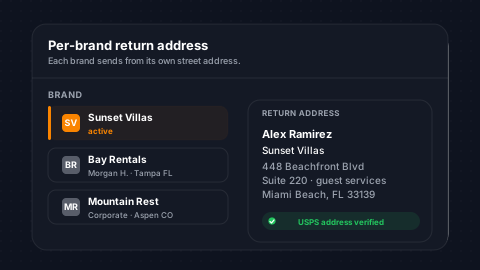
Configure complete return address information per postcard message, including sender first and last name, two address lines, city, state, and postal code. Each campaign can use a different return address for multi-brand operations. Property management companies send from the property brand, while corporate communications come from headquarters.
Full Address
Name, two address lines, city, state, and postal code.
Multi-Brand
Per-campaign return address for multi-brand operations.
Property Branding
Return address reflects the specific property sending mail.
Suite/Unit Lines
Secondary address line supports suite and unit numbers.
Lifecycle Tracking
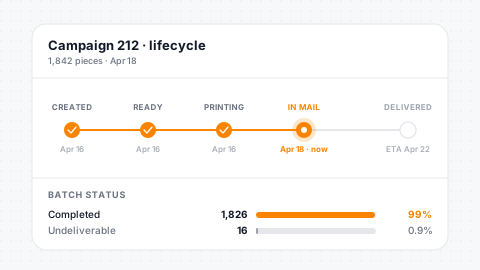
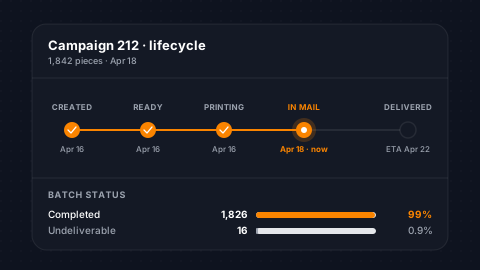
Track every postcard from creation through delivery. Status progresses through ready, printing, processing, and completed, with timestamps at each stage. Know exactly when your mail hit the printer, entered the postal system, and arrived at the destination. Error tracking captures delivery failures so you can identify bad addresses and update your contact records.
Six Stages
Created, ready, printing, processing, completed, delivered.
Stage Timestamps
Timestamp at every stage for full delivery visibility.
Error Tracking
Undeliverable status with specific failure reasons per piece.
Batch Status
Batch-level status updates for bulk campaign monitoring.
Campaign Integration
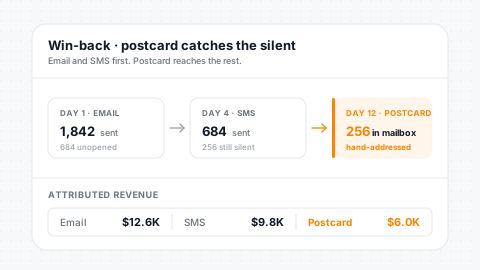
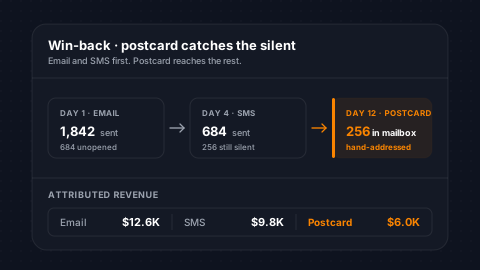
Postcards work as a campaign action type alongside email, SMS, and automation workflows. Build a campaign that sends an email, follows up with an SMS, and mails a postcard to non-responders. Campaign reporting shows postcard-specific metrics: total sent, delivered, errored, and invalid addresses. Postcards use the same segment targeting as every other campaign type.
Campaign Action
Postcards are a first-class campaign action type with full reporting.
Multi-Channel
Combine with email and SMS for orchestrated multi-channel campaigns.
Segment Targeting
Target postcards using the same PMS-powered segmentation engine.
Full Metrics
Sent, delivered, errored, and invalid-address counts per campaign.
Merge Fields & Personalization
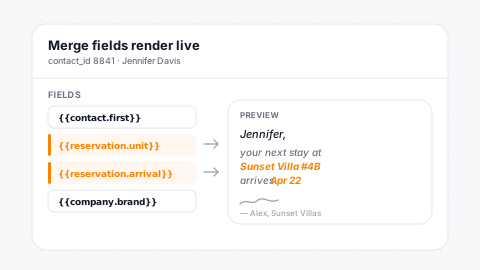
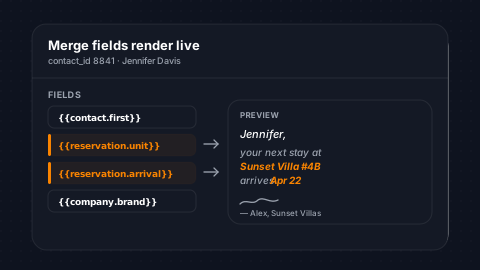
Personalize every postcard with merge fields that pull live data from your CRM. Contact fields include name, address, and birthday. Reservation fields include arrival date, unit name, and confirmation code. Company fields include address and phone. The same merge engine that powers your email and SMS campaigns processes your postcard content, ensuring consistent personalization across every channel.
Merge Namespaces
Contact, reservation, and company merge fields available.
Shared Engine
Same merge engine as email and SMS for consistent output.
Custom Fields
Your custom contact fields work as merge variables too.
Dynamic at Send
Content updates with live CRM data at the moment of send.
PDF Generation & Preview
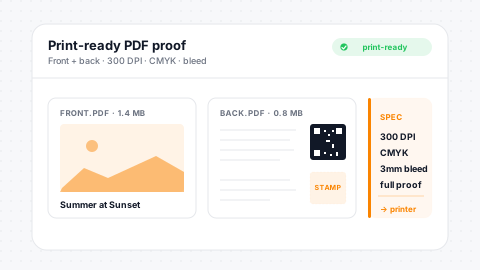
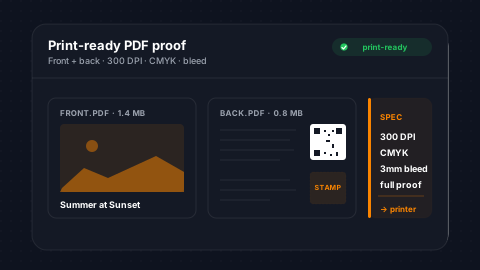
Every postcard generates front and back PDFs plus a composite proof for review. Template thumbnails show a visual overlay with QR code placement and addressing areas, so you can see exactly what will be printed before sending. Thumbnails are auto-generated and stored for quick browsing in the template library.
Front + Back PDFs
Separate PDF per side for precise print provider handoff.
Composite Proof
Single composite PDF for pre-send review and approval.
Auto Thumbnails
Thumbnails auto-generated with QR and addressing overlays.
S3-Backed
Reliable S3 storage ensures assets reach print providers cleanly.
Multi-Provider Delivery
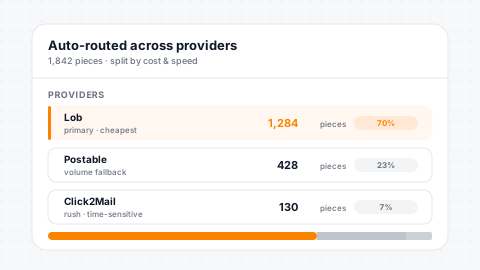
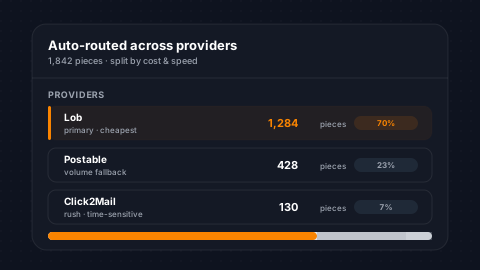
SendSquared integrates with multiple print-and-mail providers so you can choose the provider that fits your volume, pricing, and delivery needs. Provider configuration is set at the company level. Webhook integrations receive real-time status updates from each provider, mapping their status events to your postcard lifecycle stages automatically.
Multiple Providers
Integrations across multiple print-and-mail upstreams.
Company-Level
Provider selection per company for pricing flexibility.
Real-Time Webhooks
Status updates stream in from providers in real time.
Auto Mapping
Provider events map automatically to lifecycle stages.
Template Management
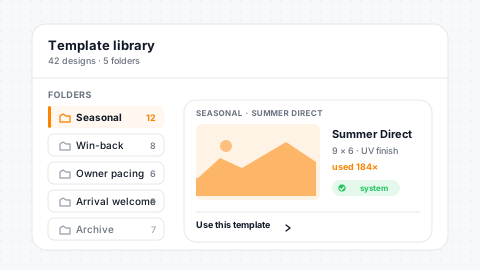
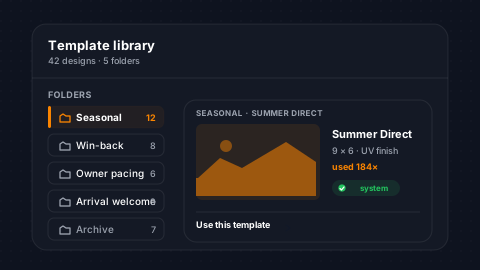
Organize your postcard templates with folders, archive outdated designs, and designate system templates as company-wide standards. Duplicate templates to iterate on proven designs without starting from scratch. Each template tracks active/inactive status, archive state, and system designation, giving your team a clean library of approved designs ready for campaigns.
Folder Library
Organize templates into folders for clean library management.
Archive System
Archive seasonal or retired templates without deleting them.
System Designation
Mark proven templates as company-wide standards for teams.
Duplicate to Iterate
Clone proven layouts to iterate without starting from scratch.
Address Verification & Mail Classes
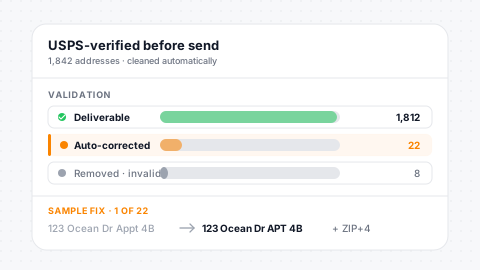
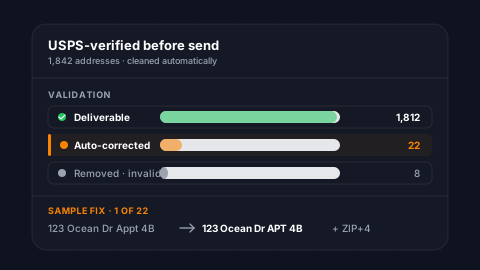
Two mail classes (Standard and First Class) let you balance cost and delivery speed per campaign. Standard mail is cost-effective for large-volume marketing sends. First Class delivers faster for time-sensitive communications like arrival reminders and VIP invitations. Contact address fields are validated before sending to reduce undeliverable mail and wasted spend.
Two Classes
Standard for cost, First Class for speed: pick per campaign.
Address Validation
Addresses validate pre-send to reduce undeliverable mail.
Undeliverable Tracking
Every failed piece logs its specific error reason.
Cost Optimization
Mail class selection balances cost against delivery speed.
Postcard QR codes can route guests straight into a branded digital guidebook, a booking page, a survey, or any other destination, bridging physical mail with the rest of the SendSquared guest experience.
Testimonials
What Our Clients Say
“SendSquared is the second most important thing in our company outside of our PMS. All of our departments use it. Everyone in the company uses SendSquared. The engagement is what keeps us so well connected, and we are adding on average 10 doors a month at this point.”
Steven Wood
Founder, Host and Home
“SendSquared took everything we relied on and made it better, easier to use, and more centralized. Having everything in one platform has been a major improvement for our team.”
Mark Ryan
Revenue Manager, Wilderness Resorts & Waterparks
“In typical SendSquared fashion, it was easier than I expected.”
Brendan Curtin
CMK Development, Sailrock South Caicos
“The SendSquared tape chart has been our lifeline on the road. I used to print the calendar before heading out — now everything is right there, even with last-minute changes.”
Kim Collin
, Caribbean Villas of St. John
“I can definitely attribute a good number of reservations to SendSquared. Between the easy follow-up communication within the system and the CRM pulling up information as a call comes in, our reservations team is being more intentional on their calls, resulting in better conversions.”
Brock Reich
Chief Operating Officer, Orlando Resorts Rental
Frequently Asked Questions
How does postcard marketing work?
Design postcards with a drag-and-drop editor, target recipients using PMS-powered segments, and SendSquared handles printing and mailing - no third-party vendor needed.
Can I target postcards using PMS data?
Yes. Use the same segmentation engine as email - target by reservation dates, revenue, unit type, booking channel, and 50+ operands.
Are postcards sent automatically?
Yes. Trigger postcard sends through automation workflows on reservation events, lead changes, or any other trigger type.
What sizes and formats are available?
Standard 4x6 and 6x9 postcards with full-bleed printing. Upload custom designs or build from templates with merge field personalization.
Ready to Get Started?
See how SendSquared can transform your hospitality operations.
Schedule a Demo