


Voice Platform
Enterprise Voice System
A complete call center built for hospitality. Queues, IVR menus, call plans, barge and whisper, smart routing, soft clients, call recording, dispositions, call tracking, and deep PMS integration. Everything your team needs to convert callers into guests and deliver exceptional service at scale.
100%
Inquiry Capture Across Channels
< 2min
Average First Response Time
40%
More Leads Converted With Drip Campaigns

Reservations Sales Engine
Five-Star Service From The First Ring
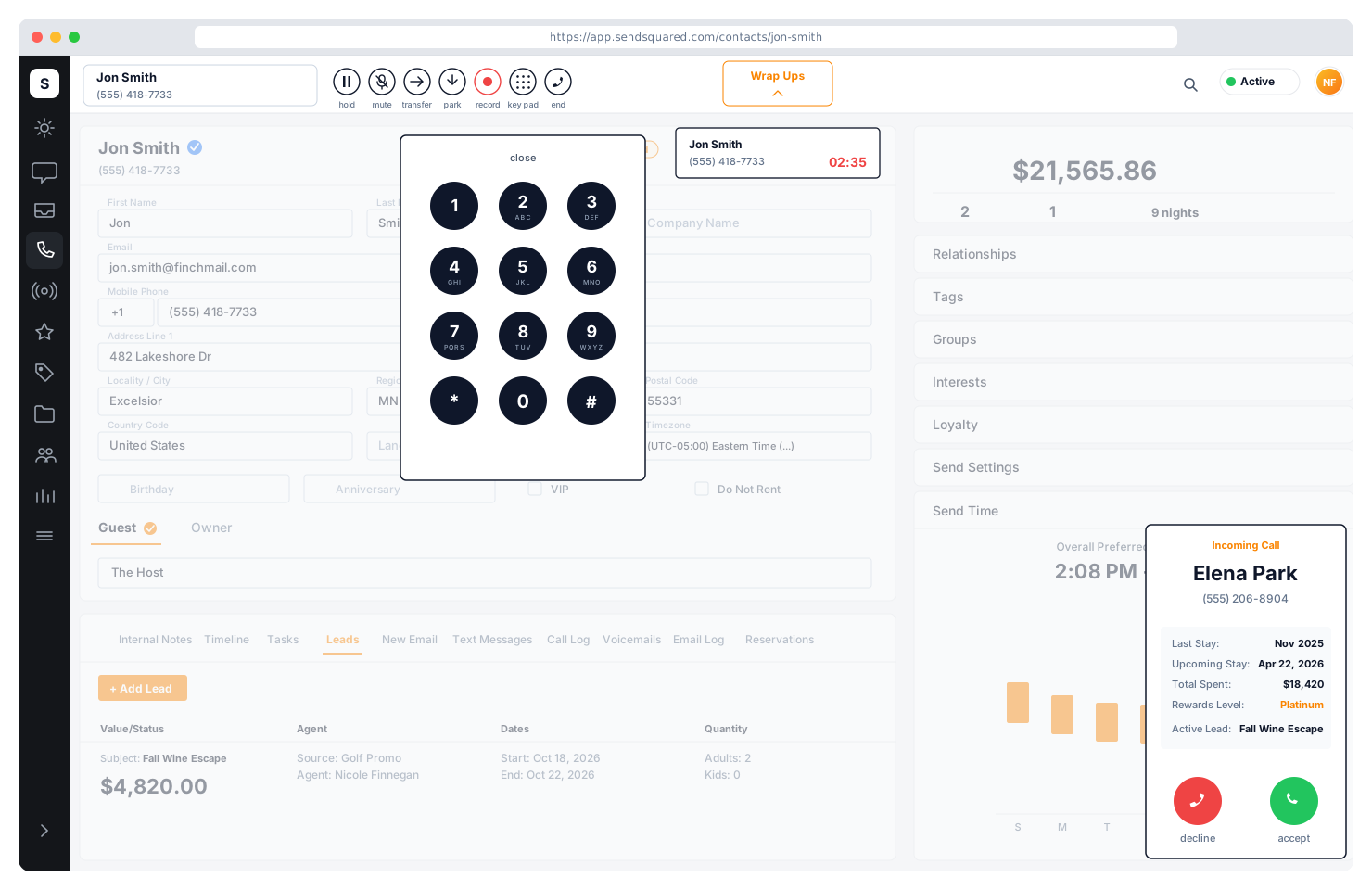
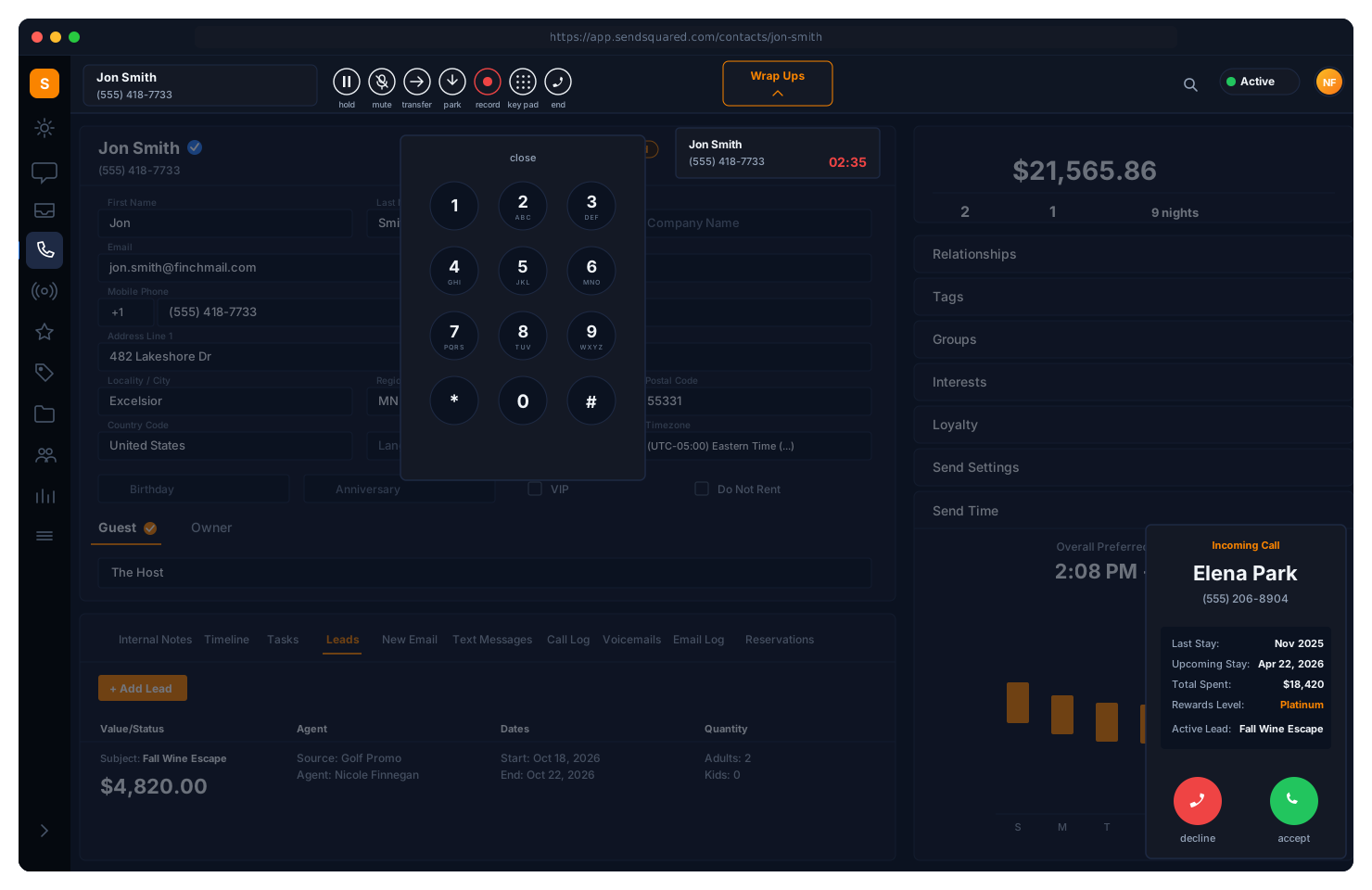
Phone inquiries drive significantly more revenue per booking than online channels. SendSquared puts the full guest profile, lifetime value, and reservation context in front of every agent the moment a call connects, so every ring becomes a qualified, on-brand conversation that converts to a direct booking.
- Unified voice, SMS, WhatsApp, email, and Airbnb on one agent screen
- Call scoring, dispositions, and executive dashboards for coaching that compounds
- Every call attributed to PMS revenue: no manual entry, no orphan leads
Every call disposition, missed call, and voicemail is a trigger inside the same automation builder that powers the rest of SendSquared, so a no-answer can fire a follow-up SMS, a sale disposition can launch a pre-arrival sequence, a voicemail can route to the right team without manual handoff, and a checked-out reservation can drop the guest into a guest loyalty win-back sequence informed by lifetime value and stay history.
PMS Context on Every Call
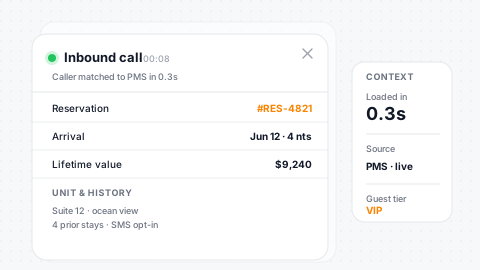
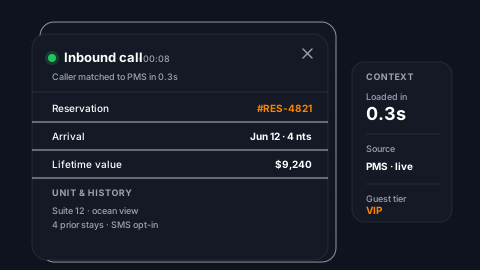
The moment a call connects, your agent sees the full picture. Reservation details, arrival and departure dates, confirmation codes, unit assignments, lifetime value, past stays, future bookings, and contact history, all pulled from your PMS in real time. Agents never have to ask a guest to repeat themselves or fumble through a separate system.
Live Reservation
Real-time reservation data on both inbound and outbound calls.
LTV & History
Lifetime value, past stays, and future bookings at a glance.
Unit Context
Unit details, confirmation codes, and preferences in view.
Full Timeline
Voice, SMS, email, and every channel interaction in context.
Call Queues & Failovers
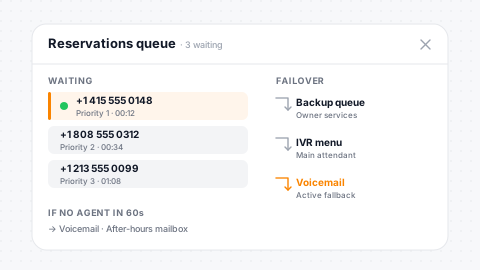
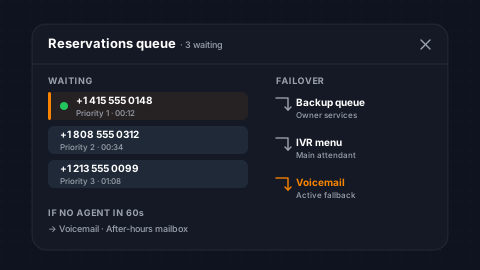
Route inbound calls through configurable queues with priority-based agent assignment. Each queue has its own welcome message, wait music, and failover rules. When no agents are available, calls automatically route to a backup queue, voicemail, IVR menu, or external number. Agents opt in and out of queues on the fly, and pickup-only queues let your team manually claim calls when they're ready.
Priority Assign
Priority-based agent assignment with opt-in queue selection.
Custom Audio
Per-queue welcome messages and custom wait music.
Smart Failover
Failover to voicemail, menu, queue, or external number.
Pickup Queues
Manual claim queues let agents grab calls when ready.
IVR Menus & Auto-Attendant
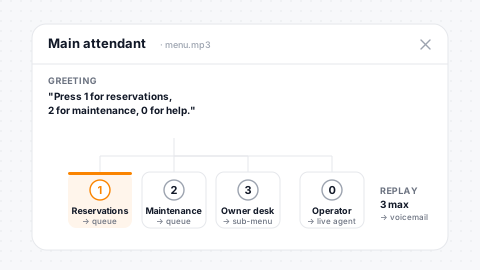
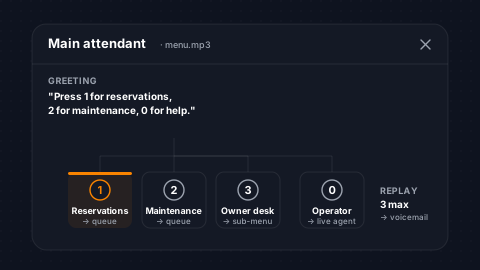
Build multi-level IVR trees with custom audio greetings and DTMF routing. Each digit press routes to a queue, another menu, voicemail, directory, direct dial, or hangup. Set max replay attempts with automatic failover when callers don't respond. Nested menus support complex routing trees (reservations, maintenance, owner services) all managed from one interface.
Multi-Level IVR
Nested sub-menus with DTMF digit-press routing.
Custom Greetings
Upload custom audio greetings per menu and option.
Flexible Routing
Route to queues, voicemail, directories, or external numbers.
Auto-Failover
Max attempt limits with automatic failover on timeout.
Call Plans & Time-Based Routing
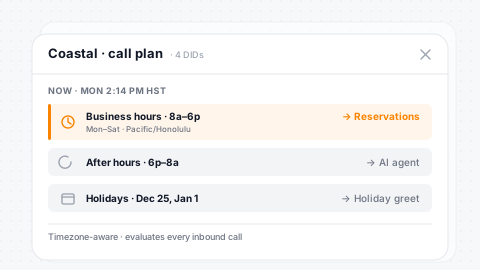
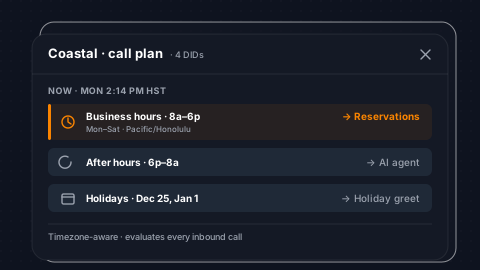
Define exactly how calls route based on time of day, day of week, and specific dates. Business hours route to your sales queue. After hours routes to voicemail or AI agents. Holidays route to a special greeting. Each phone number in your account binds to a call plan, and a single plan can power multiple DIDs. Timezone-aware scheduling ensures calls route correctly across regions.
Time Rules
Time-of-day, day-of-week, and specific-date routing.
Full Coverage
Business hours, after-hours, and holidays in one plan.
Multi-DID
One call plan powers multiple phone numbers cleanly.
Timezone-Aware
Scheduling respects timezone across every property.
Barge, Whisper & Silent Monitor
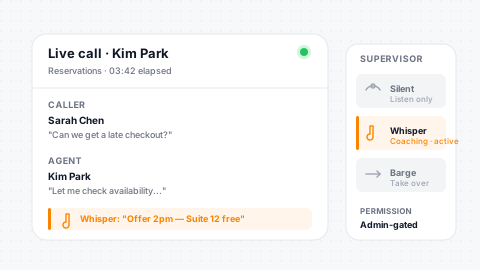
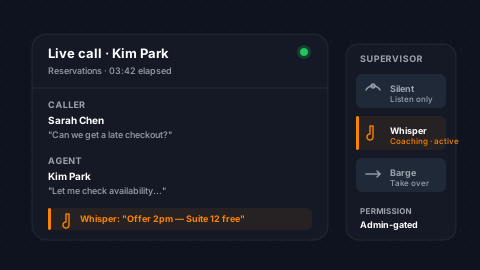
Supervisors have full visibility into live calls. Silent monitor lets managers listen to any active call without the agent or guest knowing. Whisper mode announces the supervisor's presence so they can coach the agent in real time. Barge takes over the call entirely, removing the current agent and connecting the supervisor directly to the guest. Essential tools for training, quality assurance, and escalation handling.
Silent Monitor
Listen to live calls without detection for QA and training.
Whisper Coach
Join with agent notification to coach in real time.
Barge Takeover
Take over a call with full control when needed.
Admin-Gated
Admin-level permissions protect supervisor tooling.
Dispositions & Call Results
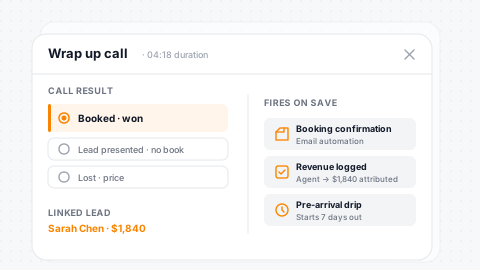
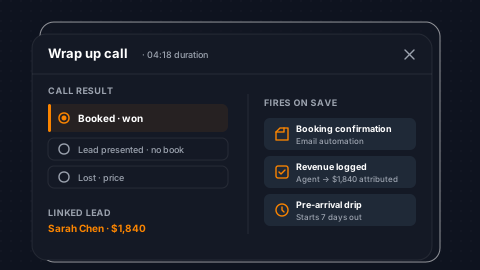
After every call, agents complete a disposition, selecting a call result, associating a lead, and logging the outcome. Define custom call result types with flags for won, lost, lead required, and lead presented. Dispositions link calls to leads and revenue, creating a direct line from phone conversation to booking. Configurable max dispositions control how many open wrapups agents can handle simultaneously.
Custom Results
Custom call result types with won/lost and lead flags.
Lead Linking
Disposition-to-lead linking for direct revenue attribution.
Wrapup Limits
Configurable concurrent wrapup limits per agent.
Automation-Driving
Call results drive automations, drips, and reporting.
Smart Call Routing
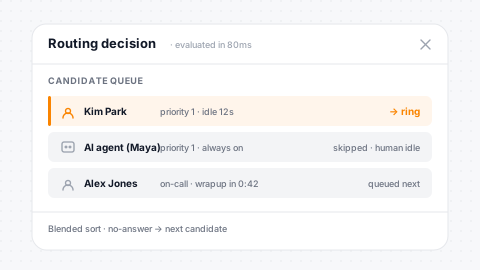
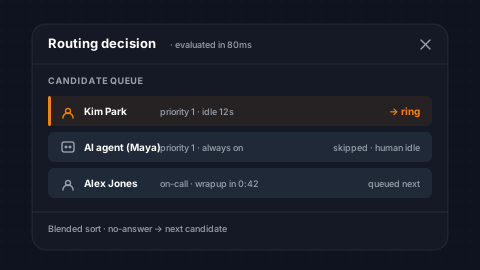
Intelligent routing ensures every call reaches the right agent. Priority-based queue assignment, agent state awareness, disposition capacity checks, and no-answer skip logic work together to minimize hold times and maximize first-call resolution. When AI agents are enabled on a queue, the system blends human and AI candidates in a unified priority sort, routing to whoever can handle the call fastest.
Priority Routing
Priority with state and capacity awareness per agent.
No-Answer Skip
Automatic skip to the next available agent on no-answer.
Blended AI + Human
AI and human candidates in one unified priority sort.
Wrapup Auto-Assign
Queued calls auto-assign as agents finish wrapup.
DID Routing & Phone Number Management
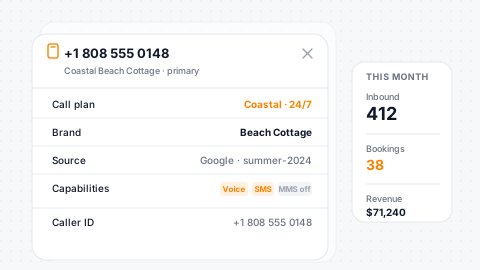
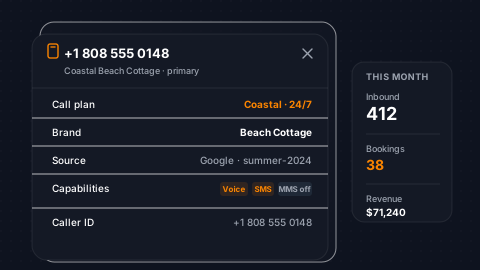
Manage your entire phone number inventory from one place. Each DID is configured with voice, SMS, and MMS capabilities, bound to a call plan, and optionally assigned a lead source for marketing attribution. Set primary outbound caller IDs, configure unconditional call forwarding, and associate numbers with brands for multi-brand operations. Track which numbers drive the most bookings.
Per-DID Plans
Call plans with voice, SMS, and MMS capability flags.
Source Attribution
Lead source and campaign attribution tied to numbers.
Caller ID Control
Primary outbound caller ID selection per provider.
Multi-Brand
Brand association across the entire number inventory.
Browser-Based Phones, Anywhere
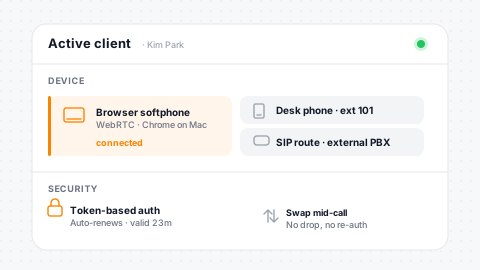
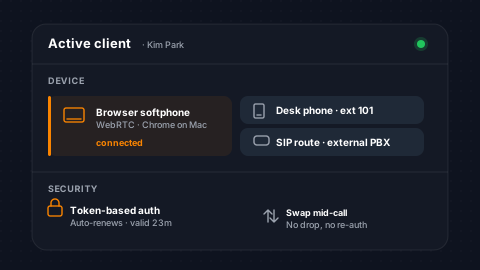
Agents take calls from anywhere (browser, desktop, or mobile) with no desk phone required. Already have a phone system? SendSquared connects to it so agents can keep the handsets they have or use the browser. Switch between the browser and a physical phone mid-call without dropping a beat. Sign in once and the connection stays secure in the background.
Browser Phone
Take and place calls from any browser, no hardware required.
Works With Your Carrier
Plug into your existing phone system or use SendSquared end-to-end.
Seamless Swap
Switch between the browser and a physical phone mid-call.
Stays Connected
Sign in once and the connection stays secure in the background.
Call Recording & Transcription
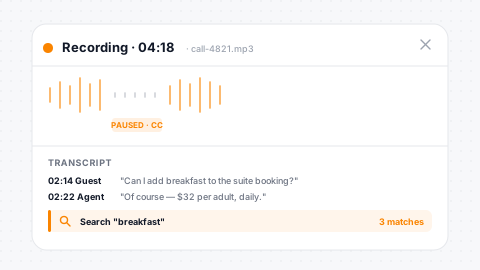
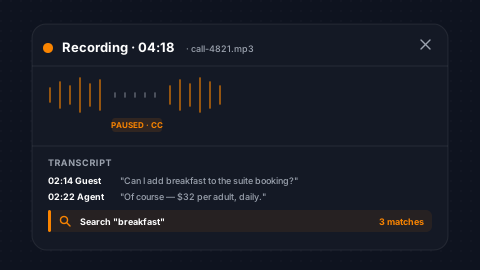
Record inbound and outbound calls with configurable consent messages. Pause and resume recording mid-call for sensitive information like credit card numbers. Recordings are stored with configurable retention periods and protected by role-based deletion permissions. Automatic transcription converts recordings to searchable text, giving managers full visibility into call content without listening to every minute.
Consent-Aware
Recording with consent-message playback built in.
Pause/Resume
Pause and resume mid-call for sensitive data like cards.
Retention + ACL
Configurable retention with role-based deletion permissions.
Auto-Transcript
Automatic transcription makes recordings fully searchable.
Warm & Cold Transfers
Transfer calls with full control. Warm transfers keep the agent on the line while the third party rings, allowing a handoff with context before disconnecting. Cold transfers redirect the guest immediately and free the agent for the next call. Transfer to another queue, a pre-configured direct dial, or any verified external number. Failover rules catch unanswered transfers and route them to a backup destination.
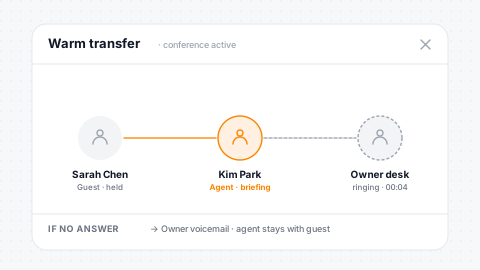
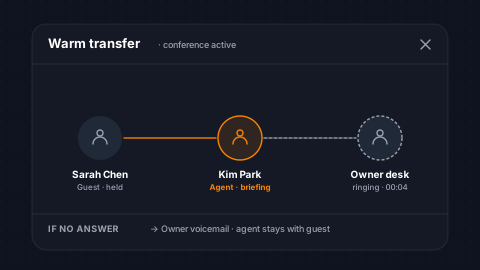
Warm Transfer
Three-party conference before handoff with full context.
Cold Transfer
Immediate redirect with agent released for next call.
Flexible Targets
Transfer to queues, direct dials, or external numbers.
Unanswered Failover
Backup routing catches unanswered transfers automatically.
Voicemail System
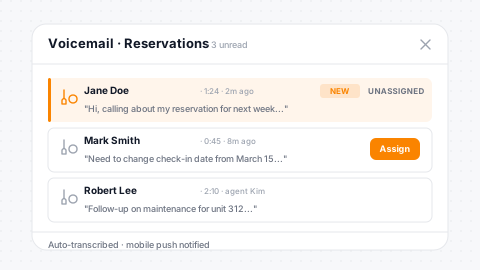
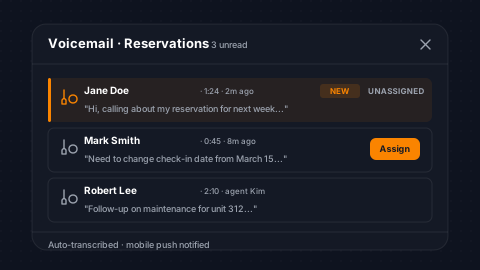
Multiple voicemail mailboxes with custom greetings, agent or queue assignment, and email alerts. Agents manage voicemails from a unified list. Filter by assignee, read/unread status, or completion state. Assign, reassign, transfer between mailboxes, and mark complete with full audit tracking. Voicemails are transcribed automatically and trigger push notifications to mobile agents so nothing gets missed.
Many Mailboxes
Per-queue and per-agent mailboxes with fine assignment.
Custom + Alerts
Custom greeting audio and email alert notifications.
Flexible Transfer
Assign, reassign, and transfer voicemails between boxes.
Mobile Push
Automatic transcripts with push notifications to mobile.
Hold Music & Wait Music
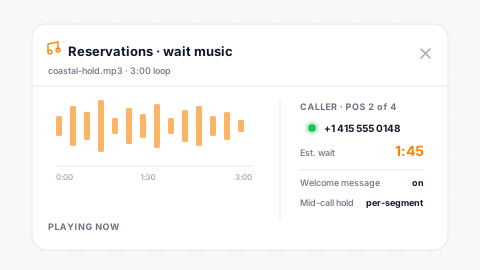
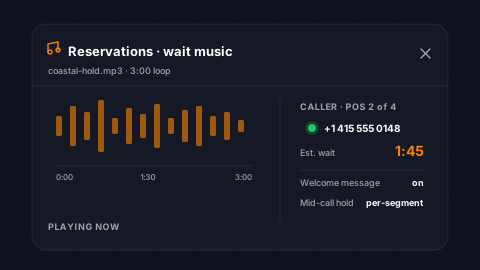
Custom audio for every touchpoint. Upload wait music that plays while callers sit in queue and hold music that plays when agents place a call on hold. Each queue has its own welcome message and wait music, so your reservations queue can play a different message than your owner services line. Hold is per-segment, letting agents park one party while speaking with another during warm transfers.
Per-Queue Audio
Wait music and welcome message unique to each queue.
Hold Music
Account-level hold music plays during mid-call holds.
Per-Segment Hold
Park one party while speaking with another mid-transfer.
Custom Uploads
Upload custom audio assets for a branded experience.
Agent Dial Destinations
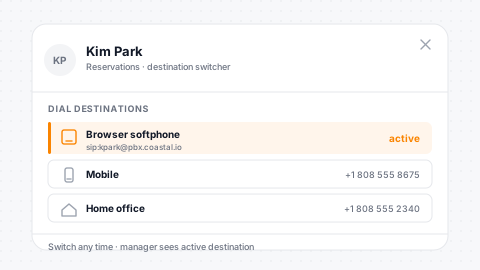
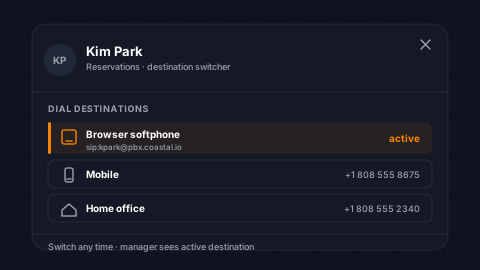
Each agent can configure multiple dial destinations (desk phone, mobile, home office, browser) and switch between them at any time. Primary destinations are selected on login. Managers can see which destination each agent is using and agents can change mid-shift without logging out. Whether your team is in-office, remote, or on the road, calls reach them wherever they are.
Multi-Destination
Desk phone, mobile, home office, and browser all selectable.
Switch Mid-Shift
Change active destination without logging out.
Every Device
Desk phones, mobile numbers, and browser-based calling.
Manager Visibility
Managers see each agent's active destination live.
Agent Status & Presence
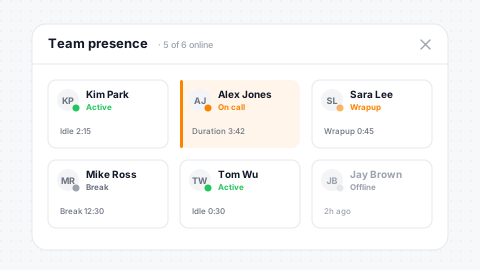
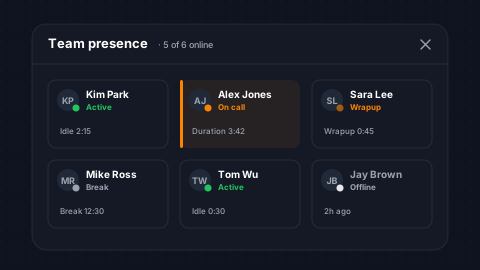
Real-time visibility into every agent's state. Active, on-call, wrapup, break, dialing, errored, no-answer: managers see it all at a glance. Agents toggle between active and break. The system automatically transitions agents through on-call, wrapup, and back to active as calls flow. Configurable wrapup alert times and no-answer thresholds keep your team responsive. Force logout gives managers control when needed.
Live State
Real-time agent state across the entire team.
Auto-Transitions
Status auto-transitions through the call lifecycle.
Alert Thresholds
Configurable wrapup and no-answer alert thresholds.
Force Logout
Admins force logout unresponsive agents when needed.
Mobile App
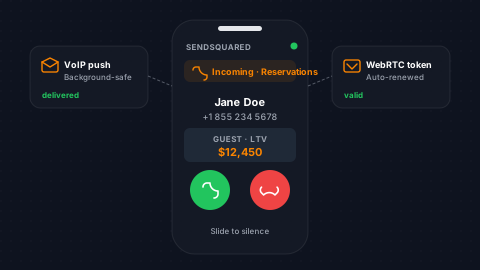
Your call center goes wherever your team goes. The SendSquared mobile app turns any iPhone or Android into a full agent workstation: take and place calls, get notified the moment a guest dials in, pick which queues you're working, wrap up a call with notes, and check voicemail. Agents log in once on their phone and the app handles the rest. Calls ring through even when the app is closed in the background.
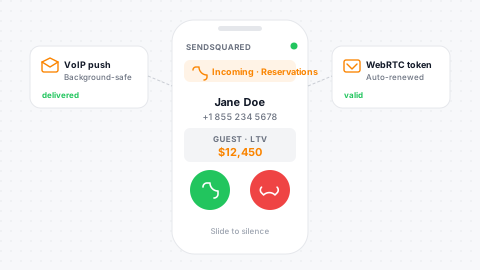
Phone Becomes the Workstation
Take and place calls from any iPhone or Android.
Rings Even When Closed
Inbound calls ring through even when the app is closed in the background.
Full Agent Tools
Pick your queues, wrap up calls with notes, and check voicemail.
One-Tap Login
Sign in once and the app stays connected, with no setup and no tokens to manage.
Directories & Extensions
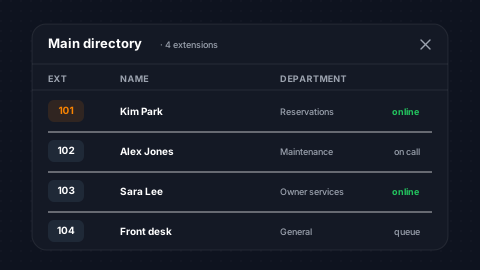
Create dial-by-extension directories for internal routing. Each directory entry maps an extension number to a dial destination and name. Callers navigate directories from IVR menus to reach specific departments or people. Custom greeting audio guides callers through the directory. Extensions work alongside queues and menus for a fully customizable inbound call flow.
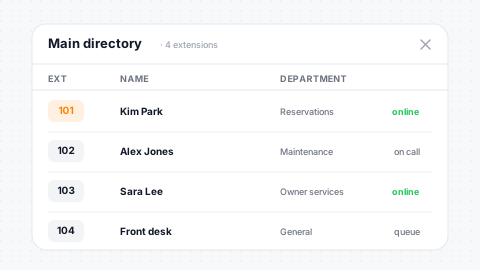
Dial-By-Extension
Extensions with custom audio greetings per directory.
Map to Anything
Map extensions to agents, departments, or external.
IVR Integration
Directories slot cleanly into IVR menu options.
Self-Service
Callers navigate to the right person without help.
Blocked Numbers & Call Security
Block unwanted callers and protect your team's time. Maintain a blocklist of phone numbers that are silently terminated on inbound. MFA for admin accounts adds an extra layer of security with OTP-based verification and trusted device management. Role-based permissions control access to sensitive operations like call recording deletion, voicemail reassignment, and supervisor tools.
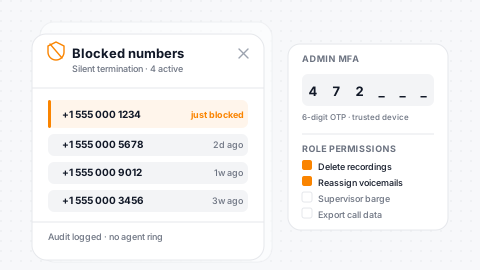
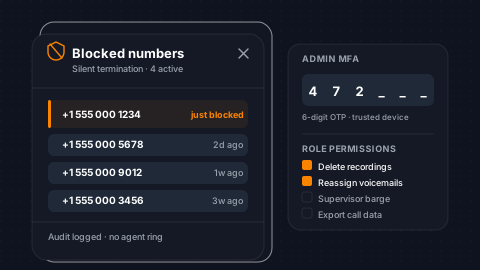
Number Blocklist
Silent call termination for blocked inbound numbers.
MFA + Devices
OTP verification with trusted device management.
Role-Based ACL
Permissions gate recordings, voicemails, and admin tools.
Verbal Opt-In
Capture verbal SMS opt-in during recorded calls.
Call Analytics & Reporting
Make data-driven decisions with comprehensive call analytics. Track call volume by day, hour, and agent. Measure inbound source attribution to see which phone numbers and campaigns drive the most calls. Analyze IVR menu press patterns. Monitor agent productivity in real time and compare booked revenue by agent. Lead compliance, lost reason analysis, and revenue-per-source reports close the loop from call to booking.
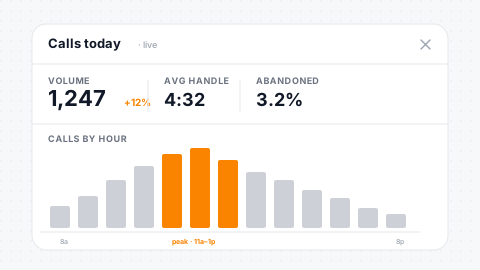
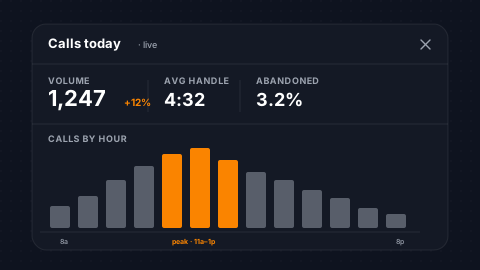
Volume by Axis
Reporting by day, hour, agent, and source.
Live Dashboard
Real-time agent productivity alongside historical views.
IVR Analytics
Menu-press analytics optimize call flow structure.
Revenue Loop
Lead revenue, lost reason, and compliance reports close loop.
Automations & Drip Campaigns
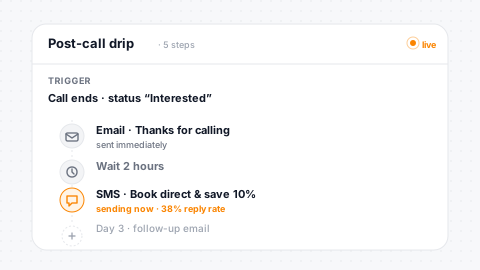
Call events power your automation engine. When a disposition is completed, a lead status changes, or a tag is applied during a call, workflows fire automatically. Trigger email sequences, SMS follow-ups, task creation, and tag operations based on call outcomes. Pair disposition results with drip campaigns to nurture leads that don't book on the first call.
Call-Event Triggers
Automations fire from disposition and lead changes.
Tag Triggers
Tag-based workflow triggers applied during or after calls.
Drip Nurturing
Drip campaigns tied to call results nurture leads.
Auto Tasks
Call outcomes auto-generate tasks for agent follow-up.
Complete Voice Coverage
Human Expertise Meets AI Automation
The Enterprise Voice System works hand-in-hand with SendSquared's AI Voice Agents to deliver complete call coverage. Human agents handle high-touch interactions while AI manages overflow, after-hours, and routine calls.
Human Agents
Your in-house call center powered by PMS integration, smart routing, and real-time analytics. Agents get full reservation context on every call to deliver personalized guest experiences and maximize bookings.
- Full call center with soft clients
- PMS-powered reservation context
- Performance analytics & lead tracking
AI Agents
AI-driven voice agents that handle calls autonomously. From after-hours inquiries to overflow during peak seasons, AI Voice ensures every guest interaction is answered with speed and accuracy.
- 24/7 automated call handling
- Overflow & after-hours coverage
- Natural AI conversations with PMS data
See It Live
See Your Call Center on SendSquared
30 minutes, your portfolio, your PMS. Watch a real call flow end-to-end: inbound ring, agent screen with full guest context, dispositions, drip follow-up, and revenue attribution back to a confirmed booking.

Testimonials
What Our Clients Say
“SendSquared has been an operational GODSEND!! Having a large rental management company, you rely on not only the functionality and power of your CRM but also its scalability. SendSquared has delivered as promised. The onboarding was smooth and the team was with us every step of the way. Having a powerful, yet innovative CRM has increased our effectiveness and provided a path for empowerment throughout our users.”
Five Star Properties
“SendSquared is the second most important thing in our company outside of our PMS. All of our departments use it. Everyone in the company uses SendSquared. The engagement is what keeps us so well connected, and we are adding on average 10 doors a month at this point.”
Steven Wood
Founder, Host and Home
“SendSquared took everything we relied on and made it better, easier to use, and more centralized. Having everything in one platform has been a major improvement for our team.”
Mark Ryan
Revenue Manager, Wilderness Resorts & Waterparks
“In typical SendSquared fashion, it was easier than I expected.”
Brendan Curtin
CMK Development, Sailrock South Caicos
“The SendSquared tape chart has been our lifeline on the road. I used to print the calendar before heading out — now everything is right there, even with last-minute changes.”
Kim Collin
, Caribbean Villas of St. John
Frequently Asked Questions
Do agents need desk phones?
No. Browser-based phones work from any device (desktop, laptop, or mobile) with no desk equipment needed. Agents can also switch between the browser and a physical phone mid-call.
Can supervisors listen to live calls?
Yes. Silent monitor, whisper (coaching), and barge (takeover) give supervisors full visibility and control over any active call.
How does call routing work after hours?
Call plans define time-of-day, day-of-week, and holiday routing. After hours, calls route to voicemail, AI agents, or a special greeting automatically.
Is call recording included?
Yes. Record inbound and outbound calls with consent messages. Pause and resume mid-call for sensitive data. Automatic transcription makes recordings searchable.
How are calls connected to bookings?
Dispositions link calls to leads and PMS reservations, creating direct revenue attribution from phone conversation to confirmed booking.
Ready to Get Started?
See how SendSquared can transform your hospitality operations.
Schedule a Demo