


Automation Engine
Automations
On trigger, if this, then that, across every channel your guests use. 20+ trigger types fire from reservations, leads, surveys, WiFi logins, guidebook views, gap nights, and more. Conditional branching with 12 operators and dozens of condition types ensures the right message reaches the right guest at the right time.
Reservation Triggers
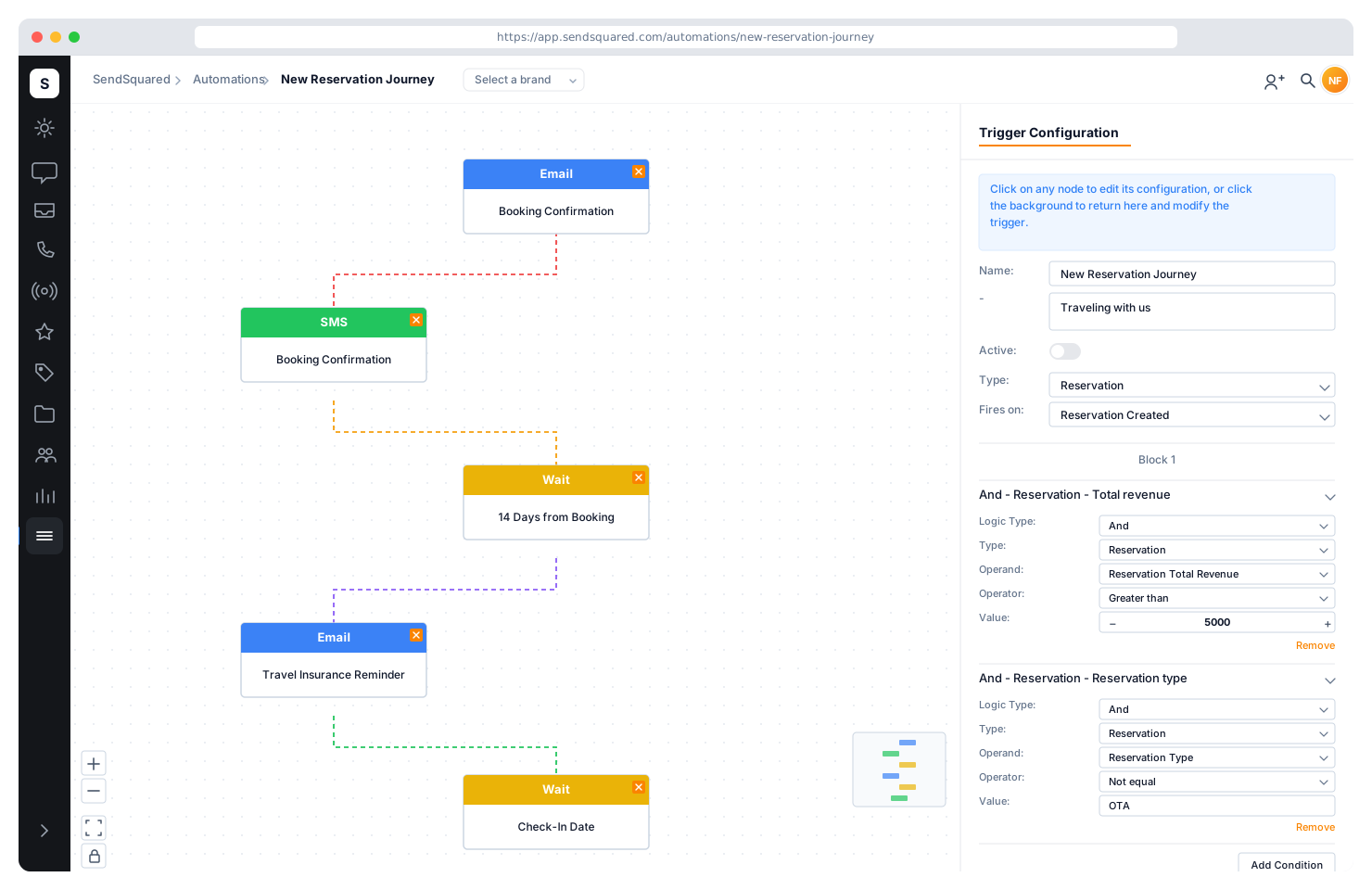
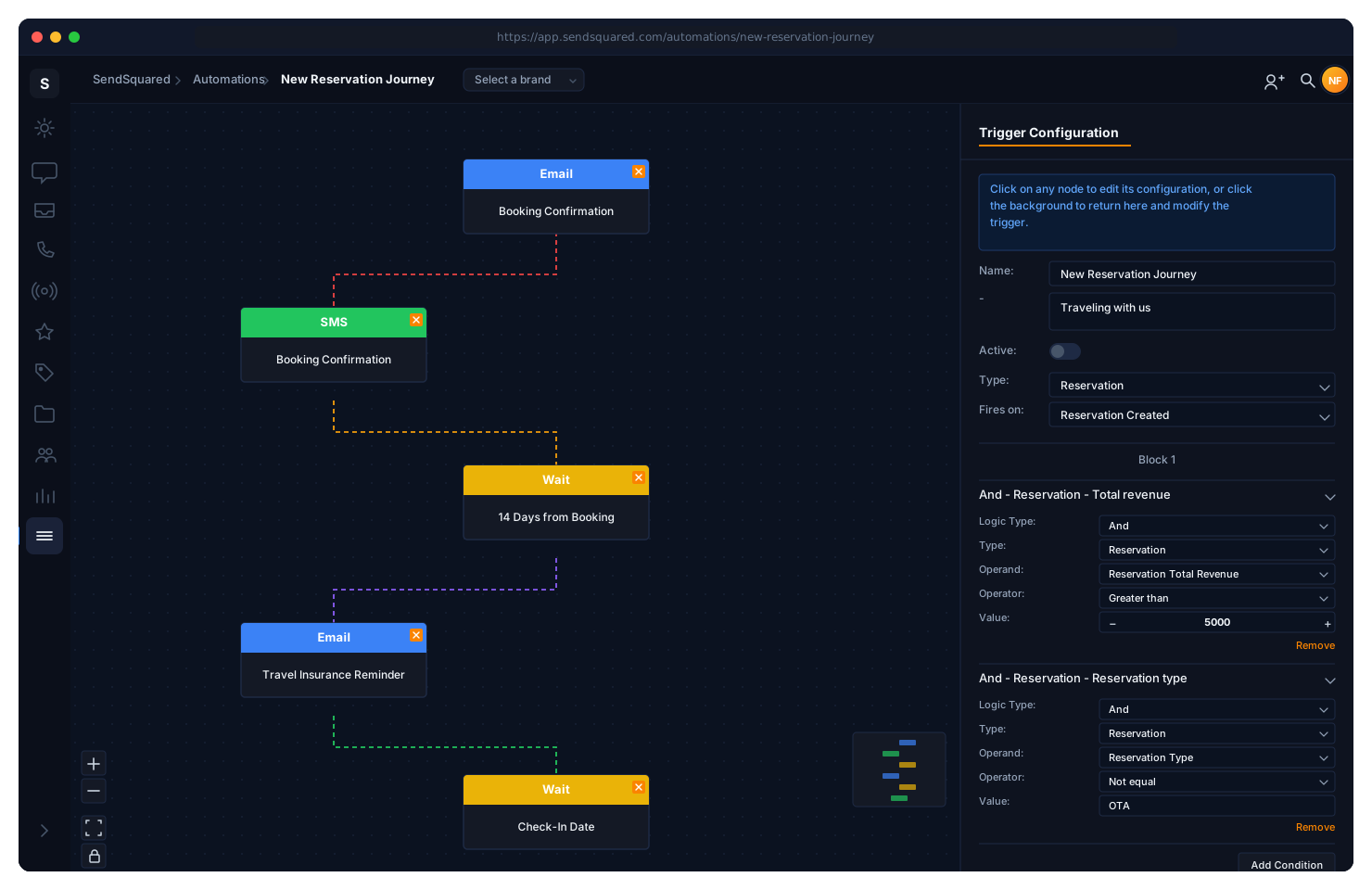
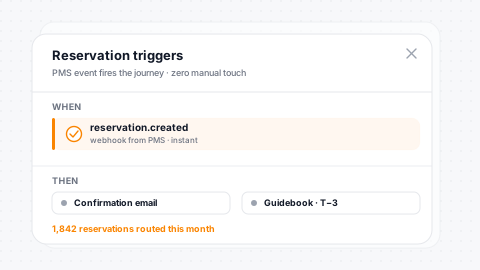
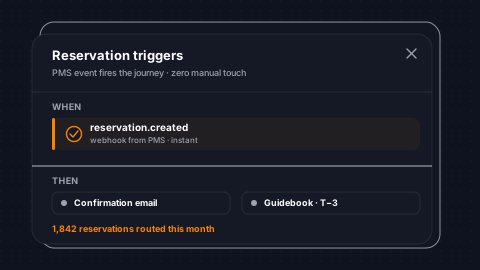
The guest journey drives your automations. Trigger workflows on reservation created, modified, cancelled, status change, and type change. Time-based reservation triggers fire relative to arrival, departure, or contract date. Send a pre-arrival message 3 days before check-in, a mid-stay check-in on day 2, and a review request 1 day after checkout. All powered by live PMS data.
Lifecycle Events
Created, modified, cancelled, status-change, and type-change triggers.
Time-Relative
Fire relative to arrival, departure, or contract date automatically.
Journey Coverage
Pre-arrival, during-stay, and post-departure automations.
Live PMS Data
Real-time PMS keeps trigger evaluation accurate and current.
Lead & Sales Triggers
Every lead lifecycle event fires a trigger. New lead, updated, closed, won, lost, reopened, assigned, and follow-up due date. Combine lead triggers with conditions on lead status, type, source, estimated value, and category to build targeted sales automations. When a lead is won, auto-send a booking confirmation. When a lead goes cold, fire a drip sequence.
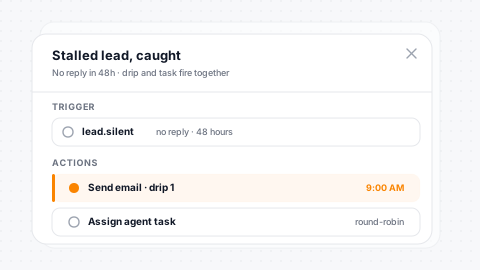
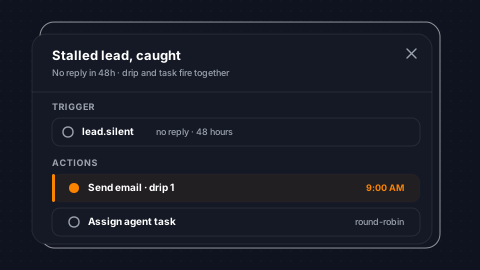
Pipeline Events
New, updated, closed, won, lost, reopened, and assigned triggers.
Follow-Up Due
Due-date triggers keep time-sensitive lead nurturing on track.
Rich Conditions
Conditions on status, source, category, and estimated value.
Pipeline Integration
Direct integration with lead pipeline and disposition flows.
Survey & NPS Triggers
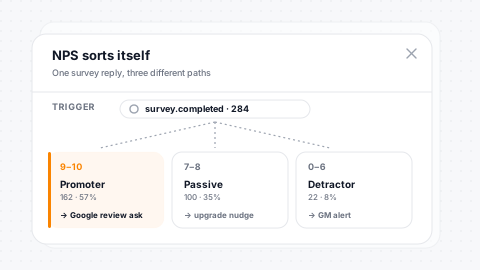
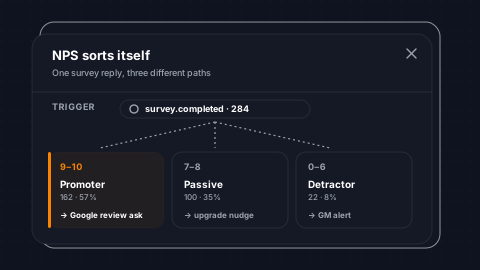
React to guest feedback in real time. Survey triggers fire on sent, started, completed, and individual question answered. Rating triggers fire on low scores (1-3) and high scores (8-10). NPS triggers fire separately for promoters (9-10), passives (7-8), and detractors (0-6), letting you route each segment into the right follow-up workflow.
Survey Lifecycle
Sent, started, completed, and question-answered triggers.
Low/High Ratings
Recovery and upsell triggers fire on low or high scores.
NPS Routing
Promoter, passive, and detractor triggers route each segment.
Real-Time Escalation
Agent notification actions layer for instant service recovery.
Channel & Engagement Triggers
SMS opt-in, opt-out, and inbound message triggers. WhatsApp and Airbnb inbound message triggers with new-thread detection for Airbnb. Email verification events. WiFi login triggers when a guest connects at your property. Guidebook triggers when a guest views their guidebook or accepts legal terms. Gap night triggers fire on vacancy windows for occupancy marketing.
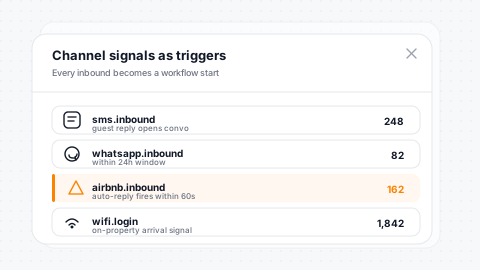
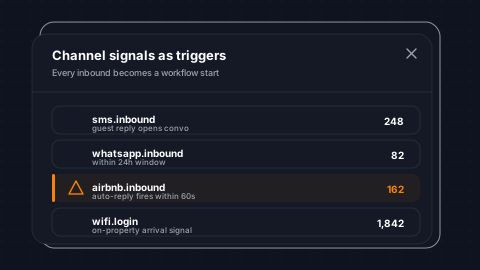
SMS Triggers
Inbound, opt-in, opt-out, and chat inbound SMS triggers.
WA + Airbnb
WhatsApp inbound and Airbnb inbound with new-thread detection.
WiFi Login
Guest connects to WiFi, trigger fires for on-property moments.
Guidebook Events
Guidebook viewed and legal terms accepted trigger workflows.
Group, Tag & Property Triggers
Group join and leave triggers fire when contacts enter or exit segments, powering automations based on dynamic audience membership. Tag join and leave triggers fire when labels are applied or removed during calls, inbox interactions, or batch operations. Contact property change triggers fire when specific fields update, such as first name, last name, or last email open date.
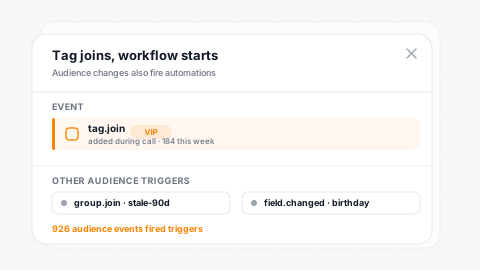
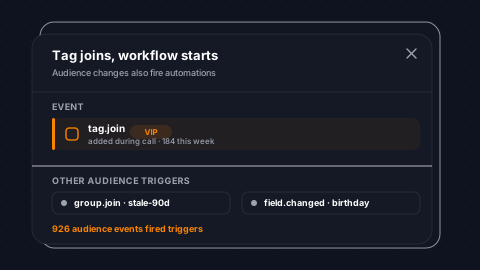
Group Events
Group-join and group-leave triggers for segment-based flows.
Tag Events
Tag-join and tag-leave triggers route label-based workflows.
Property Changes
Field-level change triggers on specific contact properties.
Cart Abandonment
Recovery triggers for e-commerce and booking abandonment.
Conditional Branching
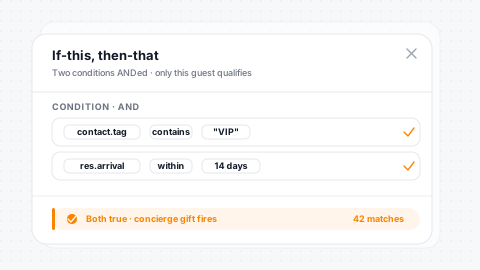
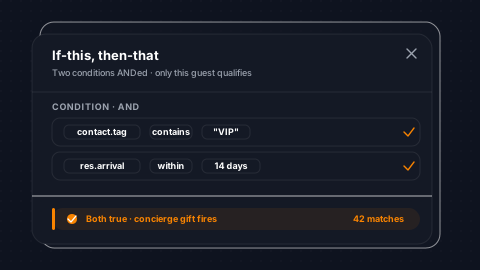
Not every guest should get the same message. Conditions evaluate contact properties, reservation data, lead status, campaign engagement, SMS opt-in status, tag membership, segment membership, survey responses, Airbnb thread data, and custom fields, with 12 operators including equals, contains, greater than, is null, and in-list. Block-based logic groups conditions with AND within blocks and OR between blocks.
12 Condition Types
Contacts, reservations, leads, campaigns, and more as conditions.
12 Operators
Equals, contains, gt/lt, null checks, and in-list available.
AND/OR Blocks
AND within blocks, OR between blocks for full boolean logic.
Nested Segments
Segment-membership conditions enable nested audience targeting.
Multi-Channel Actions
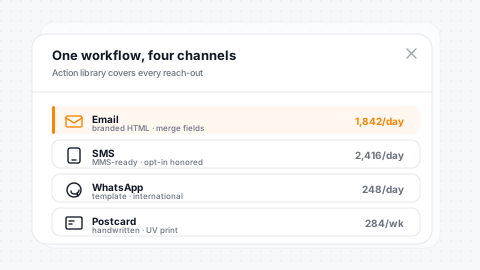
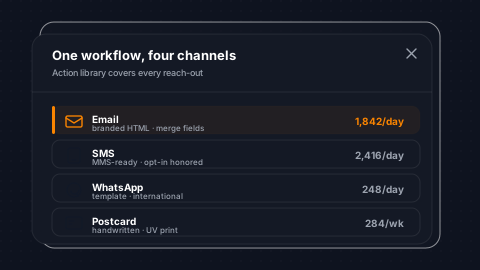
Send email, SMS, WhatsApp, Airbnb messages, postcards, and surveys as workflow actions. Create tasks, add or remove tags, and fire outbound webhooks for third-party integration. Each action supports template selection, merge field personalization, from-address configuration, and smart send optimization. Target the contact, the reservation's travel agent, or the assigned agent.
6 Send Types
Email, SMS, WhatsApp, Airbnb, postcard, and survey send actions.
Task + Tag Ops
Task creation and tag add/remove as first-class workflow steps.
Webhooks Out
Outbound webhooks integrate any third-party service into flows.
Flexible Targeting
Target contact, travel agent, or the assigned agent per action.
Time Delays & Scheduling
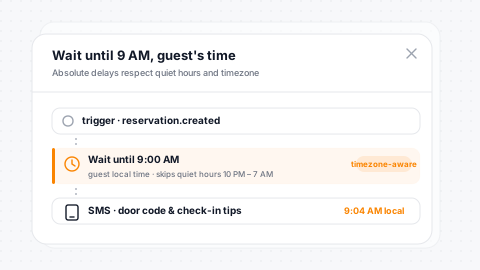
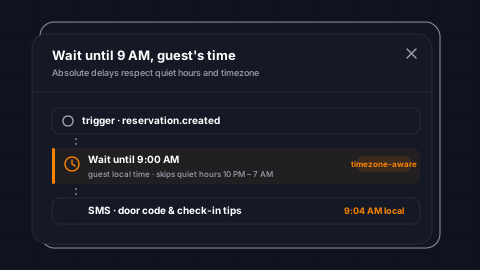
Arrange precise timing within your workflow tree. Relative delays wait a configurable number of seconds, minutes, hours, or days. Absolute delays wait until a specific time of day. Intelligent time-aware delivery prevents messages from going out in the middle of the night. Nest delays within conditional branches for sophisticated timing logic.
Relative Delays
Wait for seconds, minutes, hours, or days between steps.
Absolute Delays
Wait until a specific time of day to send the next action.
Quiet Hours
Time-aware delivery prevents messages going out overnight.
Nested Delays
Nest delays inside conditional branches for complex timing.
Visual Flow Builder
Build automations visually with a flow chart editor. Each workflow stores its visual layout alongside the execution logic; what you see is what runs. Parent-child action trees create branching paths. Duplicate entire workflows with one click to iterate on proven flows. Organize workflows into folders for team management.
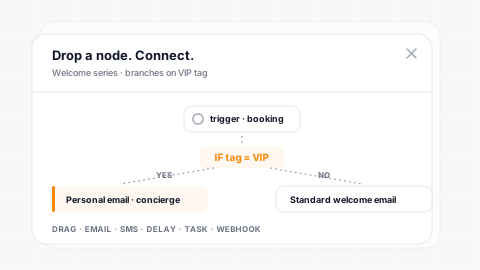
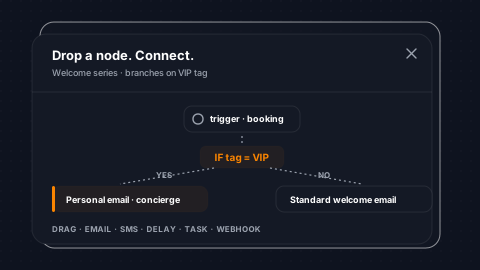
Flow Chart Editor
Drag-and-drop action placement: what you see is what runs.
Branching Paths
Parent-child action trees create rich branching workflows.
One-Click Duplicate
Clone entire workflows instantly to iterate on proven flows.
Folder Library
Organize workflows into folders for team-scale management.
Process Future & Backfill
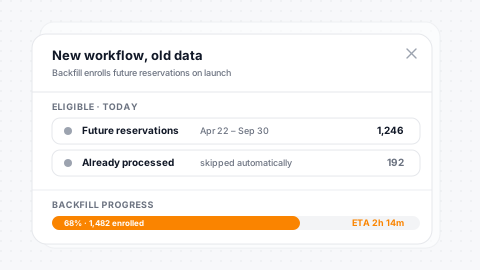
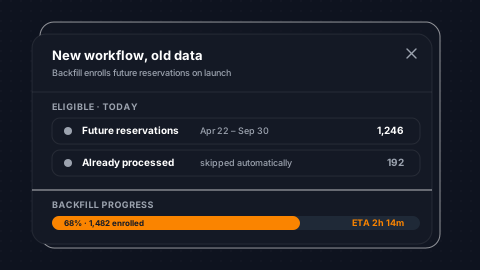
New automations don't have to start from zero. The process-future feature queues existing entities (future reservations, tagged contacts, or group members) through a new workflow. Backfill a welcome sequence for all upcoming reservations, or run a re-engagement flow against an existing segment, without waiting for new triggers to fire.
Future Res Backfill
Queue upcoming reservations through a new workflow instantly.
Tagged Contacts
Process already-tagged contacts through new tag-based flows.
Group Members
Run current group members through new segment-based automations.
Dedup Protection
Backfill won't duplicate processing for already-enrolled contacts.
Gap Night Automations
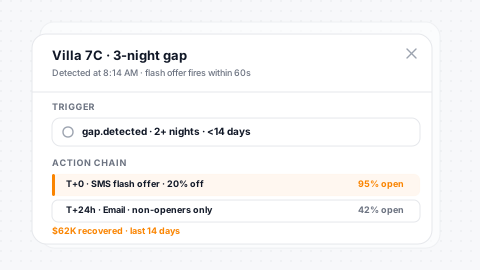
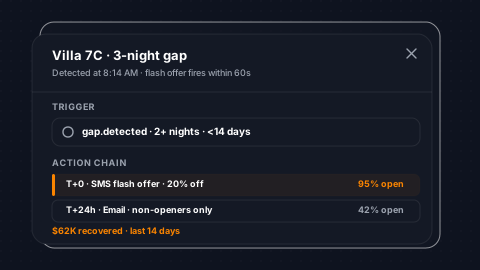
Fill vacant nights between reservations automatically. Gap night triggers fire based on arrival and departure windows around vacancies. Configure minimum gap size, minimum reservation nights, specific reservation types, and target units. When a gap opens in your calendar, marketing messages fire to past guests who fit the stay window, driving occupancy without manual effort.
Vacancy Triggers
Gap-night arrival and departure triggers for occupancy marketing.
Stay Minimums
Configurable minimum gap size and minimum stay requirements.
Unit Filters
Filter by reservation type and specific unit IDs per flow.
Past Guest Outreach
Auto-target past guests who fit the vacancy window.
Workflow Gallery & Templates
Don't start from scratch. The workflow gallery provides pre-built automation templates for common hospitality scenarios: post-stay review requests, pre-arrival check-in sequences, owner reporting cadences, and lead follow-up drips. Browse by category, preview the flow, and import directly into your account. Customize triggers, conditions, and actions to match your operations.
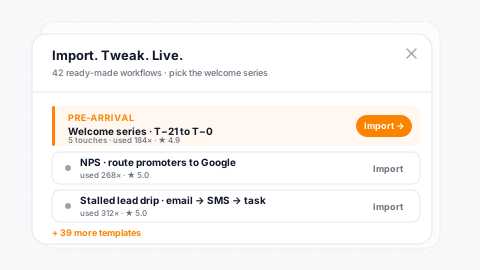
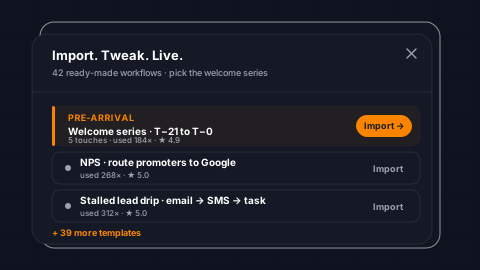
Pre-Built Templates
Common hospitality automations ready to import and customize.
Browse by Category
Thumbnails and descriptions make discovery fast.
One-Click Import
Import into your account with full customization capability.
Active Management
Active and inactive template management for seasonal flows.
Automation actions feed directly into the SendSquared email marketing suite, so PMS-triggered workflows fire personalized campaigns with Smart Send AI timing across every guest segment.
The same trigger engine powers post-stay surveys with NPS scoring and review routing, so detractor scores escalate to your team in real time while promoters get pushed to public review platforms.
Guidebook events (like a guest viewing their digital guidebook or accepting legal terms) also fire automations, letting you nudge unopened guidebooks, confirm acknowledgments, or trigger upsells on the moments guests actually engage.
Testimonials
What Our Clients Say
“SendSquared is the second most important thing in our company outside of our PMS. All of our departments use it. Everyone in the company uses SendSquared. The engagement is what keeps us so well connected, and we are adding on average 10 doors a month at this point.”
Steven Wood
Founder, Host and Home
“SendSquared took everything we relied on and made it better, easier to use, and more centralized. Having everything in one platform has been a major improvement for our team.”
Mark Ryan
Revenue Manager, Wilderness Resorts & Waterparks
“In typical SendSquared fashion, it was easier than I expected.”
Brendan Curtin
CMK Development, Sailrock South Caicos
“The SendSquared tape chart has been our lifeline on the road. I used to print the calendar before heading out — now everything is right there, even with last-minute changes.”
Kim Collin
, Caribbean Villas of St. John
“I can definitely attribute a good number of reservations to SendSquared. Between the easy follow-up communication within the system and the CRM pulling up information as a call comes in, our reservations team is being more intentional on their calls, resulting in better conversions.”
Brock Reich
Chief Operating Officer, Orlando Resorts Rental

Frequently Asked Questions
How many trigger types are available?
Over 20 trigger types covering reservations, leads, surveys, WiFi logins, guidebook views, gap nights, SMS, WhatsApp, Airbnb, tags, groups, and contact property changes.
Can I send across multiple channels in one workflow?
Yes. Actions include email, SMS, WhatsApp, Airbnb messages, postcards, surveys, tasks, tags, and outbound webhooks - all within a single automation flow.
What kind of conditional logic is supported?
12 condition types with 12 operators evaluate contact properties, reservation data, lead status, campaign engagement, tags, and more. AND within blocks, OR between blocks.
Can I backfill existing contacts through a new workflow?
Yes. The process-future feature queues existing entities - future reservations, tagged contacts, or group members - through a new workflow without waiting for new triggers.
Are there pre-built automation templates?
Yes. The workflow gallery provides pre-built templates for common hospitality scenarios like post-stay review requests, pre-arrival sequences, and lead follow-up drips.
Ready to Get Started?
See how SendSquared can transform your hospitality operations.
Schedule a DemoWhatsApp is one channel in SendSquared's hotel messaging stack, alongside SMS, Airbnb messaging, email, and voice, all unified per guest.