


Lead Management
Never Lose a Website Inquiry Again
Every email, text, voicemail, call, web chat, and Airbnb inquiry becomes a trackable lead in your pipeline. Automatic agent assignment, drip follow-ups, and full visibility from first touch to confirmed booking means no prospect slips through the cracks.
100%
Inquiry Capture Across Channels
< 2min
Average First Response Time
40%
More Leads Converted With Drip Campaigns
Every lead in the pipeline is wired into the same marketing automation engine that powers the rest of SendSquared, so a status change can fire a multi-step email and SMS sequence, assign a task, or alert an agent without manual handoffs. Lead conversations live in the same unified inbox as every other guest channel, and inbound calls and voicemails routed through the SendSquared cloud phone system auto-create or attach to the matching lead, so agents respond from one place.
Pipeline & Kanban Boards
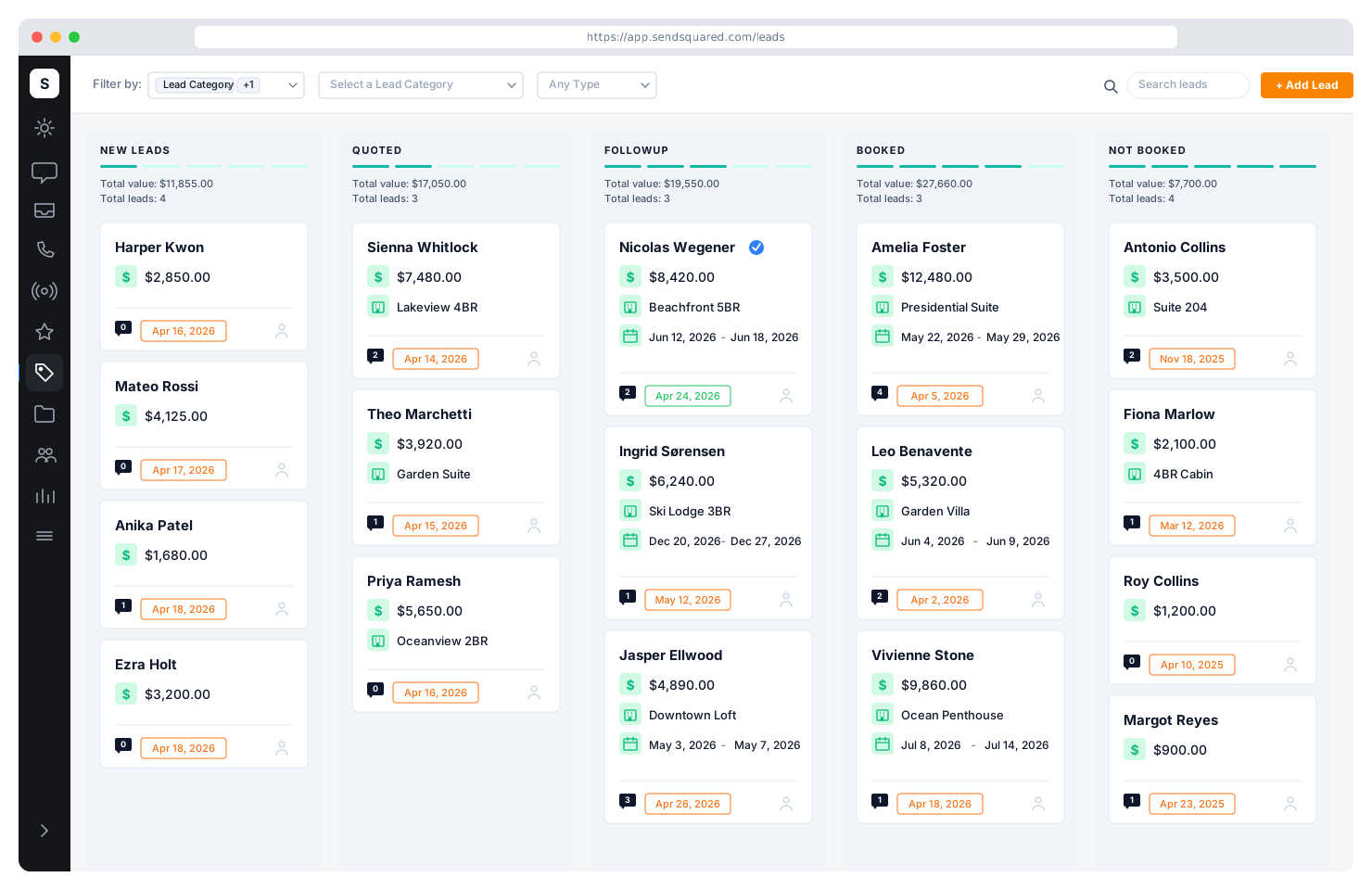
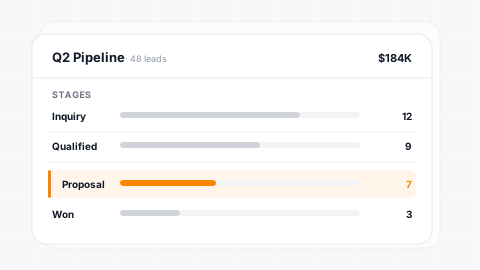
Visualize your entire sales pipeline with drag-and-drop kanban boards. Move leads through custom status columns as they progress from inquiry to booked. Filter by category, type, agent, or date range. Collapse, reorder, and customize columns to match your team's workflow.
Drag & Drop
Move leads between status columns with drag-and-drop simplicity.
Multi-Axis Filters
Filter by category, type, agent, source, or date range.
Custom Columns
Column order and visibility fully configurable per team.
Mobile Kanban
Full touch-based drag-and-drop pipeline on mobile.
Categories, Types & Statuses
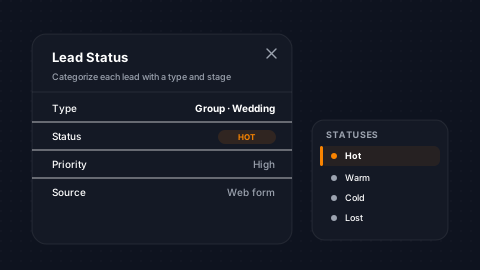
Structure your leads the way your business works. Define custom categories to group leads by intent: owner acquisition, guest inquiry, group booking, corporate. Assign types to classify the nature of each lead. Build status workflows with configurable rules that drive automation, reporting, and pipeline behavior.
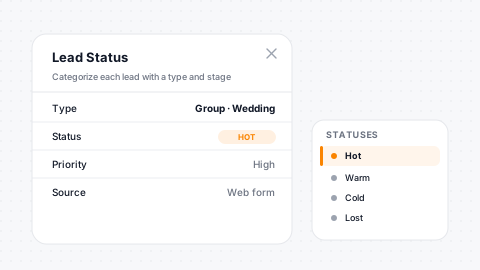
Custom Categories
Color-coded categories with sort order match your pipeline intent.
Lead Types
Granular type classification within each category.
Status Workflows
Open, reserved, closed, and lost states map to your ops.
Status Rules
Rules trigger automations, drips, and alerts on transitions.
Custom Fields & Lead Detail
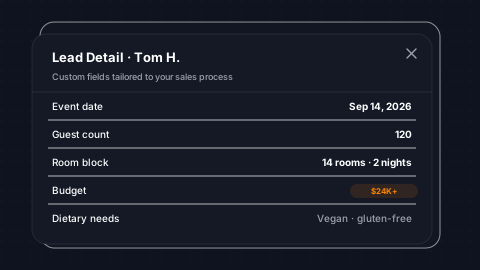
Capture exactly the data that matters to your business. Add custom fields to leads, including text, dropdowns, dates, currency, checkboxes, and more. Track estimated value, arrival and departure dates, number of guests, property preferences, and any other detail your team needs to close the deal.
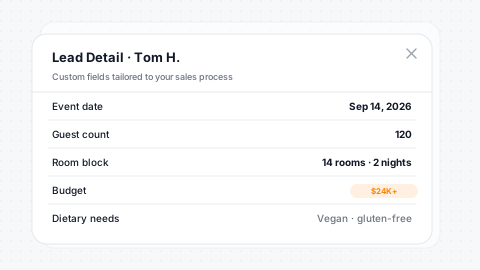
Unlimited Fields
Custom fields with text, dropdown, date, currency, checkbox types.
Estimated Value
Per-lead estimated value powers revenue forecasting.
Arrival/Departure
Track dates and guest counts per lead for intent clarity.
Unit Preferences
Property and unit preferences tied to your PMS inventory.
Lead Automation & Status Rules
Automate your entire lead lifecycle. Define rules on each status: auto-close leads after inactivity, auto-reopen when a guest re-engages, auto-attach leads to inbox conversations, and trigger drip campaigns on status change. Every status transition can kick off emails, texts, task creation, and agent notifications without manual intervention.
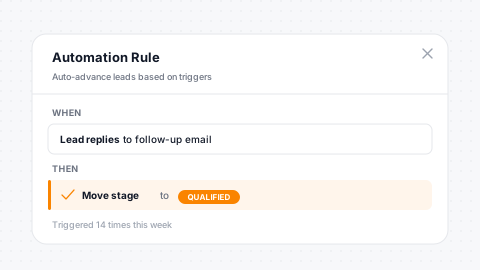
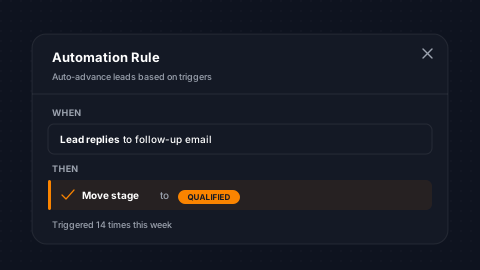
Auto-Close
Close leads after configurable days of inactivity automatically.
Auto-Reopen
Re-engagement from a guest reopens the lead instantly.
Inbox Auto-Attach
Leads attach to matching inbox conversations automatically.
Transition Triggers
Status transitions fire drips, emails, texts, and tasks.
Drip Campaigns & Follow-Up Sequences
Never let a lead go cold. Build multi-step drip campaigns that fire based on lead status, category, or time elapsed. Combine email, SMS, and task creation in sequenced workflows. Campaigns pause automatically when a lead status changes, so your team never sends a follow-up to someone who already booked.
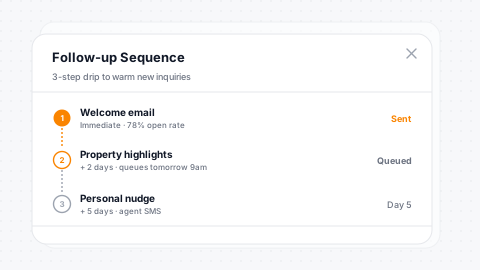
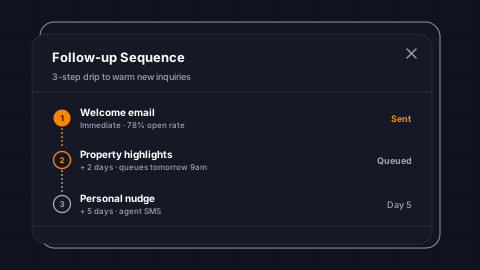
Multi-Step Drips
Email, SMS, and task actions sequenced into one workflow.
Smart Triggers
Fire on lead creation, status change, or time delay.
Auto-Pause
Pauses when lead status changes, so there is no redundant outreach.
A/B Test
Test subject lines and messaging for higher conversion.
Never Lose a Lead Again
See how SendSquared captures every website inquiry, routes it to the right agent, and follows up automatically.
Agent Assignment & Performance
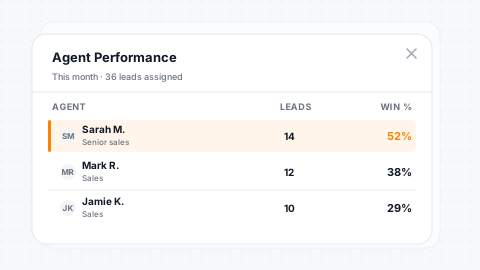
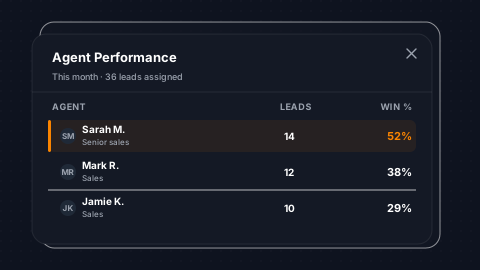
Assign leads to agents manually, by round-robin, or by rule-based routing. Track every touchpoint (calls made, emails sent, texts delivered, tasks completed) and measure conversion rates per agent. Leaderboards and performance dashboards give managers real-time visibility into team output and revenue generation.
Round-Robin
Round-robin and rule-based lead routing to the right agent.
Per-Agent Convert
Conversion tracking per agent across every channel.
Activity Logging
Calls, emails, texts, and tasks all logged per agent.
Revenue Attribution
Revenue ties back to the agent who generated the booking.
Lead Sources & Attribution
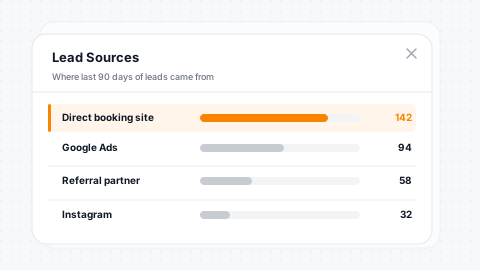
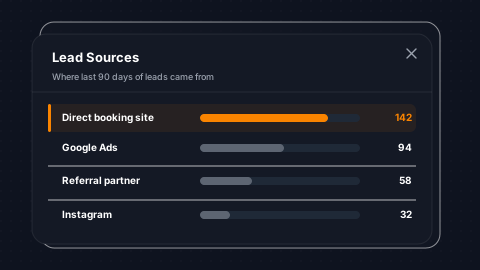
Know exactly where every lead comes from. Track lead sources (website form, phone call, Airbnb inquiry, VRBO, Google Travel, referral, walk-in) and drill into source details for granular attribution. Measure which channels, campaigns, and partners generate the highest-value leads so you can invest in what works.
Source Tracking
Pre-built and custom lead sources track every channel.
Detail Fields
Source detail fields for campaign-level attribution.
Conversion Analysis
Conversion rate by source and channel at a glance.
ROI Visibility
ROI across marketing and partner channels made clear.
Lost Reason Tracking
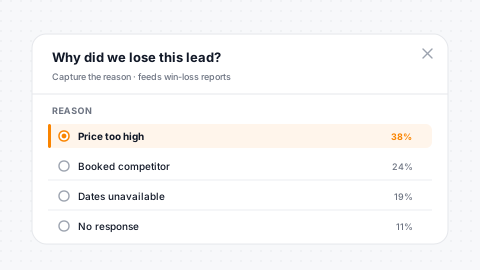
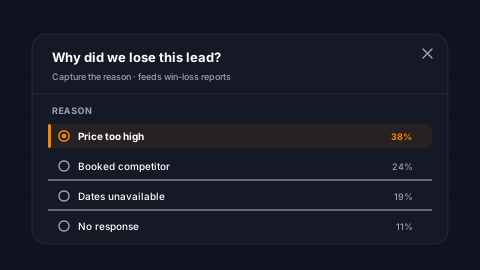
When a lead doesn't convert, capture why. Define custom lost reasons (price, availability, competitor, timing, unresponsive) and require agents to log them when closing a lead as lost. Aggregate lost reason data reveals patterns that inform pricing, inventory, and marketing strategy across your portfolio.
Custom Reasons
Define lost reasons with categorization specific to your pipeline.
Required on Close
Agents must log a reason when closing a lead as lost.
Aggregate Reports
Aggregate reporting reveals patterns in lost deals.
Strategy Insight
Patterns inform pricing, inventory, and marketing strategy.
Unified Inbox Integration
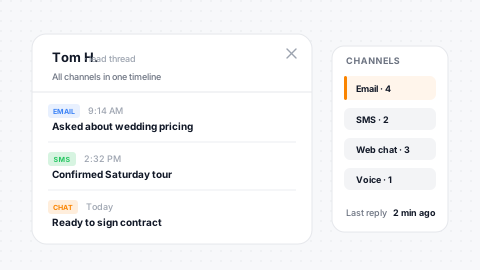
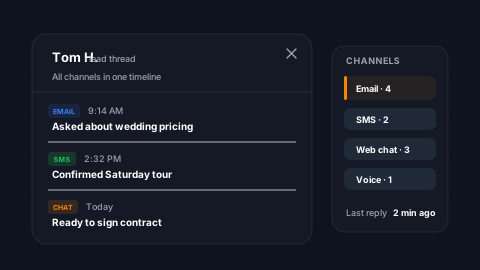
Leads and conversations live together. When a lead is created from an inbox message, the full conversation history carries over. Agents respond to leads directly from the Unified Inbox without switching contexts. Every reply, note, and status change is logged in both the lead record and the conversation thread.
Create From Inbox
Turn any inbox conversation into a lead with one click.
Full History
Conversation history attaches to the lead automatically.
Inline Reply
Respond from the inbox without switching contexts.
Two-Way Sync
Status changes and notes sync between lead and thread.
Task Pairing & Team Coordination
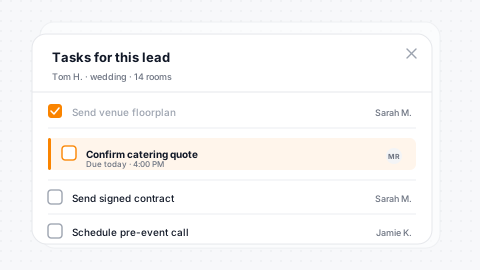
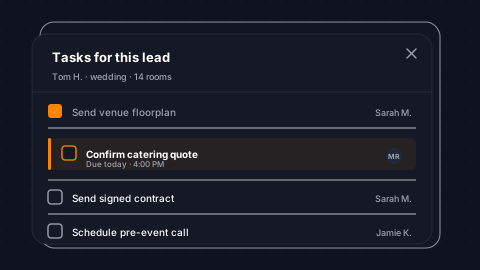
Pair tasks with leads to keep your team coordinated. When a lead hits a specific status, auto-generate tasks for site visits, follow-up calls, contract preparation, or property showings. Tasks inherit lead context, so the assigned agent has full visibility into the guest's history, preferences, and pipeline stage.
Auto-Generate
Tasks auto-generate on specific lead status transitions.
Inherited Context
Tasks carry full lead context and guest history forward.
Team Assignment
Assign to specific agents or teams with granular routing.
Outcome Tracking
Task completion rates tie directly to lead outcomes.
Your Team Closes More With Better Tools
Pipeline management, automated follow-ups, and revenue attribution in one platform built for hospitality.
Chrome Extension
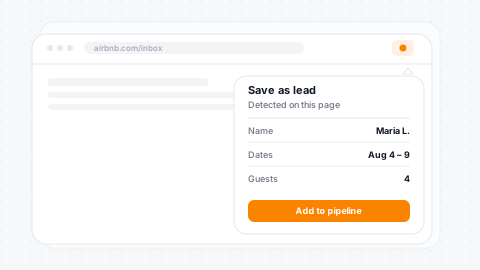
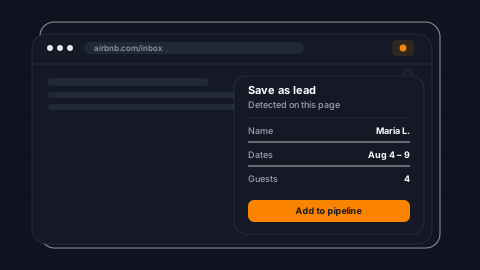
Capture leads without leaving your browser. The SendSquared Chrome Extension lets agents create leads from any webpage (a Zillow listing, a property owner's website, a social media profile) and push it directly into your pipeline with one click. Pre-populate fields, assign categories, and route to the right agent instantly.
One-Click Capture
Create a lead from any webpage without leaving Chrome.
Pre-Populated
Fields pre-populate from page context automatically.
Auto-Assign
Assign category, type, and agent right at creation time.
Instant Sync
Leads sync to pipeline and mobile app instantly.
Mobile Lead Management
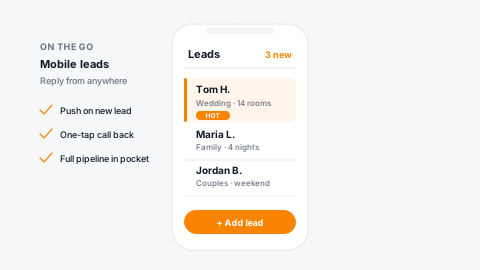
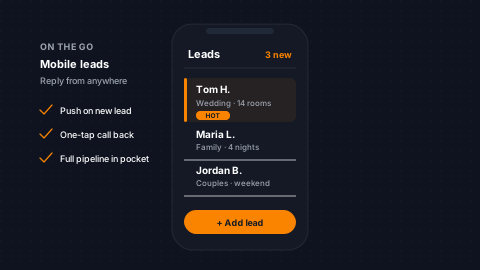
Your pipeline goes where you go. The SendSquared mobile app gives agents full lead management on iOS and Android: pipeline kanban with touch-based drag-and-drop, lead detail editing, one-tap calling and texting, and push notifications on lead activity. Managers review agent performance and pipeline health from anywhere.
Full Kanban
Touch-based drag-and-drop kanban on iOS and Android.
On-the-Go Edits
Create, edit, and update leads from anywhere.
One-Tap Comms
One-tap calling and texting from lead records.
Push Alerts
Push notifications for new leads and status changes.
PMS-Integrated Lead Tracking
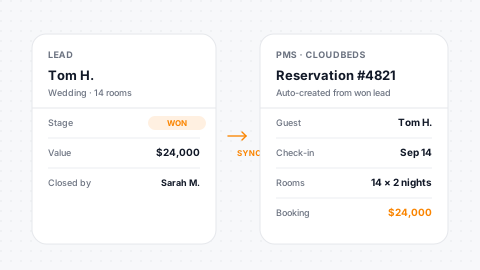
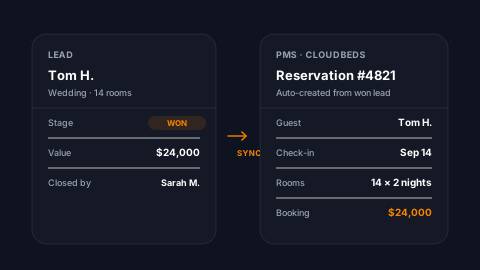
Synchronize reserved leads with your PMS to establish a reliable record of total booked value generated by each agent. When a lead converts to a reservation, SendSquared matches it against your PMS data, connecting the full journey from first inquiry to confirmed booking with accurate revenue attribution.
Reserved Sync
Reserved leads sync with the PMS for attribution.
Booked Value
Total booked value tracked per agent with confidence.
Match to PMS
Lead conversions match to PMS reservation records.
Cross-Platform Data
Lead data flows into audience targeting everywhere.
Third-Party Integrations
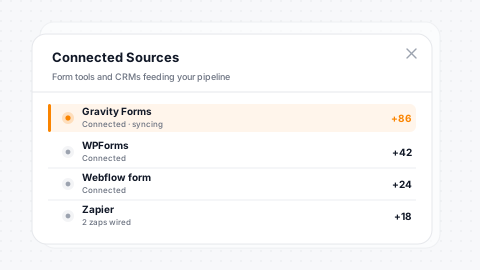
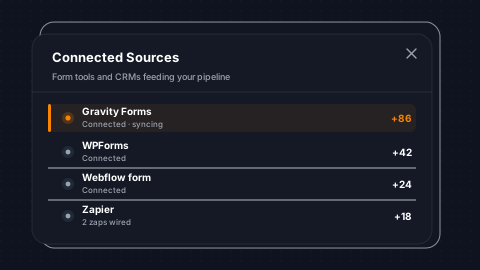
Extend your lead pipeline with integrations from our expert partner ecosystem. Connect lead capture forms, property valuation tools, market analysis platforms, and CRM extensions that feed directly into your SendSquared pipeline. Every integration is built to maintain data integrity and keep your team working in one system.
Partner Ecosystem
Expert partner integrations for lead capture and enrichment.
Valuation Tools
Property valuation and market analysis platform connections.
Webhook + API
Webhook and API support for custom integrations.
Data Integrity
Data integrity maintained across every connected system.
Testimonials
What Our Clients Say
“SendSquared is the second most important thing in our company outside of our PMS. All of our departments use it. Everyone in the company uses SendSquared. The engagement is what keeps us so well connected, and we are adding on average 10 doors a month at this point.”
Steven Wood
Founder, Host and Home
“SendSquared took everything we relied on and made it better, easier to use, and more centralized. Having everything in one platform has been a major improvement for our team.”
Mark Ryan
Revenue Manager, Wilderness Resorts & Waterparks
“In typical SendSquared fashion, it was easier than I expected.”
Brendan Curtin
CMK Development, Sailrock South Caicos
“The SendSquared tape chart has been our lifeline on the road. I used to print the calendar before heading out — now everything is right there, even with last-minute changes.”
Kim Collin
, Caribbean Villas of St. John
“I can definitely attribute a good number of reservations to SendSquared. Between the easy follow-up communication within the system and the CRM pulling up information as a call comes in, our reservations team is being more intentional on their calls, resulting in better conversions.”
Brock Reich
Chief Operating Officer, Orlando Resorts Rental
Frequently Asked Questions
What channels can generate leads?
Emails, texts, voicemails, calls, web chat, Airbnb inquiries, website forms, and Chrome Extension captures - anything and everything becomes a lead.
Can I automate lead follow-ups?
Yes. Multi-step drip campaigns fire based on lead status, category, or time elapsed across email, SMS, and task channels. Campaigns auto-pause when a lead converts.
How is lead revenue tracked?
When a lead converts to a reservation, SendSquared matches it against your PMS data - connecting the full journey from first inquiry to confirmed booking with accurate revenue attribution.
Is there a mobile app for lead management?
Yes. Full pipeline kanban with touch-based drag-and-drop, lead editing, one-tap calling and texting, and push notifications on lead activity for iOS and Android.
Can I capture leads from external websites?
Yes. The Chrome Extension lets agents create leads from any webpage - Zillow listings, property owner websites, social profiles - and push them into your pipeline with one click.
Explore More
Related Solutions
Inbound Lead Conversion
Multi-channel lead capture and follow-up
Cart Abandonment Recovery
Recover lost bookings with automated follow-up
Group Bookings
Track weddings, corporate retreats, and group inquiries from RFP to confirmation
Hotel Call Center
Reservation team pipeline with call notes and follow-up tasks
Explore More
Related Reading
Hotel Crm ROI: Calculating the Real Value
Direct booking lift, retention, marketing efficiency, tool consolidation savings
Inbound Lead Conversion Strategy
Multi-channel lead conversion
Group Booking Pipeline: Inquiry to Confirmed
How to manage group booking pipelines from RFP to confirmed contract
Hotel Group Booking Software in 2026
Software stack for hotel groups, weddings, and corporate retreats
Hotel Prospecting Software
Tools and tactics for outbound hotel prospecting
Ready to Get Started?
See how SendSquared can transform your hospitality operations.
Schedule a DemoThe unified inbox is one piece of SendSquared's hotel messaging stack: every channel (SMS, WhatsApp, Airbnb, email, voice) threaded against one PMS-linked guest profile.