


Security & Trust
Guest Verification
Verify guest identity before they arrive. Secure document uploads through digital guidebooks, agent-side review with access logging, email validation with SMTP checks, and a blue check badge that follows verified contacts across every touchpoint in the platform. Reduce fraud, prevent chargebacks, and build trust.
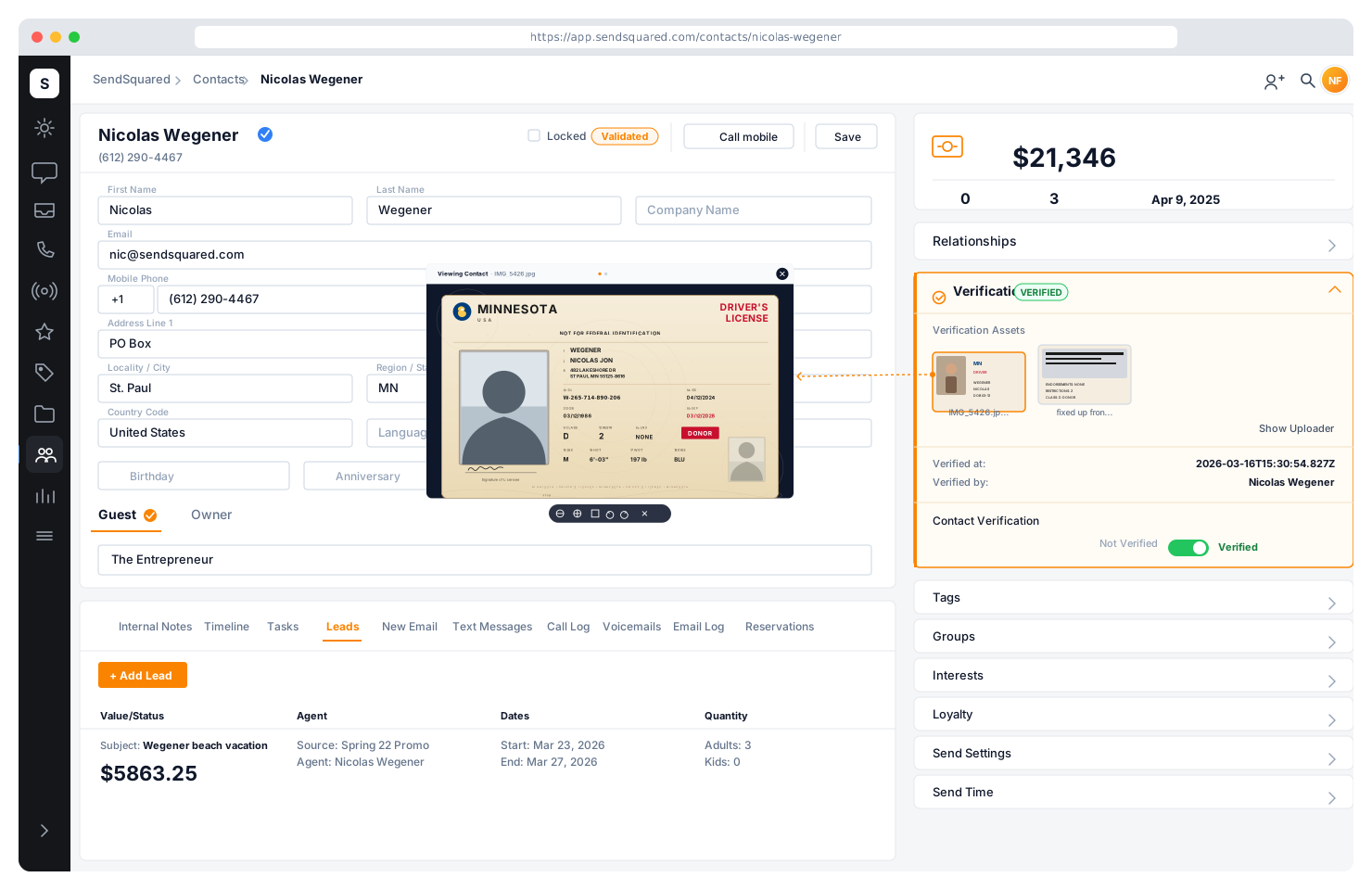
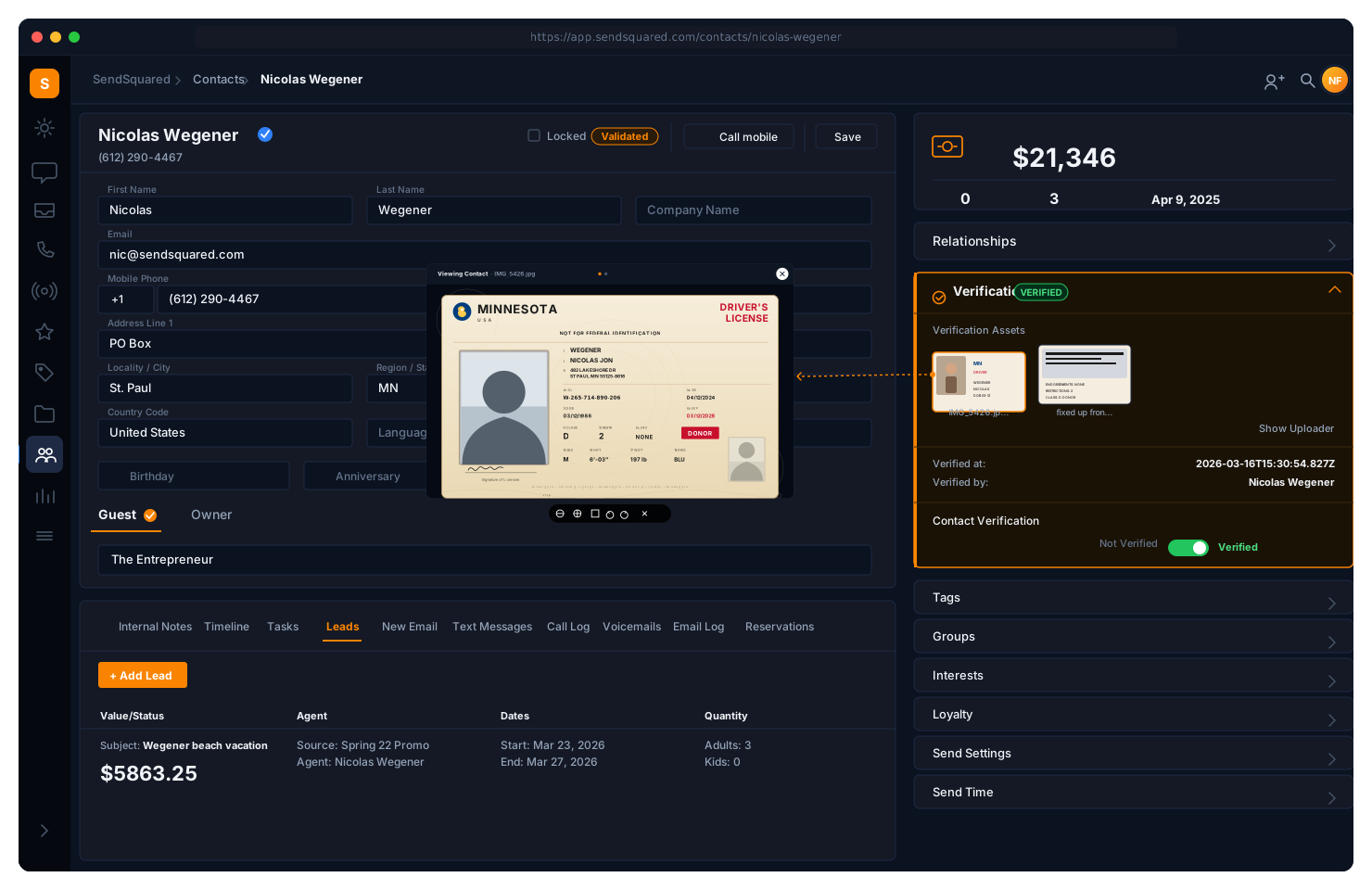
Guest-Side Document Upload
Guests upload identity documents directly through your digital guidebooks, with no separate app or email exchange required. Identity blocks specify how many documents are needed. Uploads go directly to secure S3 storage via signed URLs with encryption at rest. Guests see a clean upload interface embedded in their guidebook experience. Once verified, the Identity block auto-hides and is replaced by the blue check badge.
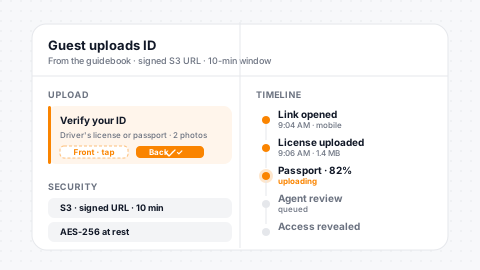
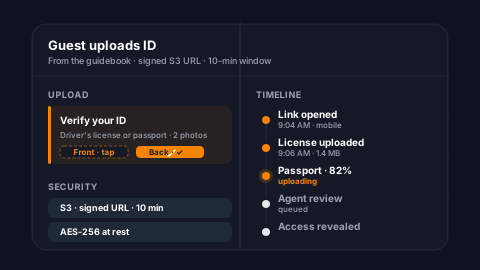
In-Guidebook Upload
Guests upload ID documents inside the guidebook, with no separate app or email chain required.
Configurable Docs
Set how many documents are required per property, per booking, or per tier.
Encrypted S3 Storage
Secure S3 storage with signed URLs and encryption at rest protects sensitive IDs.
Auto-Hides When Done
The Identity block disappears after verification, replaced by the blue check badge.
Agent Review & Completion
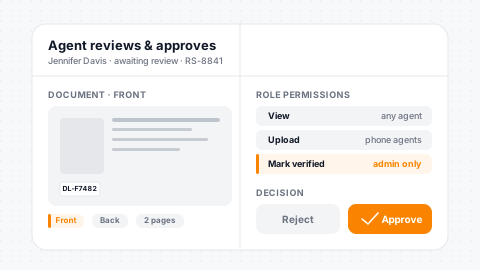
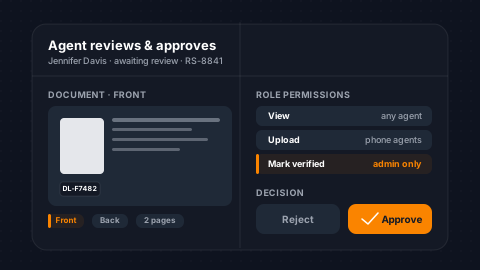
Agents review uploaded verification documents from the contact profile with role-based access controls. View permission lets agents see documents. Upload permission lets agents add documents on behalf of guests (for phone-based verification). Complete permission lets agents mark a contact as verified, setting the verified timestamp and recording which agent approved it. Every document view and upload is logged with IP address and user attribution.
Granular Permissions
View, upload, and complete are separate permissions, each gated per role.
Agent-Side Upload
Agents can upload on behalf of guests during phone-based verification flows.
Completion Tracked
Verification records the approving agent, timestamp, and IP for accountability.
IP-Level Audit
Every document view and upload is logged with user and IP attribution.
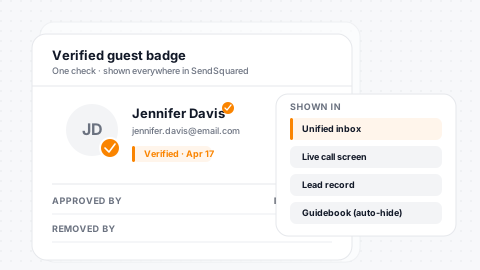
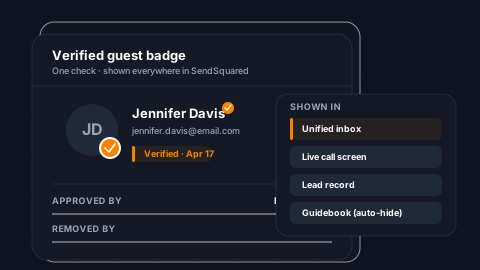
Verified contacts carry a blue check badge that follows them everywhere (including the unified inbox, call screen, lead records, and digital guidebook views), so your team always knows when they're working with a verified guest.
Blue Check Badge
Once a contact is verified, the blue check badge appears everywhere they show up in SendSquared, including the Unified Inbox, call screen, lead records, conversation threads, and guidebook views. Your team instantly knows they're working with a verified guest. Admin-only removal ensures the badge can't be accidentally cleared.
Everywhere Visible
Blue check follows the contact across inbox, calls, leads, and guidebooks.
Instant Trust Signal
Agents see the verified badge the moment they open any guest interaction.
Approver Tracked
The timestamp and agent who approved sit on the contact record for audit.
Admin-Only Removal
Only admins can clear a badge, and every removal writes to the audit log.
Email Validation
Beyond ID verification, SendSquared validates every email address with SMTP-level checks. Track which emails have been validated, when, and what errors occurred. The validation summary gives you a company-wide view of total contacts, validated email count, and invalid email count, so you know the health of your contact database before sending campaigns.
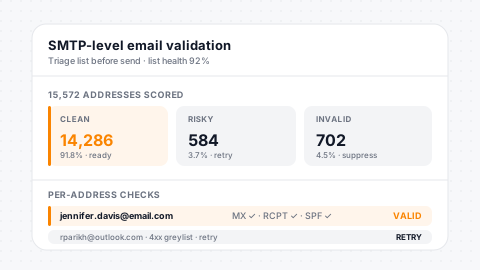
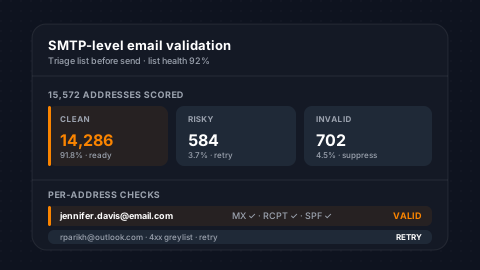
SMTP-Level Checks
Every email address is SMTP-validated with per-address error tracking.
Timestamp & Reason
Validation time and the specific error reason sit on the email record.
Company-Wide Summary
See total, valid, and invalid email counts at a glance across the database.
Multi-Email Support
Contacts with multiple email addresses get per-address validation status.
Legal Term Acceptance
Track legal term acceptances per contact across all their reservations. Agents view the full acceptance history, including which guidebook terms were accepted, for which reservation, with what signature, email, cancellation acknowledgement, and IP address. Legal acceptance records tie directly to verification workflows: accept terms, upload ID, and you have a complete compliance record.
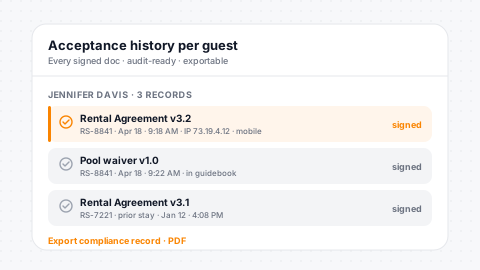
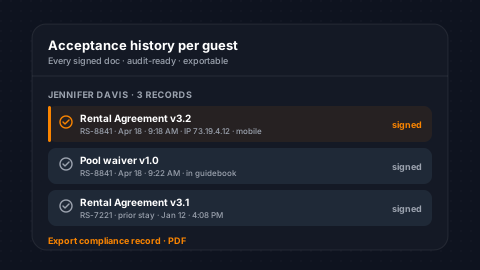
Per-Reservation Records
Legal acceptance is logged per reservation with signature and cancellation ack.
Acceptance History
Agents view the full acceptance timeline per contact on the profile.
IP & Timestamp
IP address, timestamp, and user agent captured on every acceptance.
Guidebook Integration
Ties directly into guidebook legal blocks for a unified accept + upload flow.
Verification Assets & Audit Trail
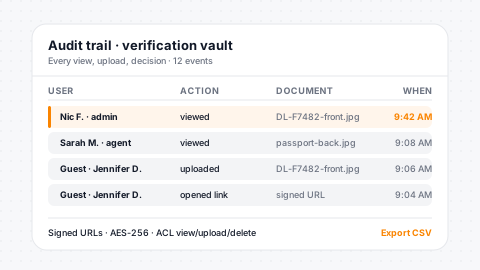
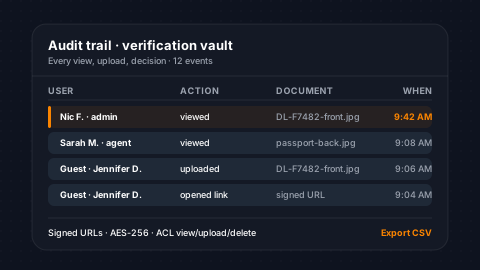
Verification assets are separated from regular contact assets in the database; they never appear in standard asset views and are only accessible through the verification permission path. Access logs record every view with user, IP address, and timestamp. Delete permissions for verification images are gated separately from general asset deletion. Your guests' sensitive documents are protected by multiple layers of access control.
Isolated Storage
Verification assets are siloed from regular contact files, with no bleed-through.
Full Access Log
Every document view is logged with user, IP, and timestamp for compliance.
Separate Delete Perm
Verification deletes are gated by their own permission, distinct from assets.
Time-Limited URLs
S3 signed URLs expire on their own so old links cannot be reused.
Testimonials
What Our Clients Say
“SendSquared is the second most important thing in our company outside of our PMS. All of our departments use it. Everyone in the company uses SendSquared. The engagement is what keeps us so well connected, and we are adding on average 10 doors a month at this point.”
Steven Wood
Founder, Host and Home
“SendSquared took everything we relied on and made it better, easier to use, and more centralized. Having everything in one platform has been a major improvement for our team.”
Mark Ryan
Revenue Manager, Wilderness Resorts & Waterparks
“In typical SendSquared fashion, it was easier than I expected.”
Brendan Curtin
CMK Development, Sailrock South Caicos
“The SendSquared tape chart has been our lifeline on the road. I used to print the calendar before heading out — now everything is right there, even with last-minute changes.”
Kim Collin
, Caribbean Villas of St. John
“I can definitely attribute a good number of reservations to SendSquared. Between the easy follow-up communication within the system and the CRM pulling up information as a call comes in, our reservations team is being more intentional on their calls, resulting in better conversions.”
Brock Reich
Chief Operating Officer, Orlando Resorts Rental
Frequently Asked Questions
What verification methods are available?
ID document upload through digital guidebooks, manual agent verification, and automated verification status tracking across the platform.
How does verification reduce fraud?
Require ID uploads before revealing property access codes and check-in details. Verified contacts display a blue check badge platform-wide.
Can verification be required automatically?
Yes. Digital guidebook Identity blocks gate all content behind verification. Automation triggers fire when verification status changes.
Where are uploaded documents stored?
Documents are stored in secure S3 storage with access logging, configurable retention periods, and role-based viewing permissions.
Ready to Get Started?
See how SendSquared can transform your hospitality operations.
Schedule a DemoThe unified inbox is one piece of SendSquared's hotel messaging stack: every channel (SMS, WhatsApp, Airbnb, email, voice) threaded against one PMS-linked guest profile.