


Data & Analytics
Guest Segmentation
Dynamic segments that re-evaluate automatically based on live PMS data. 12 condition types, 12 operators, and dozens of operands let you target guests by reservation history, revenue, lead status, campaign engagement, survey responses, tags, and custom fields. Build once, and your segments stay current as data changes.
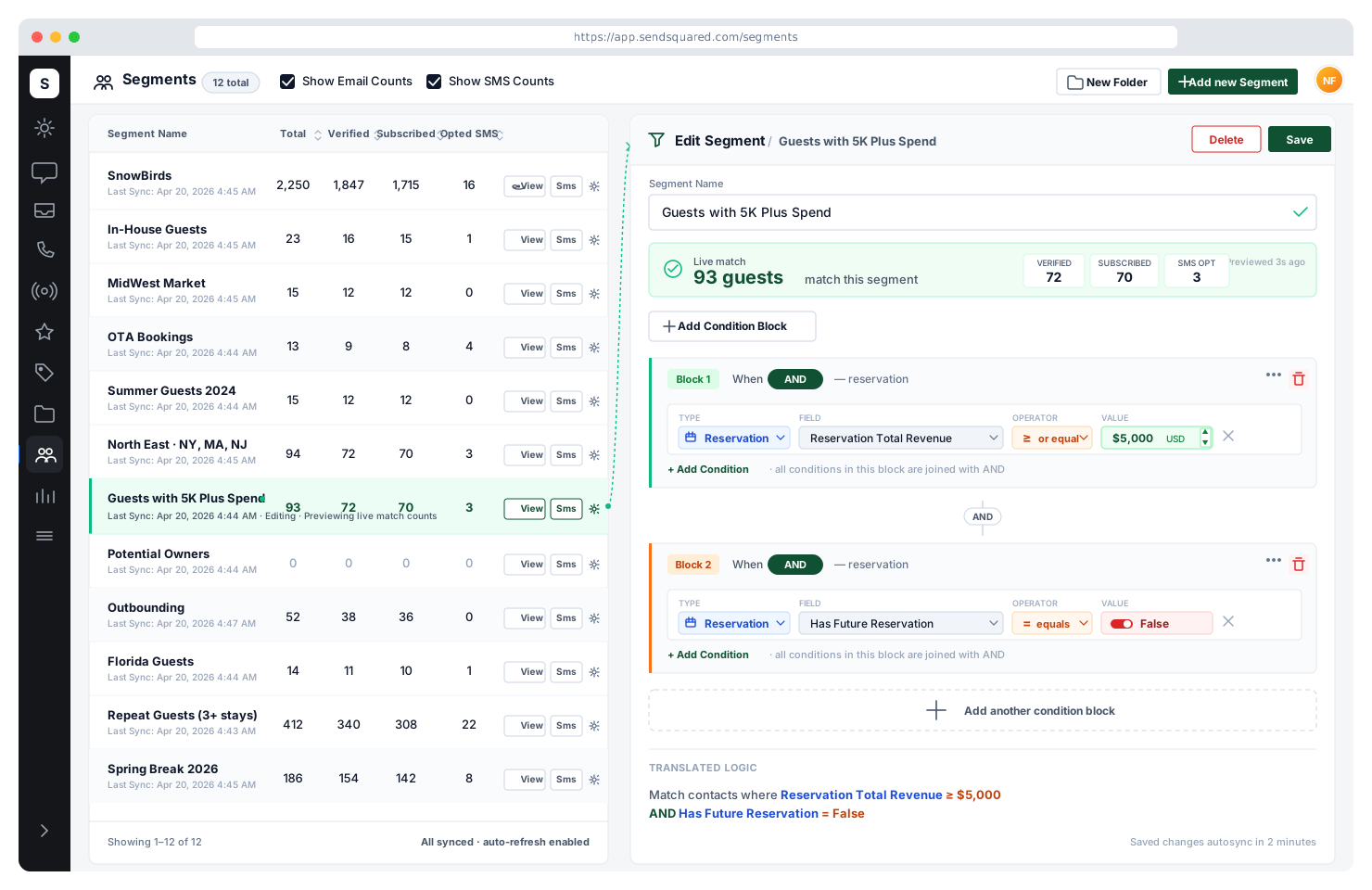
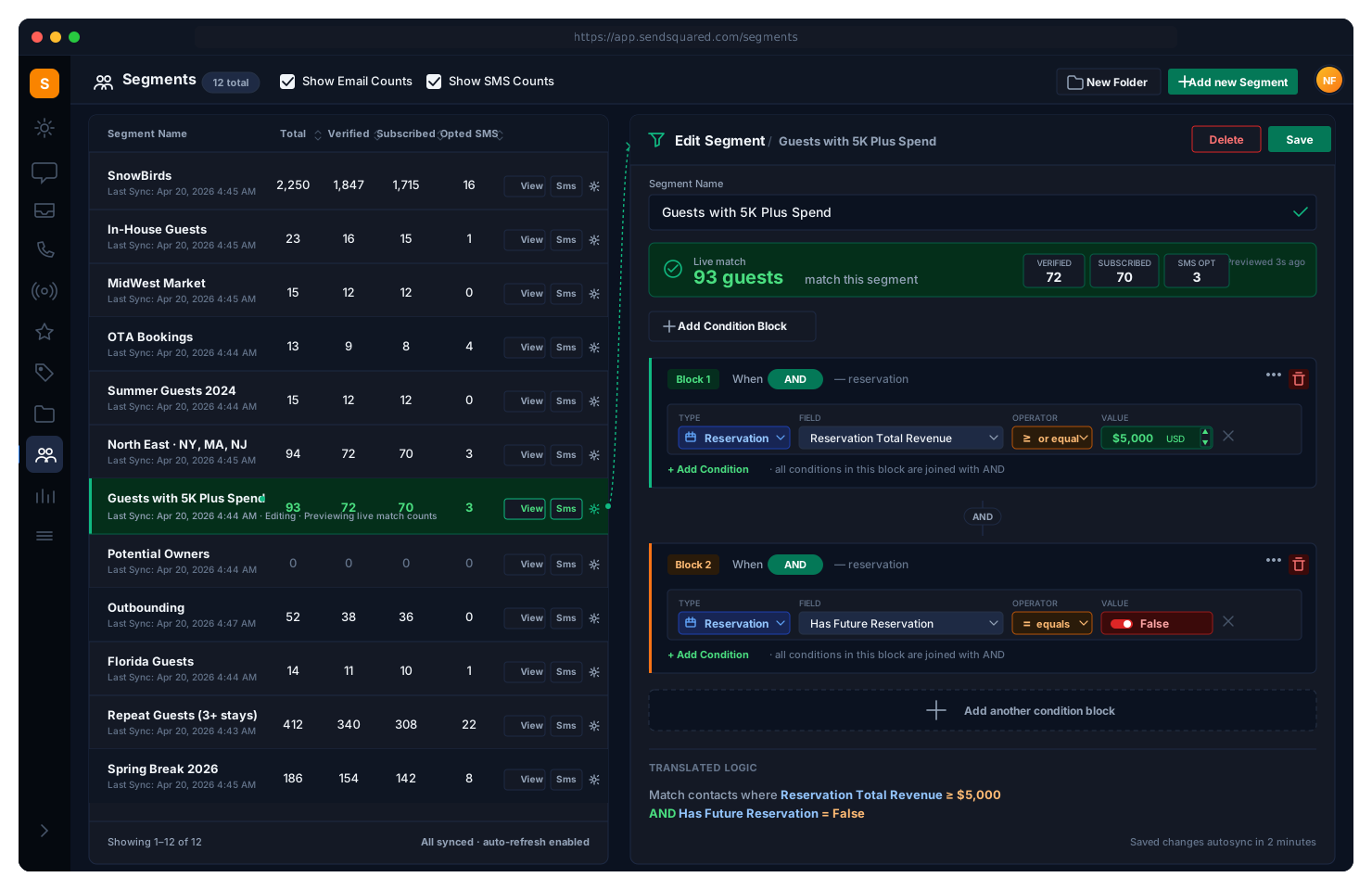
Reservation-Based Segments
Target guests based on their booking data. Arrival date, departure date, number of nights, total revenue, room revenue, extra revenue, adults, children, pets, reservation source, status, type, market code, booking channel, cancelled date, and specific unit IDs, all available as segment conditions. Build segments like 'guests arriving in the next 30 days with 3+ nights and $2,000+ revenue' in a few clicks.
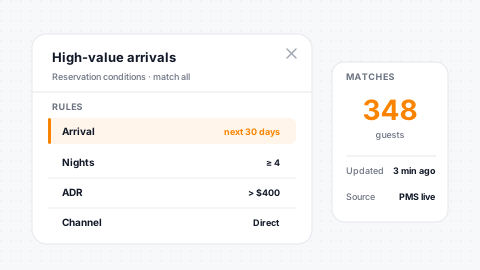
50+ Operands
Revenue, dates, and guest-count operands cover every reservation axis.
Unit-Level
Target specific properties, unit groups, or room types precisely.
Type & Source
Filter by reservation type, status, source, and booking channel.
Rolling Windows
Relative date conditions like "next 30 days" stay current automatically.
Contact Property Conditions
Segment by who your guests are, not just what they've booked. First name, last name, email, phone, city, state, zip, country, birthday, anniversary, source, total reservations, has future reservation, last email open date, and creation date. Combine property conditions with reservation conditions for precision targeting. For example, 'returning guests in Florida with a birthday this month' is one segment away.
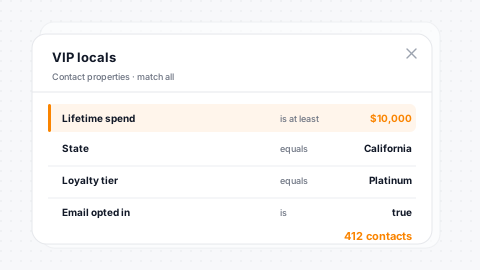
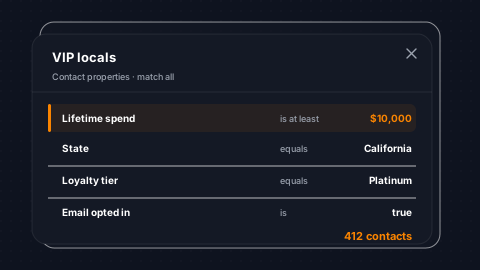
30+ Operands
Demographic targeting by name, location, birthday, anniversary, and more.
Return Flags
Total reservations and has-future-reservation flags surface return guests.
Birthday/Anniversary
Milestone targeting for genuinely personal campaigns.
31 Source Types
Source attribution across 31 contact origins for precise targeting.
Lead & Sales Conditions
Segment contacts based on their position in your sales pipeline. Lead source, status, creation date, and more let you build segments like 'open leads from Google Travel created in the last 7 days' or 'won leads with revenue over $5,000.' Lead conditions work alongside reservation conditions, so you can target guests who booked through your lead pipeline versus OTA channels.
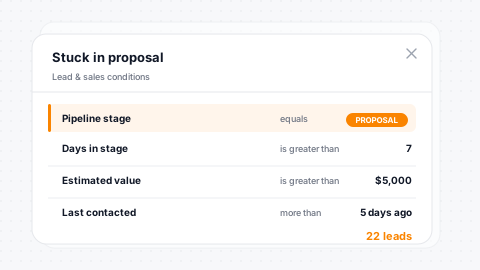
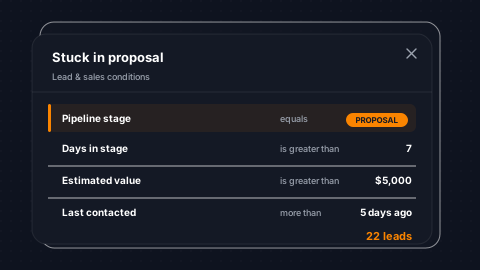
Pipeline Stage
Filter by lead source, status, and creation date across the pipeline.
Cross-Join
Combine lead conditions with reservation data for full pipeline analysis.
Won/Lost/Open
Target specific outcomes with revenue threshold conditions.
Data Quality
Compliance segments help manage contact data hygiene at scale.
Campaign Engagement Conditions
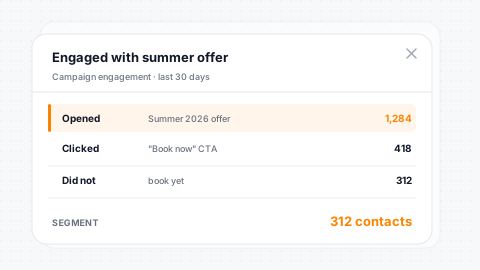
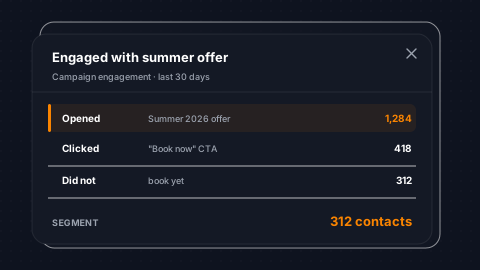
Segment based on how guests interact with your marketing. Campaign conditions let you target contacts who received, opened, didn't open, clicked, or didn't click a specific campaign. Build re-engagement segments for unopened campaigns, upsell segments for clickers, or suppression segments to avoid over-sending. Email engagement data powers smarter targeting.
Send/Open/Click
Did-send, did-open, did-click and their negations available as conditions.
Specific Campaigns
Target a named campaign or any campaign engagement. Your call.
Re-Engagement
Build re-engagement, upsell, and suppression segments from behavior.
Engagement → Revenue
Layer engagement with reservation data to correlate with revenue.
Survey & NPS Conditions
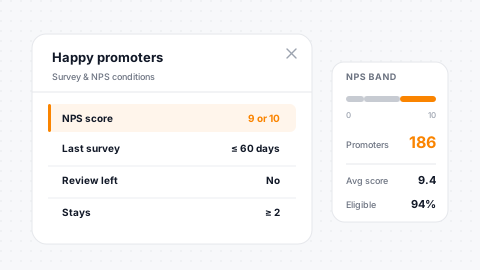
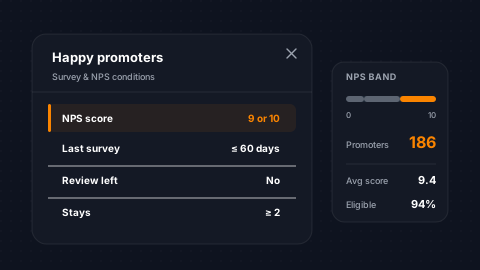
Segment guests based on their survey responses. Target NPS promoters, detractors, or passives. Filter by specific survey, completion status, rating value, text response, or response date. Build segments like 'NPS detractors from the last 90 days who have a future reservation' to proactively address dissatisfied guests before their next stay.
Promoter/Detractor
NPS promoter, detractor, and passive segmentation out of the box.
Survey Filters
Filter by survey, question, rating value, and response text.
Response Windows
Completion status and response date conditions frame timing precisely.
Proactive Outreach
Combine NPS with upcoming stays to save at-risk guest relationships.
Tags, Groups & Nested Segments
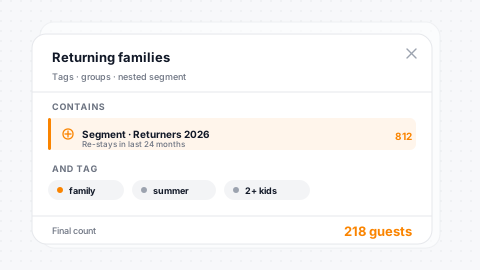
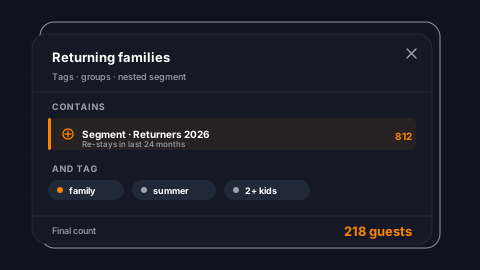
Tag conditions let you segment by whether a contact has a specific tag applied. Segment membership conditions create nested segments: include contacts who are in Segment A but not in Segment B. One segment-in and one segment-not-in condition per trigger give you the building blocks for complex audience logic.
Tag Presence
Include or exclude contacts based on which tags they carry.
Nested Segments
Include contacts in Segment A but exclude those in Segment B.
Include/Exclude
One in-segment and one not-in-segment condition per segment build.
Compound Targets
Combine with any condition type for genuinely complex audience logic.
SMS, Airbnb & Custom Field Conditions
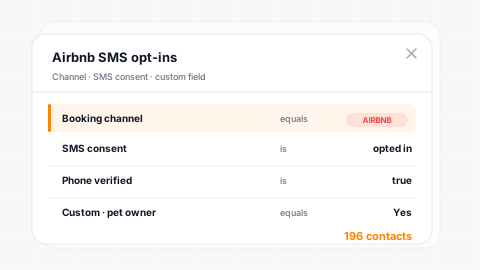
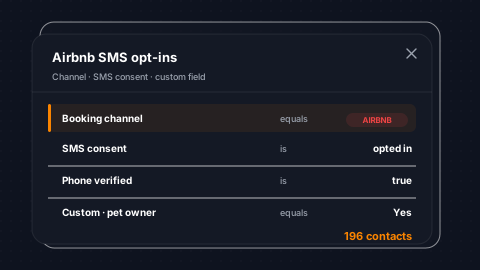
SMS conditions filter by opt-in status, message content, to/from numbers, and creation time. Airbnb conditions filter by thread name, dates, and account. Custom field conditions use your company-specific fields as segment operands, so if you track 'preferred unit type' or 'VIP tier' as custom fields, they're available as segment conditions.
SMS Conditions
Opt-in status, message content, and engagement available as operands.
Airbnb Threads
Thread-level filters for channel-specific guest segmentation.
Custom Fields
Your company custom fields become segment operands automatically.
Cart Abandonment
Recovery conditions target guests who dropped before completing a booking.
Block Logic & Operators
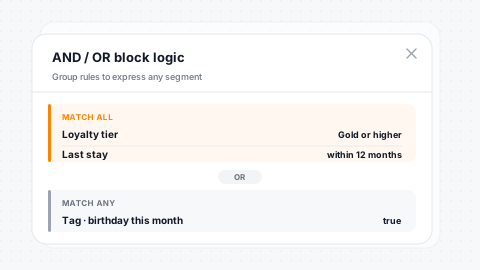
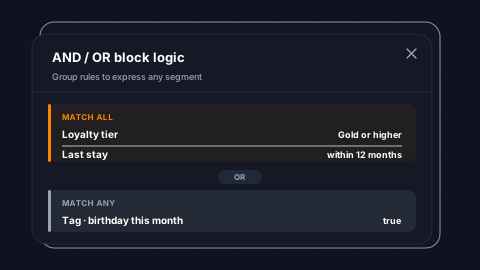
Conditions within the same block are ANDed together; all must be true. Different blocks are ORed; any block can match. This gives you full boolean flexibility without a complex UI. 12 operators cover every comparison: equals, not equals, in list, not in list, greater than, less than, contains, not contains, is null, and is not null. Value types span strings, integers, dates, relative dates, date ranges, and booleans.
AND / OR Blocks
AND within a block, OR between blocks: full boolean logic.
12 Operators
Equals, in, contains, gt/lt, null checks: every comparison covered.
10 Value Types
Strings, integers, dates, relative dates, and ranges all supported.
Visual Builder
Condition builder with live operand and operator selection.
Scheduled Auto-Sync & Counts
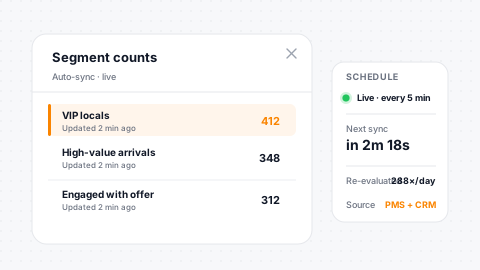
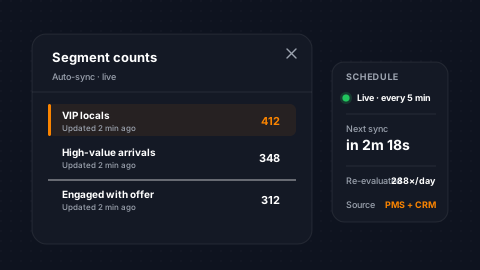
Segments evaluate automatically on a configurable schedule (default is daily at 9 AM). Each sync re-evaluates all conditions against current data and updates membership. Segment counts show total contacts, verified, subscribed, can-email, can-SMS, and opted-in, so you know exactly who you can reach before launching a campaign. Brand-level filtering scopes counts for multi-brand operations.
Auto-Sync
Configurable schedule re-evaluates segments in your own timezone.
Reachable Counts
Verified, subscribed, can-email, can-SMS, and opted-in surfaced live.
Brand Scoping
Count filtering scopes to a specific brand in multi-brand setups.
Freshness Stamp
Last-sync timestamp tells you exactly how fresh the membership is.
The NPS conditions above pull live data from post-stay surveys with NPS scoring and review routing, so detractor and promoter segments stay current as new responses come in, and service-recovery automations can fire from the same data.
Testimonials
What Our Clients Say
“SendSquared is the second most important thing in our company outside of our PMS. All of our departments use it. Everyone in the company uses SendSquared. The engagement is what keeps us so well connected, and we are adding on average 10 doors a month at this point.”
Steven Wood
Founder, Host and Home
“SendSquared took everything we relied on and made it better, easier to use, and more centralized. Having everything in one platform has been a major improvement for our team.”
Mark Ryan
Revenue Manager, Wilderness Resorts & Waterparks
“In typical SendSquared fashion, it was easier than I expected.”
Brendan Curtin
CMK Development, Sailrock South Caicos
“The SendSquared tape chart has been our lifeline on the road. I used to print the calendar before heading out — now everything is right there, even with last-minute changes.”
Kim Collin
, Caribbean Villas of St. John
“I can definitely attribute a good number of reservations to SendSquared. Between the easy follow-up communication within the system and the CRM pulling up information as a call comes in, our reservations team is being more intentional on their calls, resulting in better conversions.”
Brock Reich
Chief Operating Officer, Orlando Resorts Rental
Frequently Asked Questions
How many segment conditions can I combine?
12 condition types with 12 operators each. Conditions within a block are ANDed; separate blocks are ORed - giving you full boolean flexibility without a complex UI.
Do segments update automatically?
Yes. Scheduled auto-sync re-evaluates all conditions against live PMS data on a configurable schedule, defaulting to daily at 9 AM.
Can I target guests by reservation revenue or stay length?
Absolutely. Over 50 reservation operands include total revenue, room revenue, number of nights, guest count, unit type, booking channel, and more.
Can I use one segment inside another?
Yes. Nested segment conditions let you include contacts in Segment A but exclude those in Segment B for sophisticated audience logic.
How do I know how many contacts I can actually reach?
Segment counts show total contacts, verified, subscribed, can-email, can-SMS, and opted-in before you send, so you know your reachable audience.
Ready to Get Started?
See how SendSquared can transform your hospitality operations.
Schedule a Demo