


Data & Insights
Reporting & Analytics
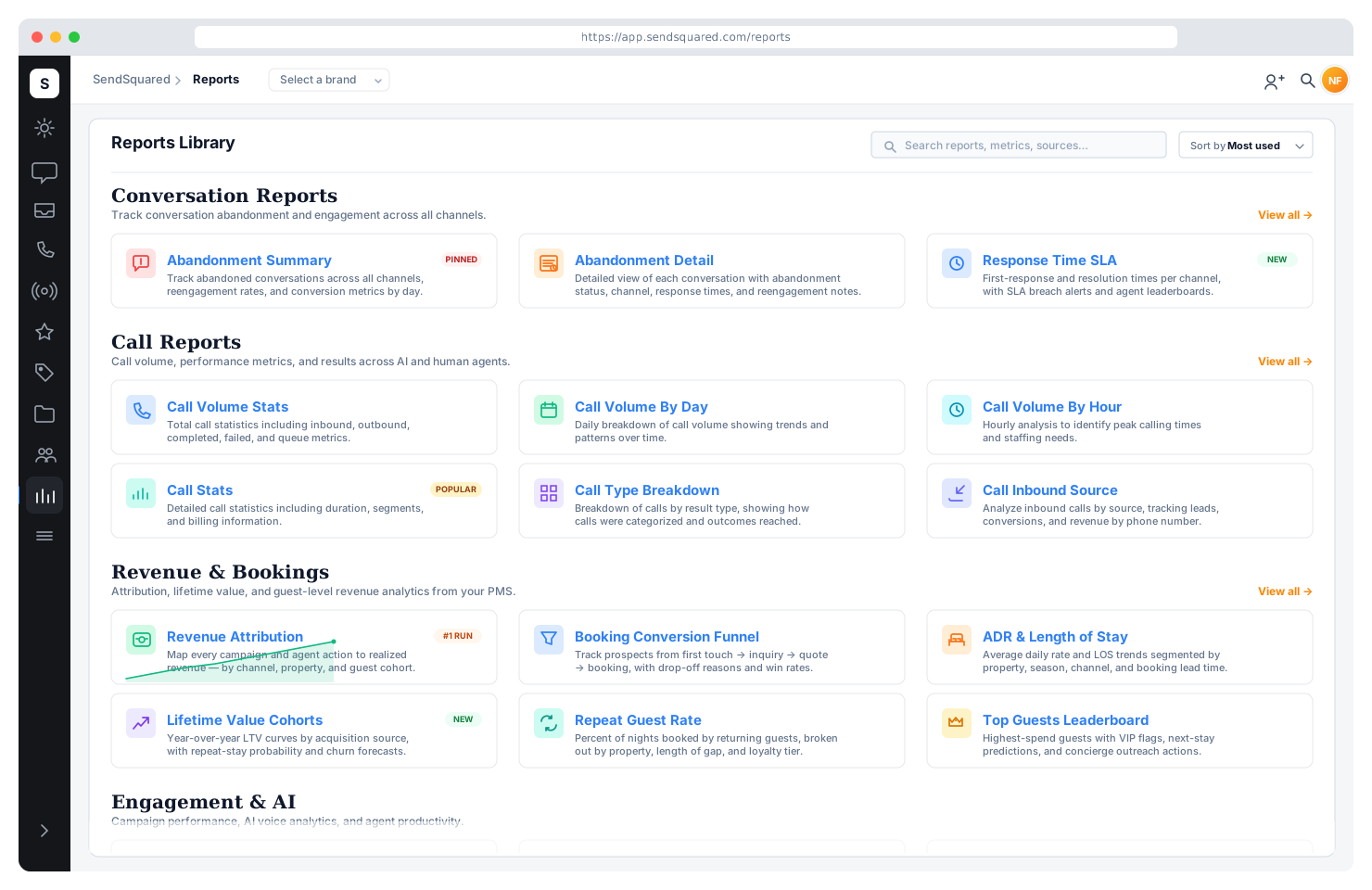
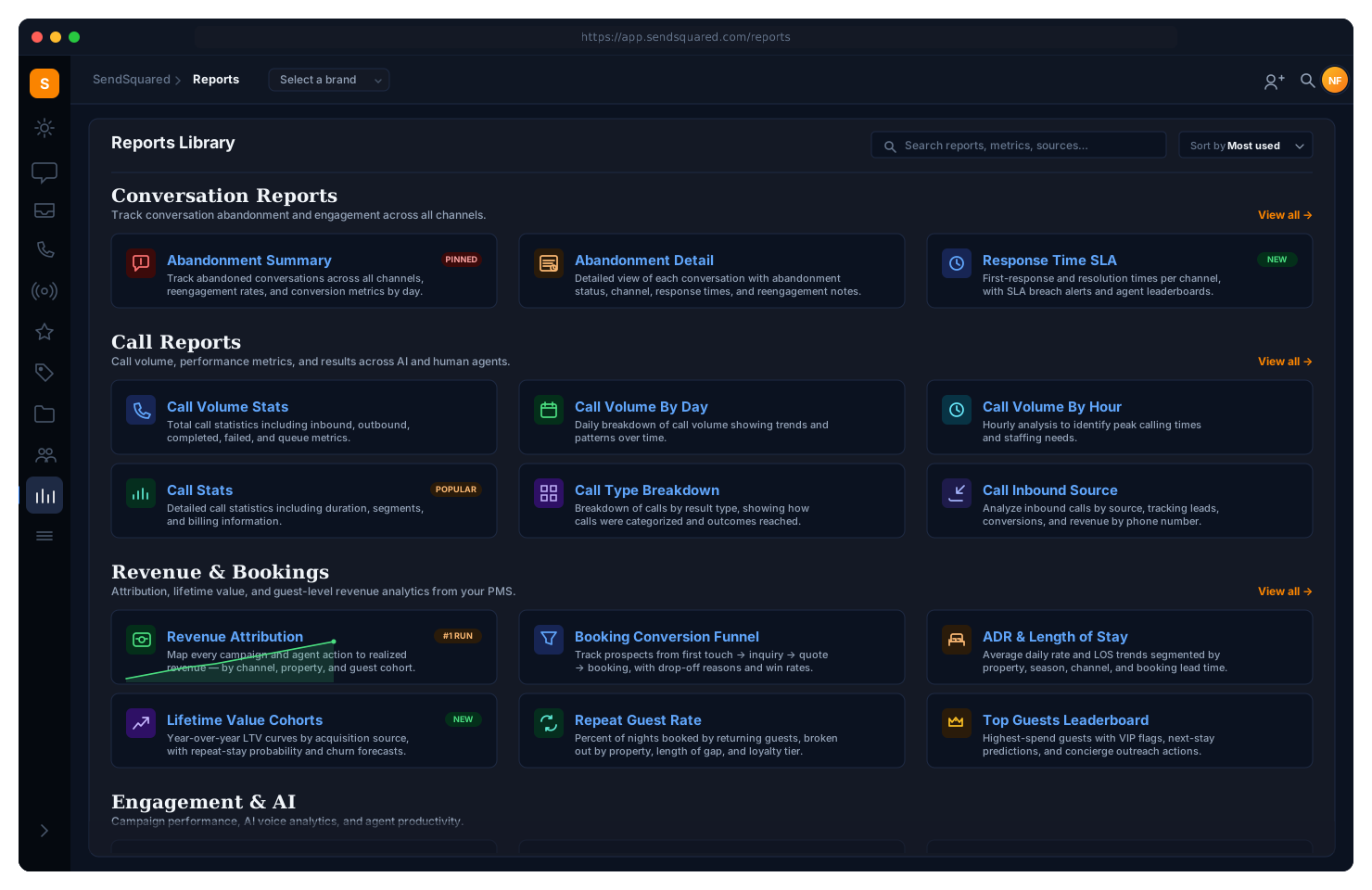
Every call, message, lead, and booking generates data. SendSquared turns that data into actionable reports: executive summaries, agent productivity, lead compliance, call abandonment, survey scores, email campaign revenue, and more. Scheduled, exportable, and built for hospitality operators who need answers, not dashboards.
Executive Summary
A single report that tells the full story. Historical revenue with 12-month trends, advanced booking pace for future arrivals, contact center call volume with year-over-year comparison, reservation-to-lead conversion rates, inbound voice conversion rates, call center abandonment (gross and net), top lead sources by revenue, agent performance rankings, top performers, and closed leads by month, all in one view.
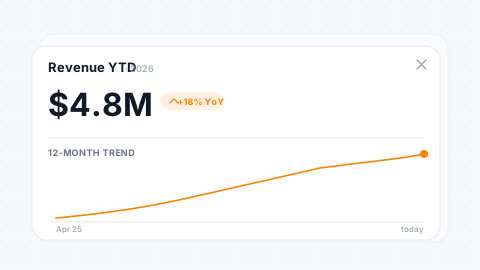
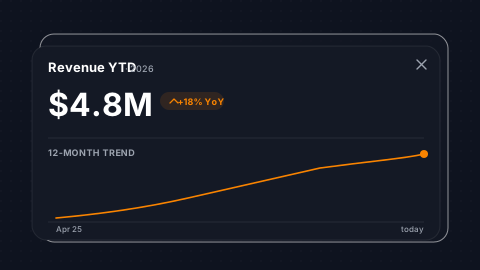
12-Month History
Historical revenue, bookings, ADR, and average stay length.
Booking Pace
Future arrival revenue pacing by month for the whole portfolio.
Abandonment Rates
Gross and net call-abandonment calculations at a glance.
Top Sources
Top lead sources ranked by revenue with conversion rates.
Agent Productivity
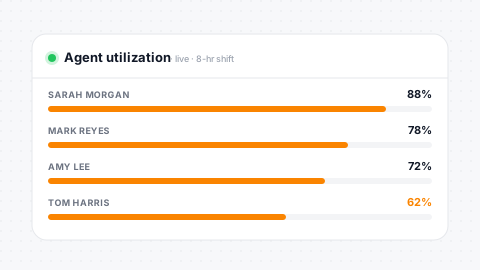
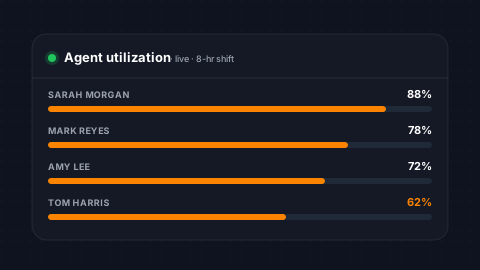
Know exactly how your team spends their time. Agent productivity reports break down every minute by status (active, on-call, wrapup, break, errored, no-answer) with duration and percentage for each. Live and historical views let managers monitor real-time performance alongside trends over time. Dynamic columns adapt to your company's configured agent statuses.
Time-in-Status
Duration and percentage per agent, per status, per shift.
Live + History
Real-time view alongside historical trend reporting.
Dynamic Columns
Columns adapt to your company-configured agent statuses.
Bottleneck ID
Spot wrapup, break, and no-answer bottlenecks in the data.
Lead Compliance
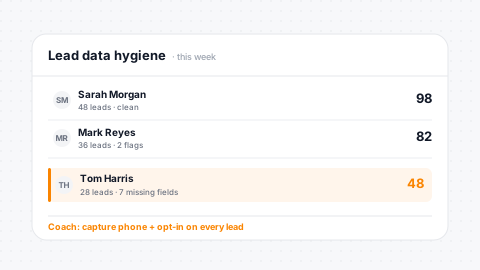
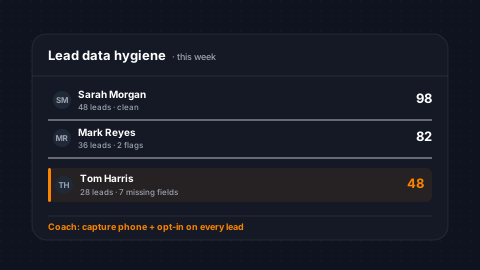
Hold your team accountable to lead data standards. The lead compliance report flags missing data by agent, including past follow-ups, missing email or mobile, missing opt-in, missing lead source, missing lost reason, won leads without a reservation, missing estimated value, and OTA emails. Spot gaps in data hygiene before they impact reporting and automation accuracy.
Per-Agent Scoring
Compliance scoring across every required lead field.
Missing Flags
Flag missing follow-ups, contact info, opt-ins, and sources.
Won Without Res
Identify won leads without linked PMS reservations.
Data Quality
Data quality that powers accurate automations and reporting.
Call Abandonment
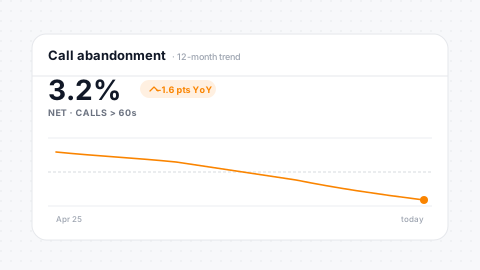
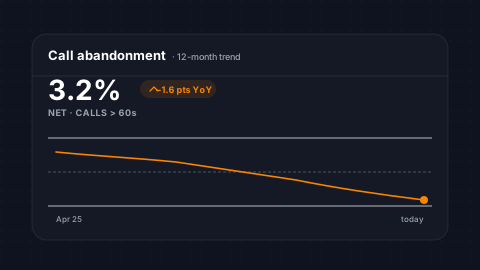
Understand when and why callers hang up. The executive summary includes both gross and net abandonment rates. Net excludes calls under 60 seconds to filter out misdials. Track abandonment month-over-month with year-over-year comparison, total queue calls versus answered, and queue hangup counts. Correlate abandonment spikes with staffing gaps to make scheduling decisions backed by data.
Gross + Net Rates
Gross and net abandonment with configurable thresholds.
MoM + YoY
Month-over-month and year-over-year trend comparison.
Queue Breakdown
Queue calls, queue answered, and queue hangup splits.
Staffing Correlation
Correlate abandonment patterns with staffing decisions.
Call Volume Reports
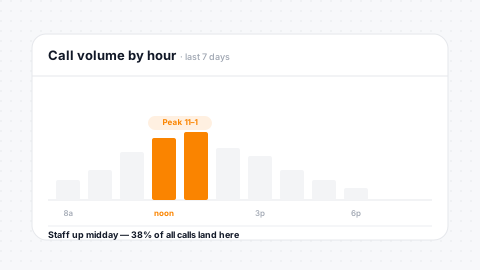
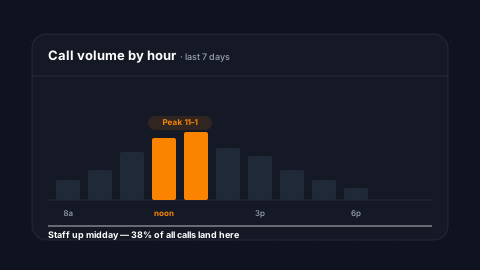
Three levels of call volume analysis: totals, by day, and by hour. Track inbound, outbound, queue calls, answered rates, failed calls, voicemails, transfers, average answer time, and handle time. Filter by brand for multi-brand operations. By-day reports show trends over weeks and months. By-hour reports pinpoint your busiest call windows for workforce optimization.
Three Levels
Total, daily, and hourly call-volume breakdowns with answer rates.
Full Splits
Inbound, outbound, queue, voicemail, and transfer breakdowns.
Time Tracking
Average answer time and handle time per cohort.
Brand Filter
Brand-level filtering for multi-brand operations.
Call Volume by Agent
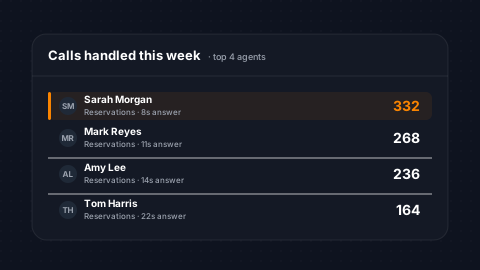
See exactly how calls distribute across your team. Per-agent totals for inbound, outbound, queue calls, answered calls, hangups, voicemails, transfers, answer time, and handle time. Compare agents side-by-side to identify top performers, spot agents who need coaching, and balance workload across the team.
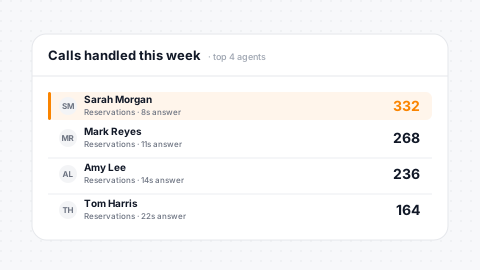
Per-Agent Volume
Inbound, outbound, and queue splits per agent.
Answer + Handle
Answer time and handle time comparison across agents.
Queue Rates
Queue answered and hangup rates for every agent.
Transfer + VM
Transfer and voicemail counts for workload analysis.
Agent Booked Revenue
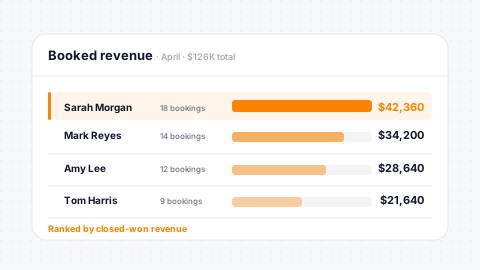
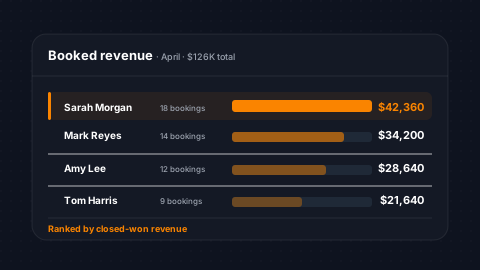
The metric that matters most: how much revenue each agent generates. Track total booked value and booking count per agent. Connect the dots from phone call to confirmed reservation and see which agents are driving your business. This report turns call center cost into a measurable revenue center.
Total Booked
Total booked revenue attributed to each agent.
Booking Count
Booking count per agent for conversion tracking.
Call → Reservation
Direct line from call activity to PMS reservations.
Revenue Engine
Turn your call center from cost center into revenue engine.
Lead Revenue & Source Analytics
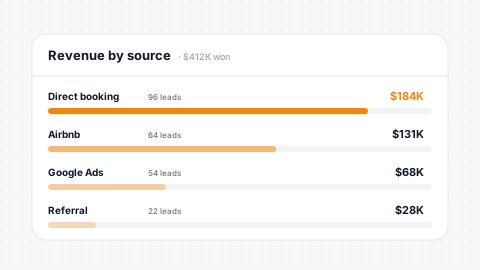
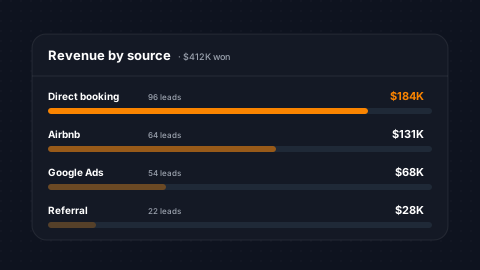
Two reports that answer where your best leads come from and who converts them. Lead Revenue breaks down by agent: total leads, open, closed, close time, won percentage, won value, lost percentage, lost value, and average time to win. Lead Revenue Source does the same by lead source and source detail, giving you ROI visibility into every marketing channel.
Per-Agent Convert
Won/lost value and close time per agent, per period.
Source Attribution
Source-level attribution with conversion rate and revenue.
Source Drill-Down
Detail drill-down for campaign-level analytics.
Won vs Lost
Percentage and value comparison across every channel.
Lead Lost Reason Report
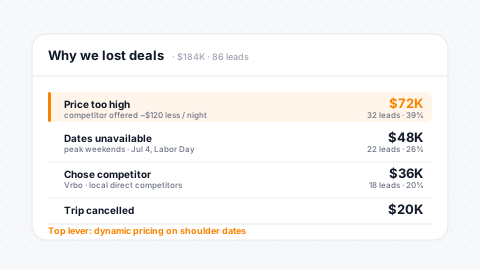
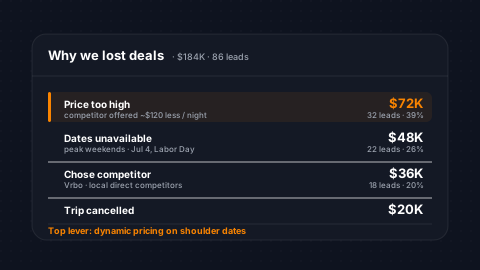
When leads don't convert, understand why. This report aggregates lost reason data by status, reason, and agent, showing total lead value lost and count. Identify recurring patterns like price sensitivity, date availability, or competitor wins. Use lost reason data to inform pricing strategy, inventory management, and competitive positioning across your portfolio.
Aggregated Reasons
Lost reasons aggregated by status, reason, and agent.
Value + Count
Total value and count of leads lost per reason.
Pattern ID
Surface pricing, availability, and competitor patterns.
Reduce Lost Rate
Actionable insights to reduce lost rate over time.
Inbound Call Source Totals
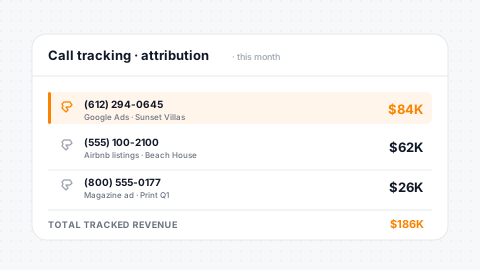
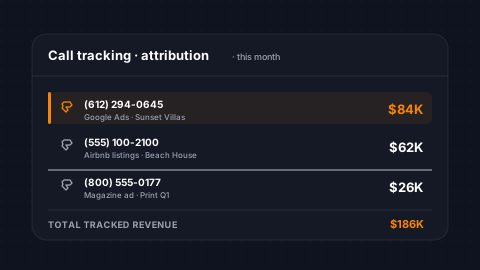
Map every inbound phone number to its marketing impact. Track calls per number, lead calls versus non-lead calls, leads generated, leads won and lost, number of reservations, reservation revenue, room revenue, and average call duration. Know exactly which phone numbers, and the campaigns behind them, are driving real bookings.
Per-Number Volume
Call volume with lead and non-lead breakdown per number.
Leads by Number
Leads generated, won, and lost mapped to each phone line.
Revenue Mapped
Reservation count and revenue attributed to each number.
Duration Analysis
Average call duration for quality and intent analysis.
SMS & Email Response Duration
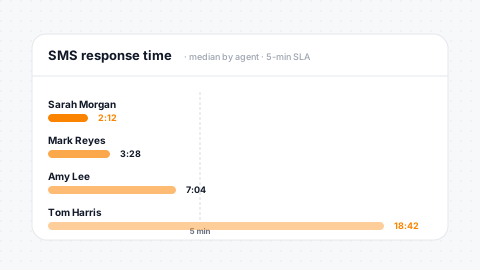
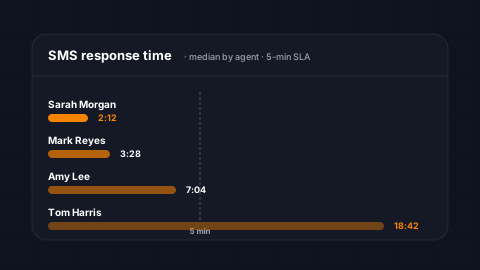
Measure how fast your team responds. Response duration reports track average response time by agent for SMS, email, and Airbnb messages, with separate business-hours calculations that filter out overnight periods. Total response count and business-hours response count give managers a fair view of agent speed when it actually matters.
Avg Response Time
Per-agent averages across SMS, email, and Airbnb.
Business Hours
Business-hours vs all-hours response time comparison.
Volume Context
Total response count per agent for context on speed.
Configurable Hours
Configurable business-hours window for fair measurement.
Email Campaign Revenue & Overview
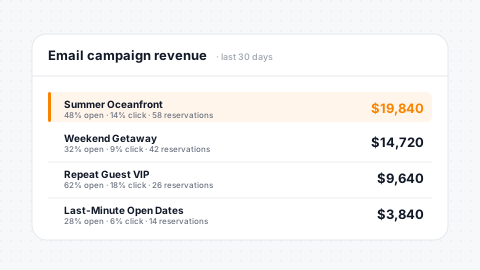
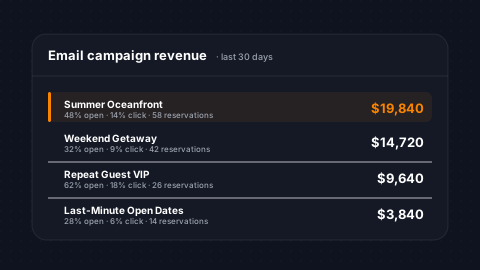
Two reports that measure email campaign effectiveness. Campaign Revenue tracks individual reservations attributed to campaigns, including reservation number, campaign, arrival, departure, open and click rates, and soft-associated revenue. Campaign Overview provides high-level metrics like sends, deliveries, opens, clicks, bounces, unsubscribes, and complaints, with grouping by month, week, or day of week.
Revenue Attribution
Email campaigns linked to PMS reservations softly.
Engagement Rates
Open, click, bounce, unsubscribe, and complaint rates.
Time Grouping
Group performance by month, week, or day of week.
Revenue Breakdown
Room revenue, extra revenue, and total value per campaign.
Survey Reports
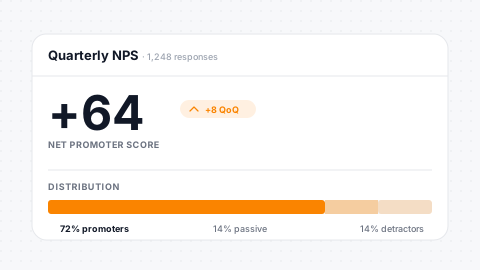
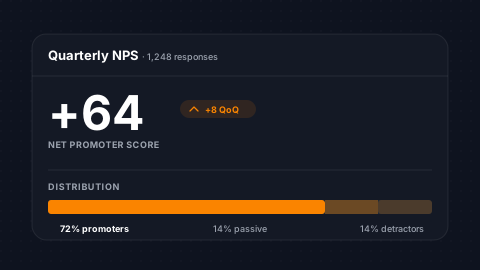
Measure guest satisfaction with data, not gut feeling. Survey reports show individual responses with NPS scores and completion status. Z-score analysis identifies statistically significant trends in survey question responses, surfacing which properties, agents, or experiences consistently score above or below the norm. Agent alerts fire when scores drop.
NPS Scoring
Response-level NPS detail with completion tracking.
Z-Score Analysis
Statistical analysis across every survey question.
Trend Detection
Identify significant trends by property or agent.
Low-Score Alerts
Agent alerts triggered by low satisfaction scores.
Daily Snapshot
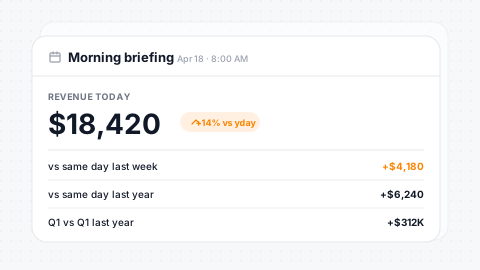
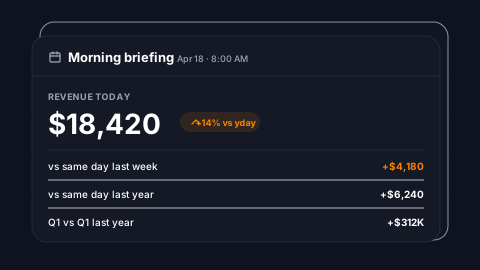
Start every morning with the full picture. The daily snapshot compares today's bookings, paid bookings, cancellations, total rent, taxes, and revenue against yesterday, last week, this month, last month, same period last year, this quarter, and last quarter. Seventeen comparison time windows show whether you're pacing ahead or behind across every dimension.
Full Totals
Bookings, paid, cancelled, rent, and tax totals in one view.
17 Comparisons
17 time windows from today through YoY quarterly.
YoY Benchmarks
Same-period-last-year benchmarking for seasonal businesses.
Auto-Delivered
Automated delivery for daily executive briefings.
Owner Reservation Pacing
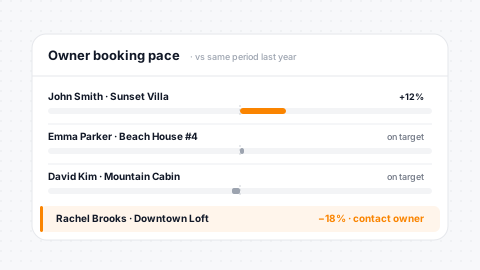
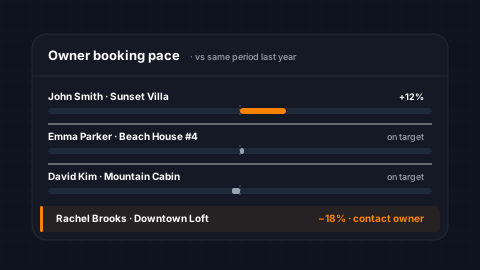
Keep property owners informed with pacing data that speaks for itself. Per-owner, per-unit reports show monthly bookings, booking window, total revenue, room revenue, extra revenue, average daily rate, and average stay length. Pacing reports can be emailed directly to owners, giving them performance transparency that drives retention without manual spreadsheet work.
Per-Unit Pacing
Per-owner, per-unit monthly pacing with revenue breakdown.
Full Metrics
Booking window, ADR, and average stay length captured.
Auto to Owners
Pacing reports email direct to property owners on schedule.
Retention Driver
Transparency strengthens owner relationships and retention.
Automation & IVR Analytics
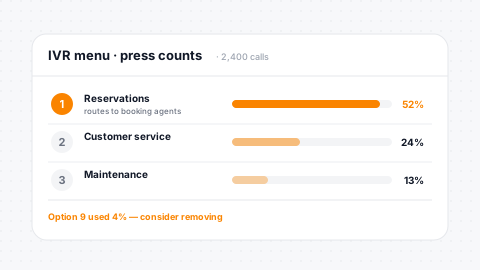
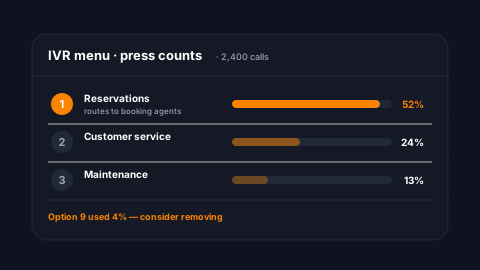
Measure what your automations and call flows are doing. Automation count reports track workflow sends, deliveries, opens, and clicks over time. IVR menu press reports show which digits callers press and how often, giving you the data to optimize menu structures, eliminate dead-end options, and route calls more efficiently.
Workflow Activity
Sends, opens, and clicks tracked over time per workflow.
IVR Analytics
Menu press analytics by digit, option name, and count.
Routing Optimization
Optimize call routing based on actual caller behavior.
Time-Series Data
Time-series automation data for trend analysis.
Cart Abandonment & Recovery
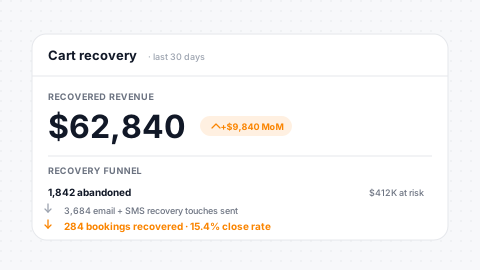
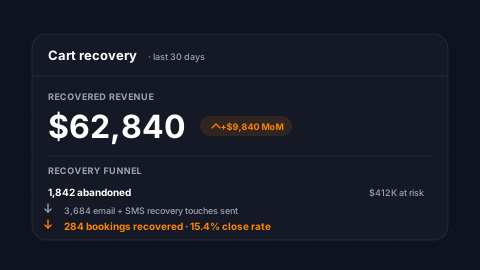
Track and recover lost booking revenue. The cart abandonment dashboard shows abandoned carts, recovered orders, conversion rates, and recovered revenue across email and SMS recovery channels. Monitor email engagement (open rates, click-through rates, unsubscribe rates) and measure browse abandonment recovery alongside cart recovery for a complete picture of revenue recapture.
Cart Tracking
Abandoned cart and recovered order tracking with convert rate.
Recovered Revenue
Recovered revenue tracked across email and SMS channels.
Browse Recovery
Browse-abandonment recovery separate from cart recovery.
12-Mo Projection
Projected 12-month revenue from current recovery trends.
Scheduled Reports & Export
Reports run on your schedule, not just on demand. Configure any report to run daily, weekly, or monthly and deliver results to your inbox. Every report supports date range filtering, agent filtering, and export for offline analysis. Role-based permissions control who sees what: agents see their own data, managers see the team, and executives see the business.
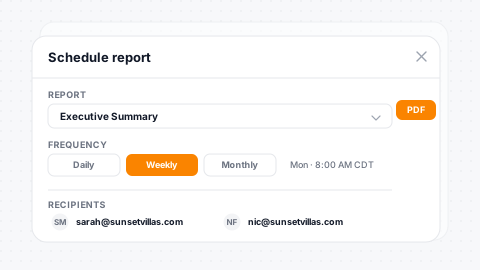
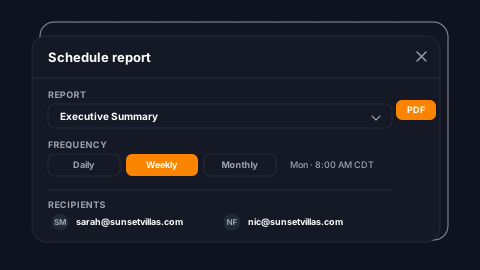
Schedule Any Report
Daily, weekly, or monthly delivery on demand.
Rich Filtering
Date range, agent, and brand filters across every report.
Export Ready
Export for offline analysis and stakeholder slides.
Role-Based Access
Access control from agent up to executive level.
Every report ties back to the SendSquared email marketing suite: campaign revenue, open and click rates, and Smart Send delivery metrics roll up alongside call, lead, and survey data so executives see one source of truth.
The survey reports above pull from post-stay surveys with NPS scoring and review routing, so service-recovery alerts and reputation trend lines share the same data layer as your operational reporting. Call abandonment, IVR press analytics, and agent productivity metrics are powered by SendSquared's cloud phone system with call recording, voicemail transcription, and call queue routing, so every call event flows into the same reporting layer as email and survey data.
Testimonials
What Our Clients Say
“SendSquared is the second most important thing in our company outside of our PMS. All of our departments use it. Everyone in the company uses SendSquared. The engagement is what keeps us so well connected, and we are adding on average 10 doors a month at this point.”
Steven Wood
Founder, Host and Home
“SendSquared took everything we relied on and made it better, easier to use, and more centralized. Having everything in one platform has been a major improvement for our team.”
Mark Ryan
Revenue Manager, Wilderness Resorts & Waterparks
“In typical SendSquared fashion, it was easier than I expected.”
Brendan Curtin
CMK Development, Sailrock South Caicos
“The SendSquared tape chart has been our lifeline on the road. I used to print the calendar before heading out — now everything is right there, even with last-minute changes.”
Kim Collin
, Caribbean Villas of St. John
“I can definitely attribute a good number of reservations to SendSquared. Between the easy follow-up communication within the system and the CRM pulling up information as a call comes in, our reservations team is being more intentional on their calls, resulting in better conversions.”
Brock Reich
Chief Operating Officer, Orlando Resorts Rental
Frequently Asked Questions
What reports are included?
Executive summary, agent productivity, lead compliance, call abandonment, call volume, agent booked revenue, lead revenue by source, survey analytics, email campaign revenue, daily snapshot, owner pacing, and more.
Can I schedule reports to be emailed automatically?
Yes. Configure any report to run daily, weekly, or monthly and deliver results to your inbox with date range, agent, and brand filtering.
How is email campaign revenue tracked?
Soft association links campaigns to PMS reservations, showing reservation number, campaign, open/click rates, and attributed revenue without manual tagging.
What is the daily snapshot report?
A morning briefing comparing today's bookings, revenue, cancellations, and taxes against 17 time periods including yesterday, last week, same period last year, and quarterly benchmarks.
Can I see which phone numbers drive the most bookings?
Yes. The inbound call source report maps each phone number to leads generated, leads won, reservations created, and total revenue attributed.
Ready to Get Started?
See how SendSquared can transform your hospitality operations.
Schedule a DemoExplore More
Related Reading
Airbnb threads sit alongside SMS, WhatsApp, email, and voice in SendSquared's hotel messaging stack, with PMS-linked guest profiles on every conversation.