


Gmail Chrome Extension
The Guest Record, Beside Every Gmail Thread
SendSquared for Gmail opens a pane next to the thread you are reading and fills it with the CRM record for whoever is on it. Stay history, lifetime value, open leads, and tags, pulled live from your hospitality CRM. Add a note or create a lead and it is on the record before you hit send.
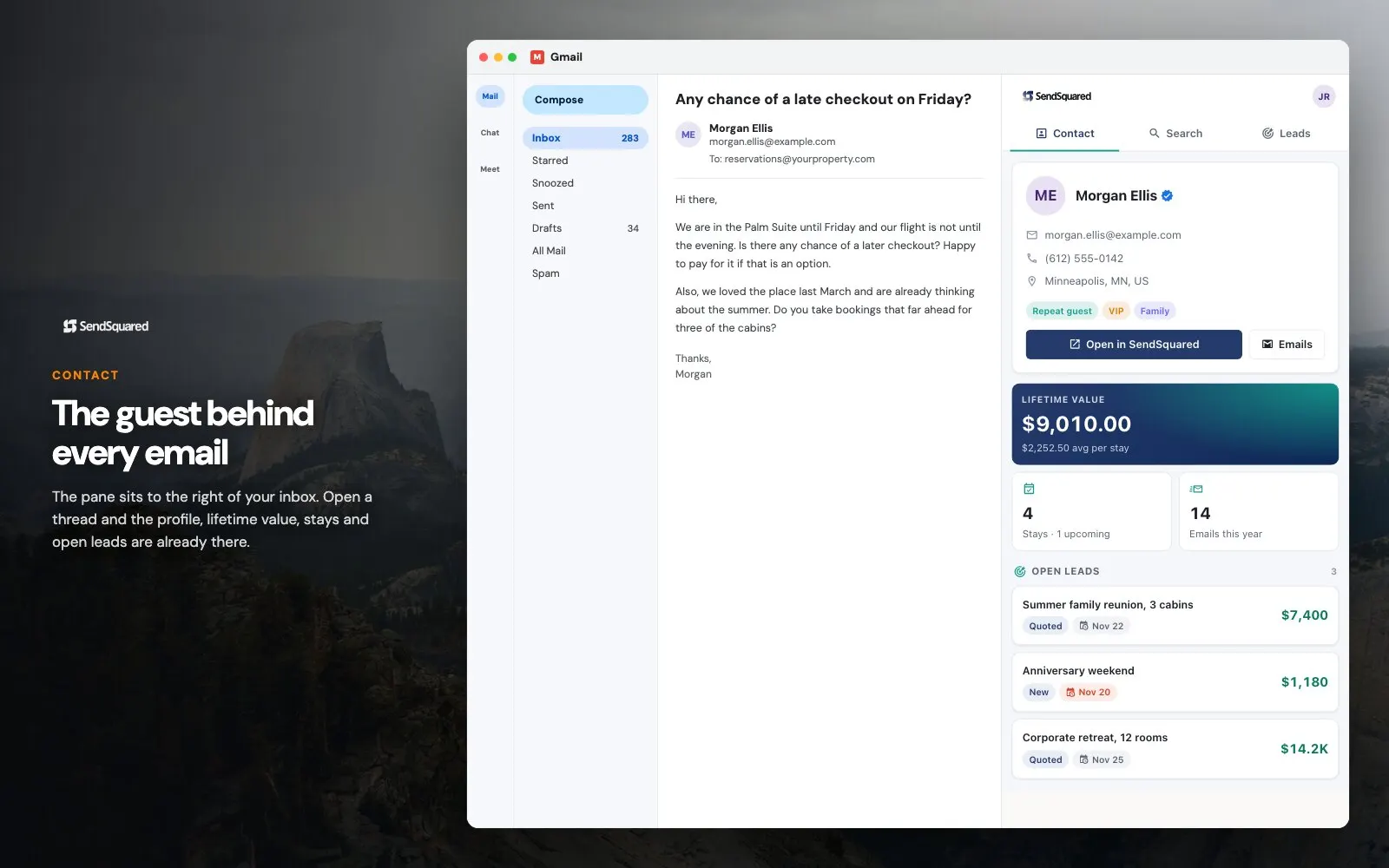
What shows up in the pane
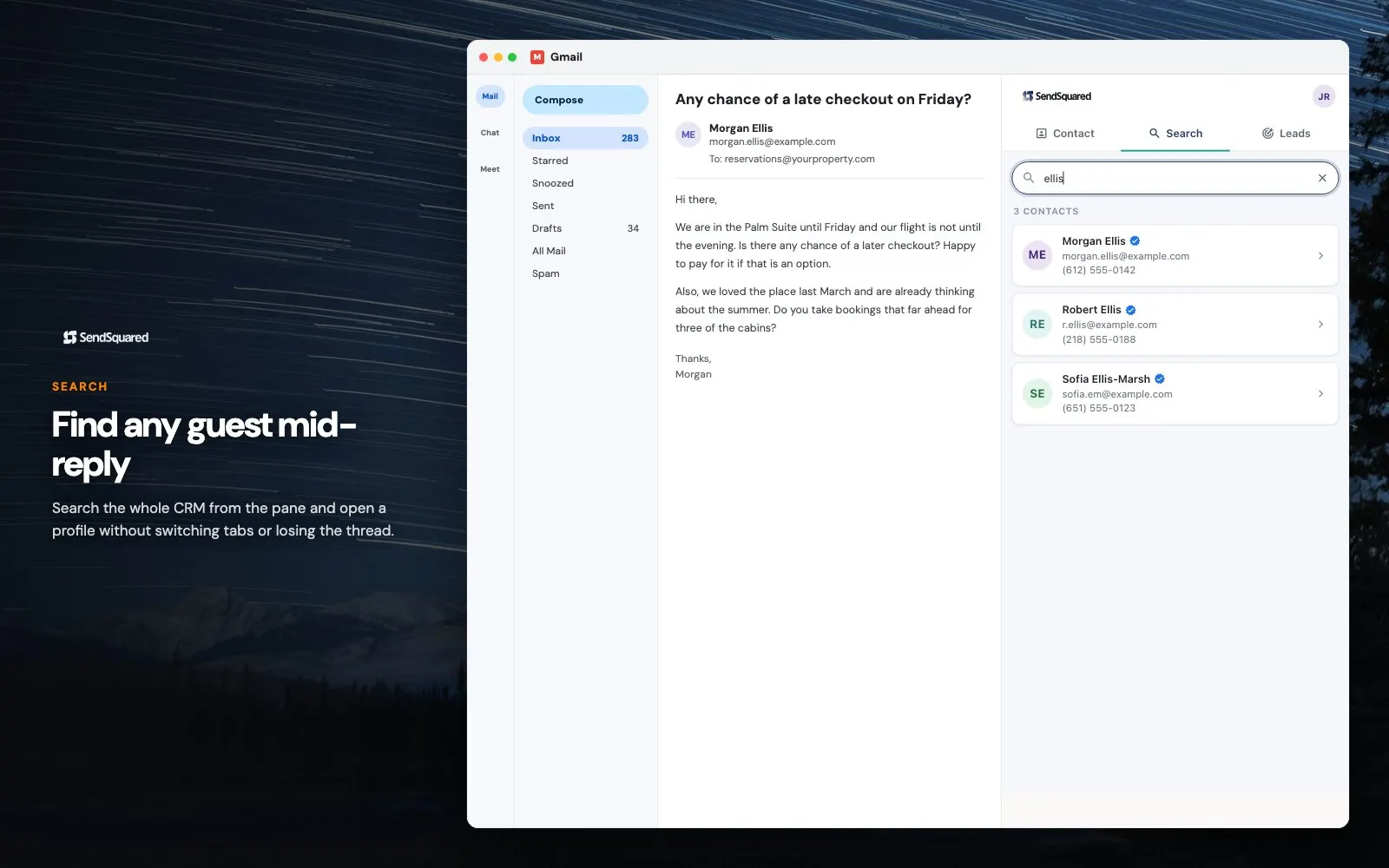
The extension matches the addresses on the open thread against your SendSquared contacts and renders what it finds. Everything in the pane is your own account data, scoped to your own permissions.
- Whose thread this is: the guest, owner, or vendor record matched on the addresses
- Where they have stayed, how recently, and what the relationship has been worth
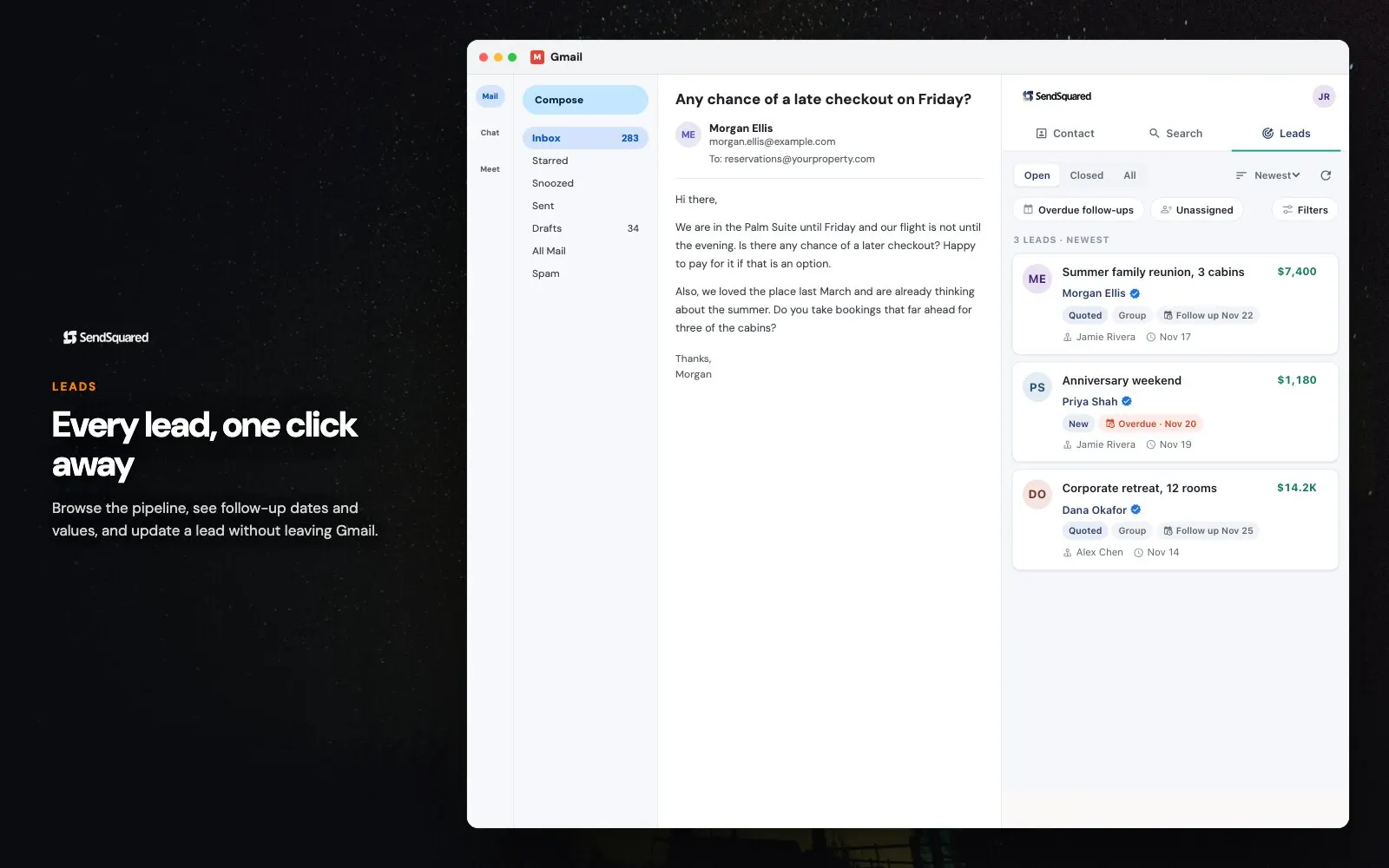
- Any lead already open on them, and the stage it is sitting in
- The tags, lead statuses, and custom fields your own account defines, not a generic set
- A note box that posts to the contact timeline without leaving the thread
- A one-step lead for an address that turns out to have no record at all
Which Chrome extension is which
SendSquared publishes two Chrome extensions and they get mistaken for each other, so the split is worth stating. They do different jobs against the same records.
- This one lives in Gmail and answers who the thread is with, and what their history looks like
- The prospecting extension lives on any website and turns the page in front of you into a lead
- Both write to the same contact and lead records, so a prospect captured on a site and later emailed stays one record
- Both respect the same SendSquared permissions, so neither widens what a user can already see
- Neither requires the other, and running both is the normal setup for a reservations or sales desk
Why the extension asks for so little
A browser extension with a view of a mailbox deserves scepticism, and the honest answer is that matching a contact needs almost nothing. Two pieces of the open thread are enough: the addresses on the From, To, and CC lines, and the subject. Those go over HTTPS to the SendSquared API, which looks them up against your own account and returns the record. Message bodies and attachments are never read, copied, or stored, and nothing from the mailbox travels anywhere other than SendSquared. What stays on the machine is a sign-in token and a short-lived cache of account settings such as lead statuses and tags, held in local browser storage and cleared at logout. No advertising trackers, and nothing sold. Section 3.4 of the privacy policy puts this in writing, and privacy@sendsquared.com takes questions on it.
Frequently Asked Questions
Where do I get the Gmail extension?
It is a Chrome extension. Install it in Chrome, sign in with your normal SendSquared credentials, and the pane appears alongside Gmail.
Does it work with Google Workspace?
Yes. It runs against Gmail in Chrome whether the account is a personal Gmail address or a Google Workspace mailbox on your own domain.
Does it read my email?
No. The extension reads the sender, recipient, and CC addresses and the subject of the message you have open, which is what it needs to find matching contacts. It does not read, copy, or store message bodies or attachments. The privacy policy sets this out in full.
Do notes and leads I add in Gmail show up in SendSquared?
Yes. Notes, leads, and contact changes made in the pane save to your SendSquared account exactly as if you had made them in the web app, so the rest of your team sees them immediately.
Is this the same as the prospecting Chrome extension?
No, they are two different tools. The prospecting extension in lead management captures a lead from any website you are browsing. This one works inside Gmail and shows the CRM record for the thread you have open.
Is there an Outlook version?
Yes. The SendSquared for Outlook add-in does the same job in Microsoft 365.
The pane is one surface onto the same guest record that feeds the unified inbox, lead management, and email marketing. On Microsoft 365 instead? The Outlook add-in is the same idea in Outlook.
Ready to Get Started?
See how SendSquared can transform your hospitality operations.
Schedule a Demo