


Outlook Add-In
The Guest Record, Beside Every Outlook Email
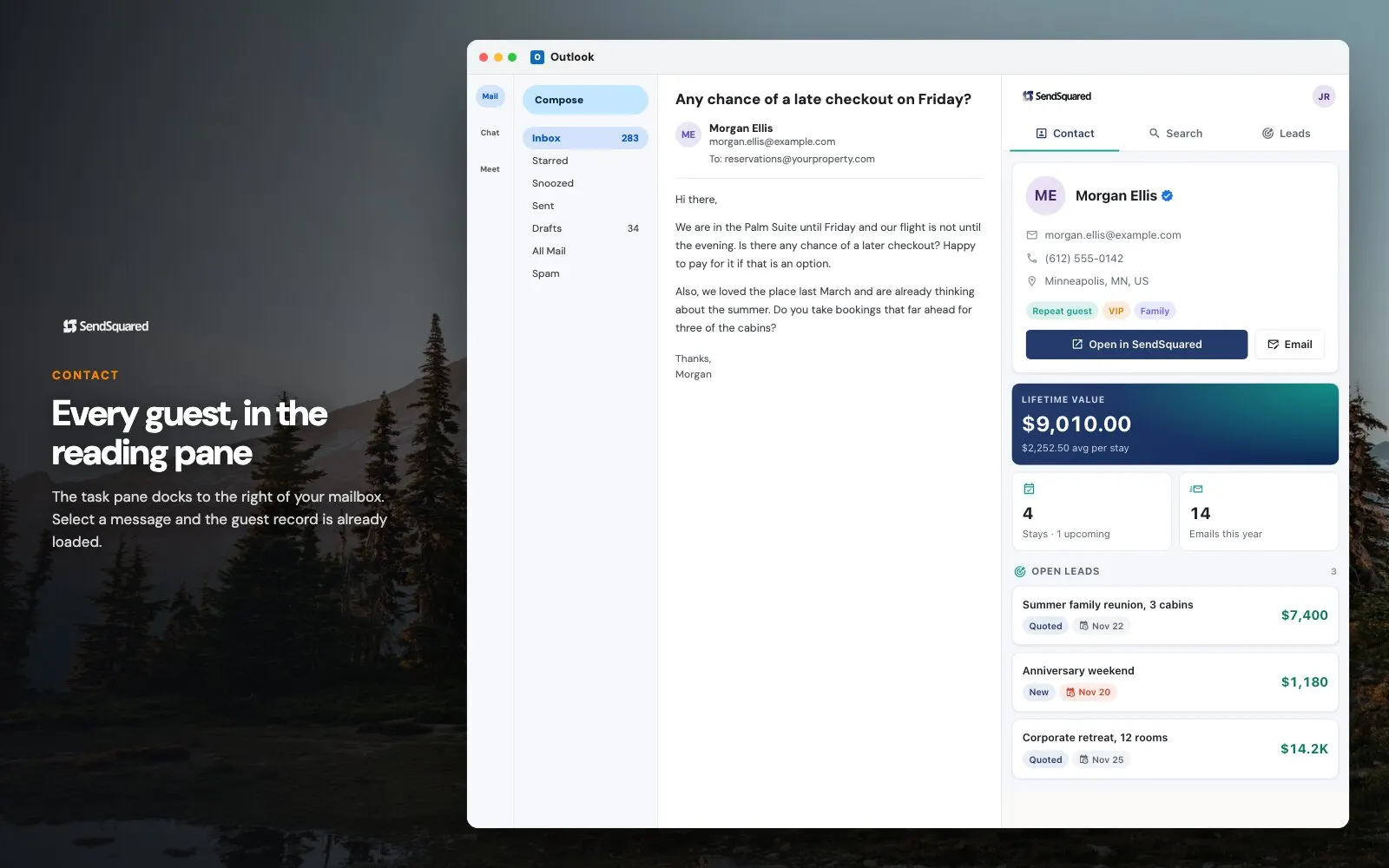
SendSquared for Outlook opens a pane next to the message you are reading and fills it with the CRM record for whoever is on that thread. Stay history, lifetime value, open leads, and tags, pulled live from your hospitality CRM. Add a note or create a lead and it is on the record before you hit send.
What shows up in the pane
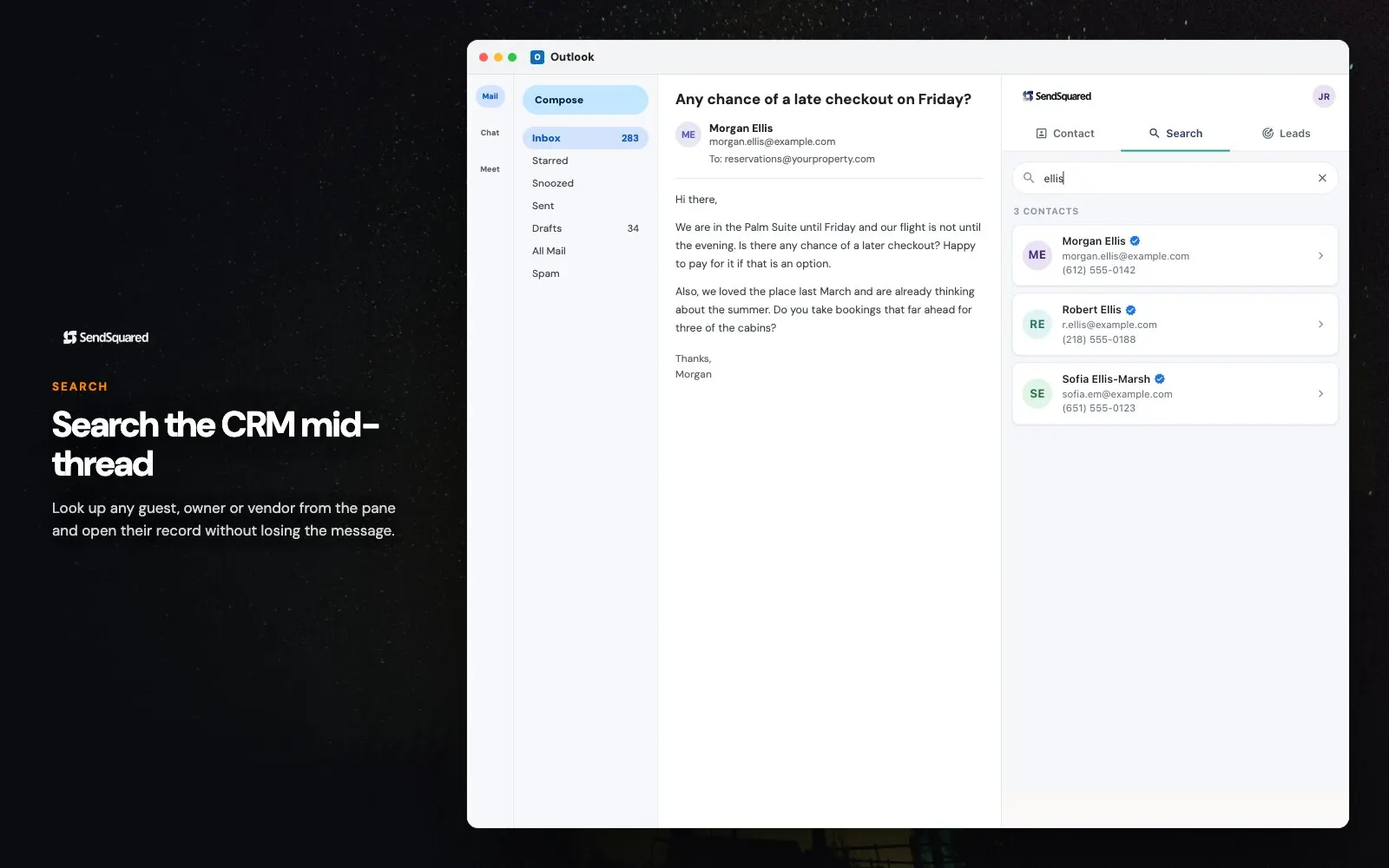
The add-in matches the addresses on the open message against your SendSquared contacts and renders what it finds. Everything in the pane is your own account data, scoped to your own permissions.
- The matching guest or owner record for whoever is in the From, To, or CC line
- Recent reservations, stay history, and lifetime value on that contact
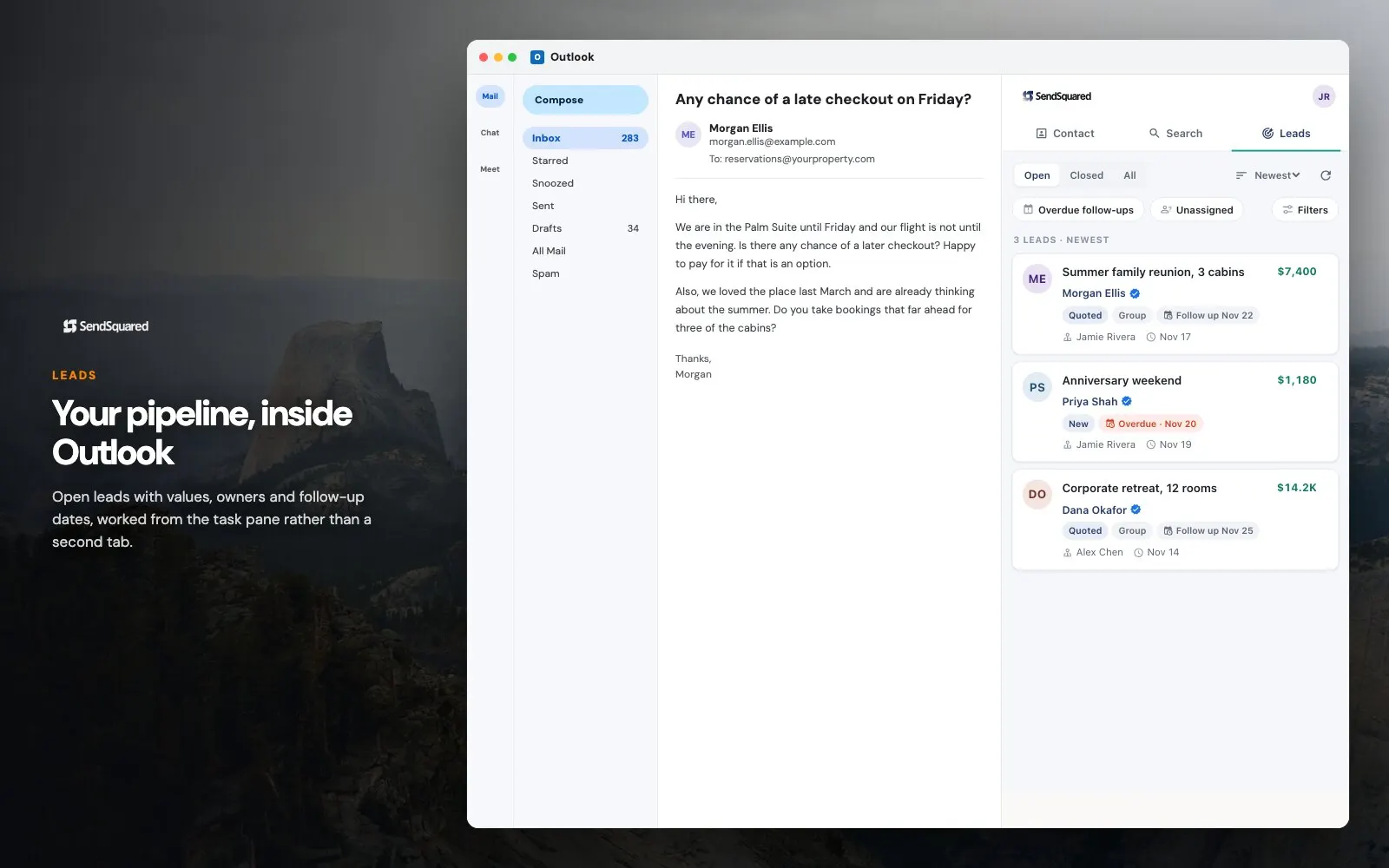
- Open leads and their pipeline status, without switching tabs
- Tags, lead statuses, and custom fields exactly as your account defines them
- A note field that writes straight back to the CRM timeline
- Lead creation for an address that has no record yet
Rolling it out on Microsoft 365
Because it is a Microsoft 365 add-in rather than a per-browser install, it is a tenant decision rather than a per-person habit. That is the practical difference between a tool a few people use and one the whole reservations desk works from.
- Published to Microsoft Marketplace, so an admin can deploy it tenant-wide instead of asking every user to install it
- Runs in Outlook on the web and in the current desktop and Windows apps on the same Microsoft 365 account
- Signs in with existing SendSquared credentials, so there is no second user directory to keep in step
- Each user sees only the records their SendSquared permissions already allow
- Revoking a SendSquared user revokes the pane with it, because the pane is only a view onto the account
- Reservation sales sitting in one person’s mailbox becomes a note the next person to open the thread can see
The scope an IT reviewer will ask about
Anything installed into a Microsoft 365 tenant gets reviewed, so the scope is worth stating plainly. To find a matching contact the add-in needs two things from the open message: the addresses on the From, To, and CC lines, and the subject. It requests nothing else. Message bodies and attachments are never read, copied, or stored, those addresses travel over HTTPS only to the SendSquared API, and the lookup runs against your own contacts, so no part of the mailbox reaches a third party. On the device, the add-in keeps a sign-in token and a short-lived cache of account settings such as lead statuses and tags in local browser storage, and clears both at logout. No advertising trackers, and nothing sold. The same commitments are written into the privacy policy, and a security questionnaire can go to privacy@sendsquared.com.
Frequently Asked Questions
Where do I get the Outlook add-in?
It is published to Microsoft Marketplace as "SendSquared". Install it from there, or ask your admin to deploy it across the tenant, and sign in with your normal SendSquared credentials.
Which versions of Outlook does it work in?
It is a Microsoft 365 add-in, so it runs in Outlook on the web and in the current Outlook desktop and Windows apps signed in to a Microsoft 365 account.
Does it read my email?
No. The add-in reads the sender, recipient, and CC addresses and the subject of the message you have open, which is what it needs to find matching contacts. It does not read, copy, or store message bodies or attachments. The privacy policy sets this out in full.
Do notes and leads I add in Outlook show up in SendSquared?
Yes. Notes, leads, and contact changes made in the pane save to your SendSquared account exactly as if you had made them in the web app, so the rest of your team sees them immediately.
Is there a Gmail version?
Yes. The SendSquared for Gmail Chrome extension does the same job in Gmail.
The pane is one surface onto the same guest record that feeds the unified inbox, lead management, and email marketing. Prefer Gmail? The Gmail extension is the same idea in Chrome.
Ready to Get Started?
See how SendSquared can transform your hospitality operations.
Schedule a Demo